

.XPI Extension de fichier
Package d’installation multiplateforme
| Développeur | Mozilla |
| Popularité |
4,0 | 857 Votes |
Qu'est-ce qu'un fichier XPI ?
Un fichier XPI est une archive d’installation compressée utilisée par diverses applications Mozilla, notamment Firefox, Thunderbird et SeaMonkey. Il contient un module complémentaire, tel qu’un plug-in Firefox, une boîte à outils ou un thème. La plupart des fichiers XPI incluent un fichier install.js, install.rdf ou readme.md, qui contient les instructions d’installation du module complémentaire.
Plus d'informations
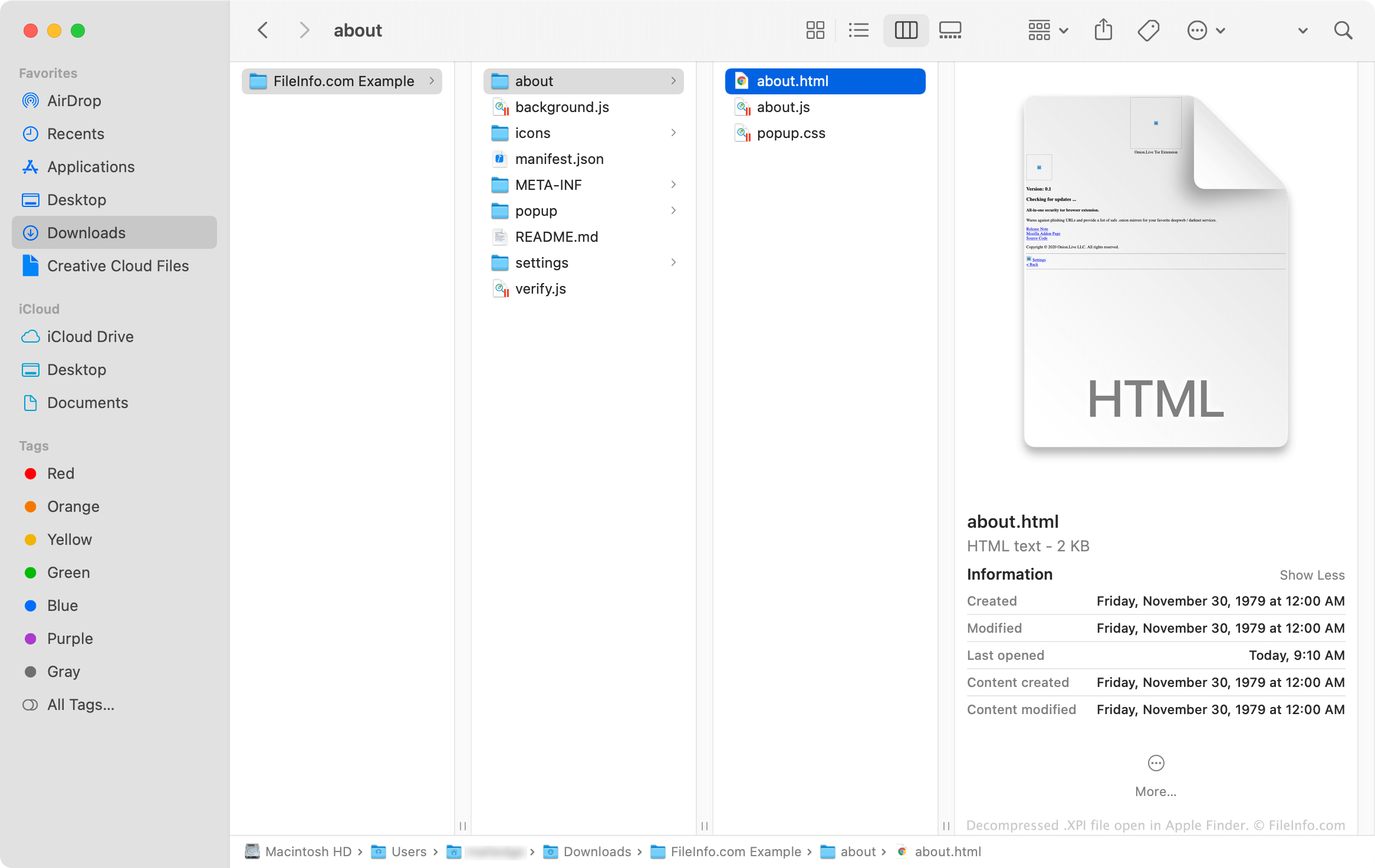
Les fichiers XPI sont essentiellement des archives .ZIP renommées que les applications Mozilla utilisent pour installer des modules complémentaires. Ces archives contiennent souvent des fichiers .JS, .CSS, .HTML et .JSON qui, combinés, constituent le code nécessaire à l’installation d’un module complémentaire. Les modules complémentaires qui utilisent des icônes et d’autres images contiennent également des fichiers .PNG.
Comment ouvrir un fichier XPI
Certaines versions de Mozilla Firefox vous permettent d’installer un fichier XPI en faisant glisser le fichier dans une fenêtre de navigateur ouverte. Firefox utilise ensuite un composant appelé XPInstall pour installer le module complémentaire contenu dans votre fichier XPI.
Si le glisser-déposer de votre fichier XPI dans Firefox ne fonctionne pas, vous pouvez installer manuellement le fichier en suivant les instructions ci-dessous :
- Dans Windows, sélectionnez l’icône Menu (trois lignes horizontales) dans le coin supérieur droit de Firefox, puis cliquez sur . (Dans macOS, sélectionnez .)
- Sélectionnez , ou (selon le type de module complémentaire contenu dans votre fichier XPI).
- Cliquez sur le menu déroulant de l’icône en forme d’engrenage et sélectionnez .
- Accédez à votre fichier XPI et sélectionnez-le. Cliquez ensuite sur .
Comment installer un fichier XPI dans la version mobile de Firefox ?
Sur les appareils Android, vous pouvez installer le module complémentaire contenu dans un fichier XPI en localisant le fichier dans un gestionnaire de fichiers Android (tel que File Viewer Plus ou ES File Explorer), en appuyant dessus, puis en l’ouvrant avec Firefox.
La version iOS de Firefox ne permet pas aux utilisateurs d’installer des fichiers XPI.
Comment installer un fichier XPI dans Mozilla Thunderbird ?
Pour installer un fichier XPI dans Mozilla Thunderbird :
- Dans Windows, sélectionnez l’icône Menu (trois lignes horizontales), cliquez sur , puis cliquez à nouveau sur . (Dans macOS, sélectionnez .)
- Sélectionnez , ou (selon le type de module complémentaire contenu dans votre fichier XPI).
- Cliquez sur le menu déroulant de l’icône en forme d’engrenage et sélectionnez .
- Accédez à votre fichier XPI et sélectionnez-le. Cliquez ensuite sur .
Comment afficher le contenu d’un fichier XPI en dehors des applications Mozilla ?
Comme un fichier XPI est une archive compressée au format Zip, vous pouvez extraire et afficher manuellement son contenu en procédant comme suit :
- Renommez le fichier afin qu’il utilise l’extension .zip.
- Extrayez le contenu du fichier avec un utilitaire de compression Zip, tel que Corel WinZip (Windows, Mac), 7-Zip (Windows) ou Apple Archive Utility (Mac).