

.XPI Přípona souboru
Instalační balíček pro různé platformy
| Vývojář | Mozilla |
| Popularita |
4,0 | 857 hlasů |
Co je soubor XPI?
Soubor XPI je komprimovaný instalační archiv používaný různými aplikacemi Mozilla, včetně Firefoxu, Thunderbirdu a SeaMonkey. Obsahuje doplněk aplikace, například zásuvný modul Firefoxu, sadu nástrojů nebo motiv. Většina souborů XPI obsahuje soubor install.js, install.rdf nebo readme.md, který obsahuje pokyny k instalaci doplňku.
Další informace
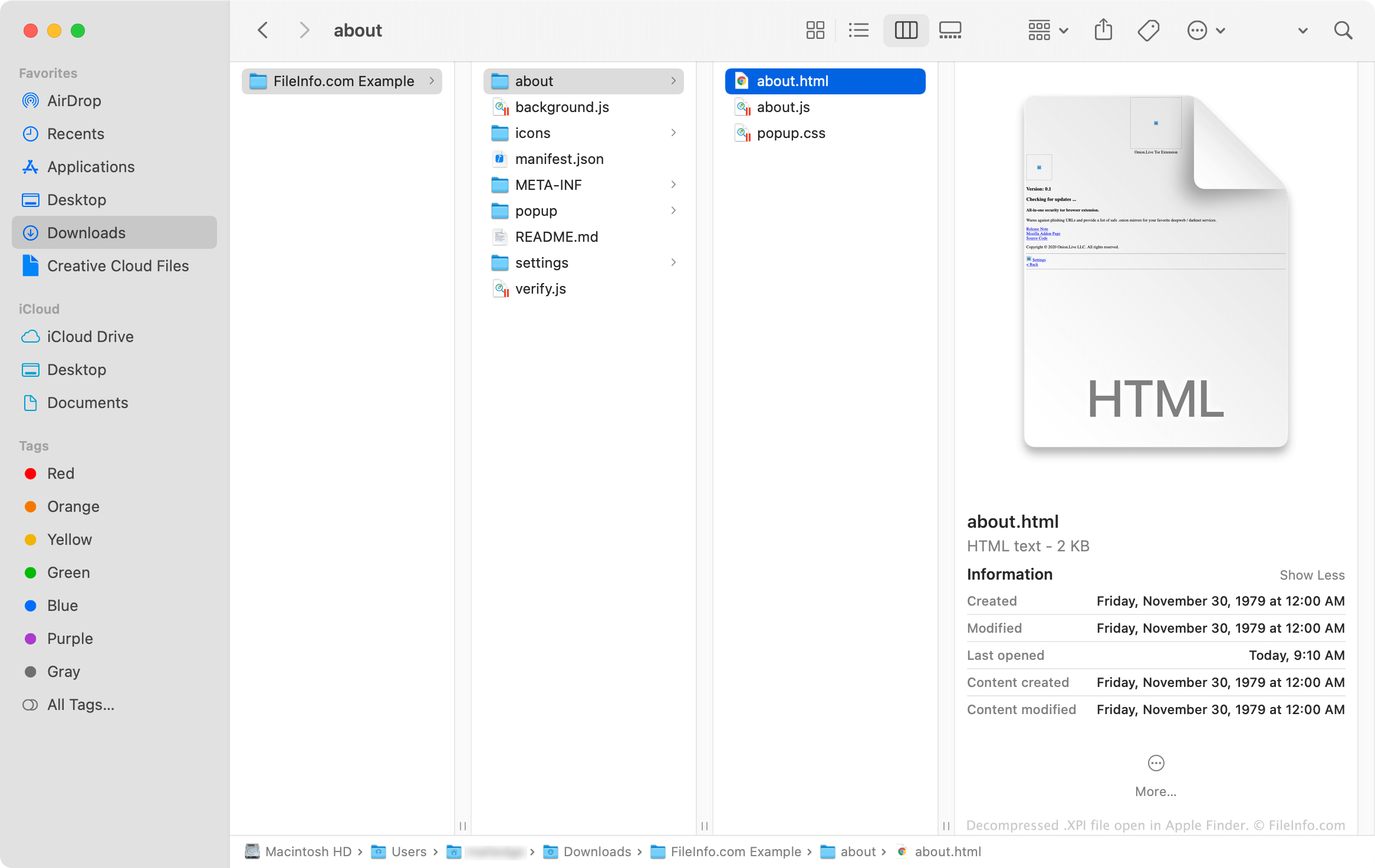
Soubory XPI jsou v podstatě přejmenované archivy .ZIP, které aplikace Mozilla používají k instalaci doplňků. Tyto archivy často obsahují soubory .JS, .CSS, .HTML a .JSON, které dohromady tvoří kód potřebný k instalaci doplňku. Doplňky, které používají ikony a další obrázky, obsahují také soubory .PNG.
Jak otevřít soubor XPI
Některé verze prohlížeče Mozilla Firefox umožňují nainstalovat soubor XPI přetažením souboru do otevřeného okna prohlížeče. Firefox poté k instalaci doplňku obsaženého v souboru XPI použije komponentu XPInstall.
Pokud přetažení souboru XPI do Firefoxu nefunguje, můžete soubor nainstalovat ručně podle následujících pokynů:
- Ve Windows vyberte v pravém horním rohu Firefoxu ikonu nabídky (tři vodorovné čáry) a klikněte na . (V systému macOS vyberte .)
- Vyberte , nebo (podle typu doplňku obsaženého v souboru XPI).
- Klikněte na rozevírací nabídku s ikonou ozubeného kola a vyberte .
- Přejděte k souboru XPI a vyberte ho. Poté klikněte na .
Jak nainstaluji soubor XPI v mobilní verzi Firefoxu?
V zařízeních se systémem Android můžete nainstalovat doplněk obsažený v souboru XPI tak, že soubor najdete ve správci souborů systému Android (například File Viewer Plus nebo ES File Explorer), klepnete na něj a otevřete ho ve Firefoxu.
Verze Firefoxu pro iOS uživatelům neumožňuje instalovat soubory XPI.
Jak nainstaluji soubor XPI v Mozilla Thunderbirdu?
Postup instalace souboru XPI v Mozilla Thunderbirdu:
- Ve Windows vyberte ikonu nabídky (tři vodorovné čáry), klikněte na a poté znovu klikněte na . (V systému macOS vyberte .)
- Vyberte , nebo (podle typu doplňku obsaženého v souboru XPI).
- Klikněte na rozevírací nabídku s ikonou ozubeného kola a vyberte .
- Přejděte k souboru XPI a vyberte ho. Poté klikněte na .
Jak zobrazím obsah souboru XPI mimo aplikace Mozilla?
Protože soubor XPI je archiv komprimovaný pomocí formátu ZIP, můžete jeho obsah ručně rozbalit a zobrazit následujícím postupem:
- Přejmenujte soubor tak, aby používal příponu .zip.
- Rozbalte obsah souboru pomocí nástroje pro kompresi ZIP, například Corel WinZip (Windows, Mac), 7-Zip (Windows) nebo Apple Archive Utility (Mac).