

.XPI Rozszerzenie pliku
Wieloplatformowy pakiet instalacyjny
| Deweloper | Mozilla |
| Popularność |
4,0 | 857 Głosów |
Czym jest plik XPI?
Plik XPI to skompresowane archiwum instalacyjne używane przez różne aplikacje firmy Mozilla, w tym Firefox, Thunderbird i SeaMonkey. Zawiera dodatek, taki jak wtyczka do Firefoksa, zestaw narzędzi lub motyw. Większość plików XPI zawiera plik install.js, install.rdf lub readme.md, który zawiera instrukcje instalacji dodatku.
Więcej informacji
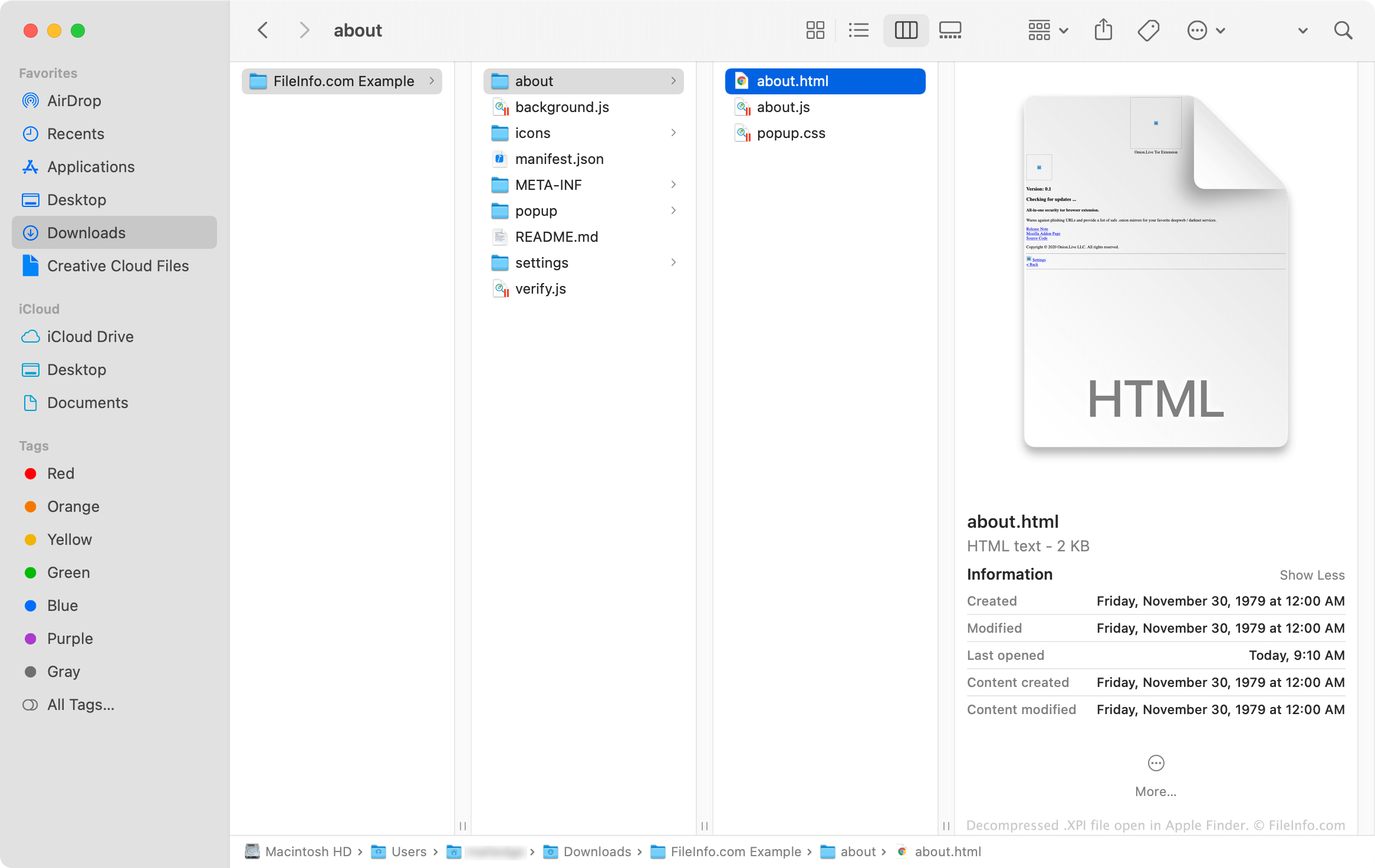
Pliki XPI to w zasadzie archiwa .ZIP ze zmienioną nazwą, których aplikacje firmy Mozilla używają do instalowania dodatków. Archiwa te często zawierają pliki .JS, .CSS, .HTML i .JSON, które razem tworzą kod potrzebny do zainstalowania dodatku. Dodatki używające ikon i innych obrazów zawierają także pliki .PNG.
Jak otworzyć plik XPI
Niektóre wersje programu Mozilla Firefox umożliwiają zainstalowanie pliku XPI przez przeciągnięcie go i upuszczenie na otwarte okno przeglądarki. Firefox używa wtedy komponentu o nazwie XPInstall do zainstalowania dodatku zawartego w pliku XPI.
Jeśli upuszczenie pliku XPI na okno Firefoksa nie działa, możesz zainstalować plik ręcznie, korzystając z poniższych instrukcji:
- W systemie Windows wybierz ikonę Menu (trzy poziome linie) w prawym górnym rogu Firefoksa i kliknij . (W systemie macOS wybierz .)
- Wybierz , lub (w zależności od rodzaju dodatku zawartego w pliku XPI).
- Kliknij menu rozwijane ikony koła zębatego i wybierz .
- Przejdź do pliku XPI i wybierz go. Następnie kliknij .
Jak zainstalować plik XPI w mobilnej wersji Firefoksa?
Na urządzeniach z systemem Android możesz zainstalować dodatek zawarty w pliku XPI, znajdując plik w menedżerze plików systemu Android (takim jak File Viewer Plus lub ES File Explorer), dotykając go i otwierając go za pomocą Firefoksa.
Wersja Firefoksa na system iOS nie umożliwia użytkownikom instalowania plików XPI.
Jak zainstalować plik XPI w programie Mozilla Thunderbird?
Aby zainstalować plik XPI w programie Mozilla Thunderbird:
- W systemie Windows wybierz ikonę Menu (trzy poziome linie), kliknij , a następnie ponownie kliknij . (W systemie macOS wybierz .)
- Wybierz , lub (w zależności od rodzaju dodatku zawartego w pliku XPI).
- Kliknij menu rozwijane ikony koła zębatego i wybierz .
- Przejdź do pliku XPI i wybierz go. Następnie kliknij .
Jak wyświetlić zawartość pliku XPI poza aplikacjami firmy Mozilla?
Ponieważ plik XPI jest archiwum skompresowanym za pomocą formatu Zip, możesz ręcznie wypakować jego zawartość i ją wyświetlić, wykonując następujące czynności:
- Zmień nazwę pliku, aby używał rozszerzenia .zip.
- Wypakuj zawartość pliku za pomocą programu do kompresji Zip, takiego jak Corel WinZip (Windows, Mac), 7-Zip (Windows) lub Apple Archive Utility (Mac).