

.XPI 파일 확장자
크로스 플랫폼 설치 패키지
| 개발사 | Mozilla |
| 인기도 |
4.0 | 857 표 |
XPI 파일이란 무엇인가요?
XPI 파일은 Firefox, Thunderbird, SeaMonkey를 비롯한 다양한 Mozilla 애플리케이션에서 사용하는 압축 설치 아카이브입니다. 여기에는 Firefox 플러그인과 같은 앱 플러그인, 툴킷 또는 테마가 포함됩니다. 대부분의 XPI 파일에는 애드온 설치 지침이 들어 있는 install.js, install.rdf 또는 readme.md 파일이 포함되어 있습니다.
추가 정보
XPI 파일을 여는 방법
Mozilla Firefox의 일부 버전에서는 XPI 파일을 열려 있는 브라우저 창으로 끌어다 놓아 설치할 수 있습니다. 그러면 Firefox는 XPInstall이라는 구성 요소를 사용해 XPI 파일에 포함된 애드온을 설치합니다.
XPI 파일을 Firefox에 끌어다 놓아도 작동하지 않으면 아래 지침에 따라 파일을 수동으로 설치할 수 있습니다.
- Windows에서는 Firefox 오른쪽 위에 있는 메뉴(가로줄 3개) 아이콘을 선택하고 를 클릭합니다. (macOS에서는 를 선택합니다.)
- , 또는 를 선택합니다(XPI 파일에 포함된 애드온 유형에 따라 다름).
- 톱니바퀴 아이콘의 드롭다운 메뉴를 클릭하고 을 선택합니다.
- XPI 파일이 있는 위치로 이동해 해당 파일을 선택합니다. 그런 다음 을 클릭합니다.
Firefox 모바일 버전에서 XPI 파일을 설치하려면 어떻게 해야 하나요?
Android 기기에서는 Android 파일 관리자(File Viewer Plus 또는 ES File Explorer 등)에서 XPI 파일에 포함된 애드온 파일을 찾아 탭한 다음 Firefox로 열어 설치할 수 있습니다.
iOS 버전의 Firefox에서는 XPI 파일을 설치할 수 없습니다.
Mozilla Thunderbird에서 XPI 파일을 설치하려면 어떻게 해야 하나요?
Mozilla Thunderbird에서 XPI 파일을 설치하려면 다음 단계를 따르세요.
- Windows에서는 메뉴(가로줄 3개) 아이콘을 선택하고 를 클릭한 다음 를 다시 클릭합니다. (macOS에서는 를 선택합니다.)
- , 또는 를 선택합니다(XPI 파일에 포함된 애드온 유형에 따라 다름).
- 톱니바퀴 아이콘의 드롭다운 메뉴를 클릭하고 을 선택합니다.
- XPI 파일이 있는 위치로 이동해 해당 파일을 선택합니다. 그런 다음 을 클릭합니다.
Mozilla 애플리케이션 외부에서 XPI 파일의 내용을 보려면 어떻게 해야 하나요?
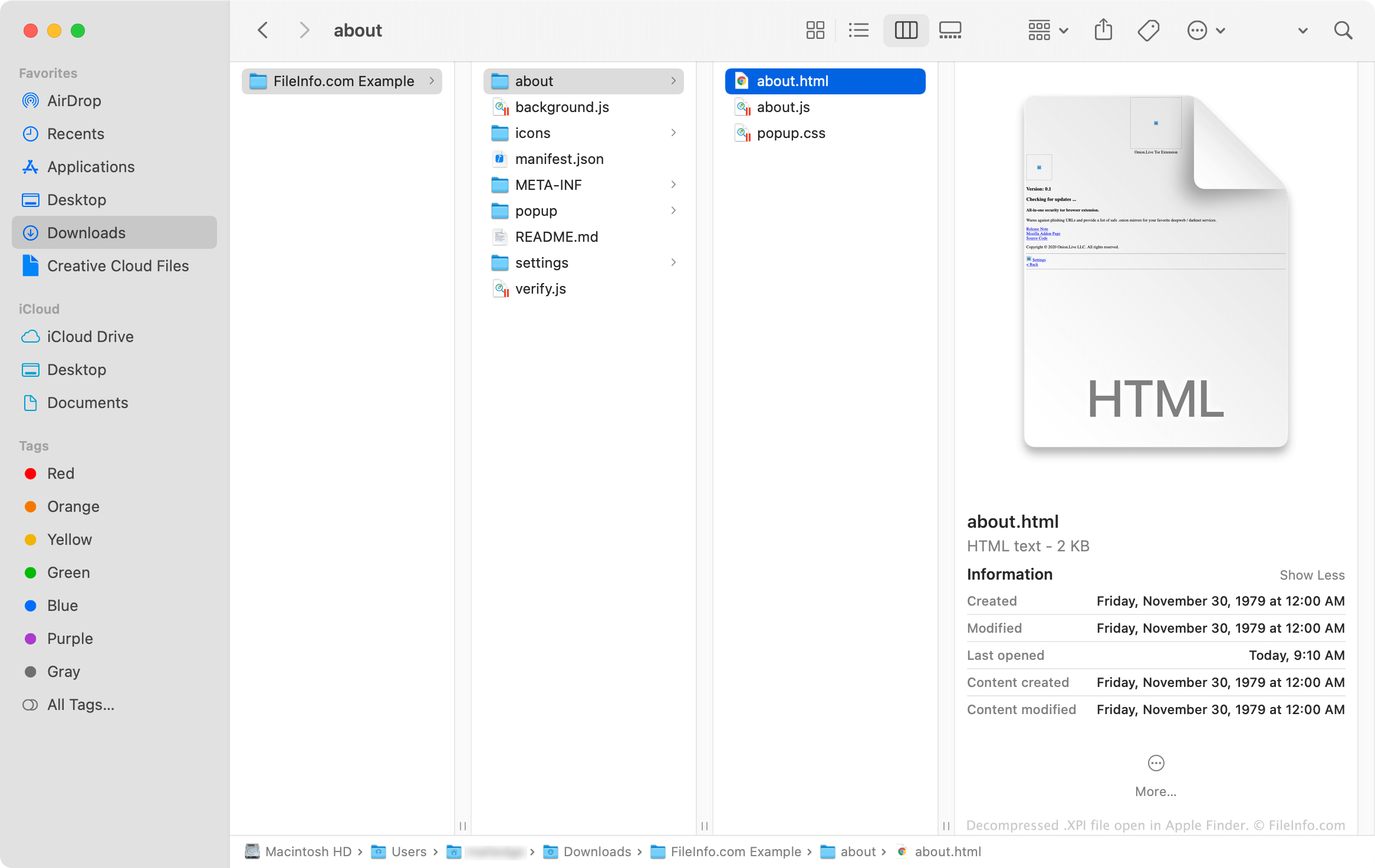
XPI 파일은 Zip으로 압축된 아카이브이므로 다음 방법으로 내용을 직접 추출하고 볼 수 있습니다.
- 파일 이름을 변경해 .zip 확장자를 사용하도록 합니다.
- Corel WinZip(Windows, Mac), 7-Zip(Windows) 또는 Apple Archive Utility(Mac)와 같은 Zip 압축 유틸리티를 사용해 파일의 내용을 추출합니다.
XPI 파일을 열거나 참조하는 프로그램
Windows
Linux
Android