.XPI 文件扩展名

Cross-platform Installer Package

开发者 Mozilla
受欢迎程度
4.0  |  857 
 

什么是 XPI 文件?

An XPI file is a compressed installation archive used by various Mozilla applications, including Firefox, Thunderbird, and SeaMonkey. It contains an app add-on, such as a Firefox plug-in, toolkit, or theme. Most XPI files include an install.js, install.rdf, or readme.md file, which contains the add-on's installation instructions.

更多信息

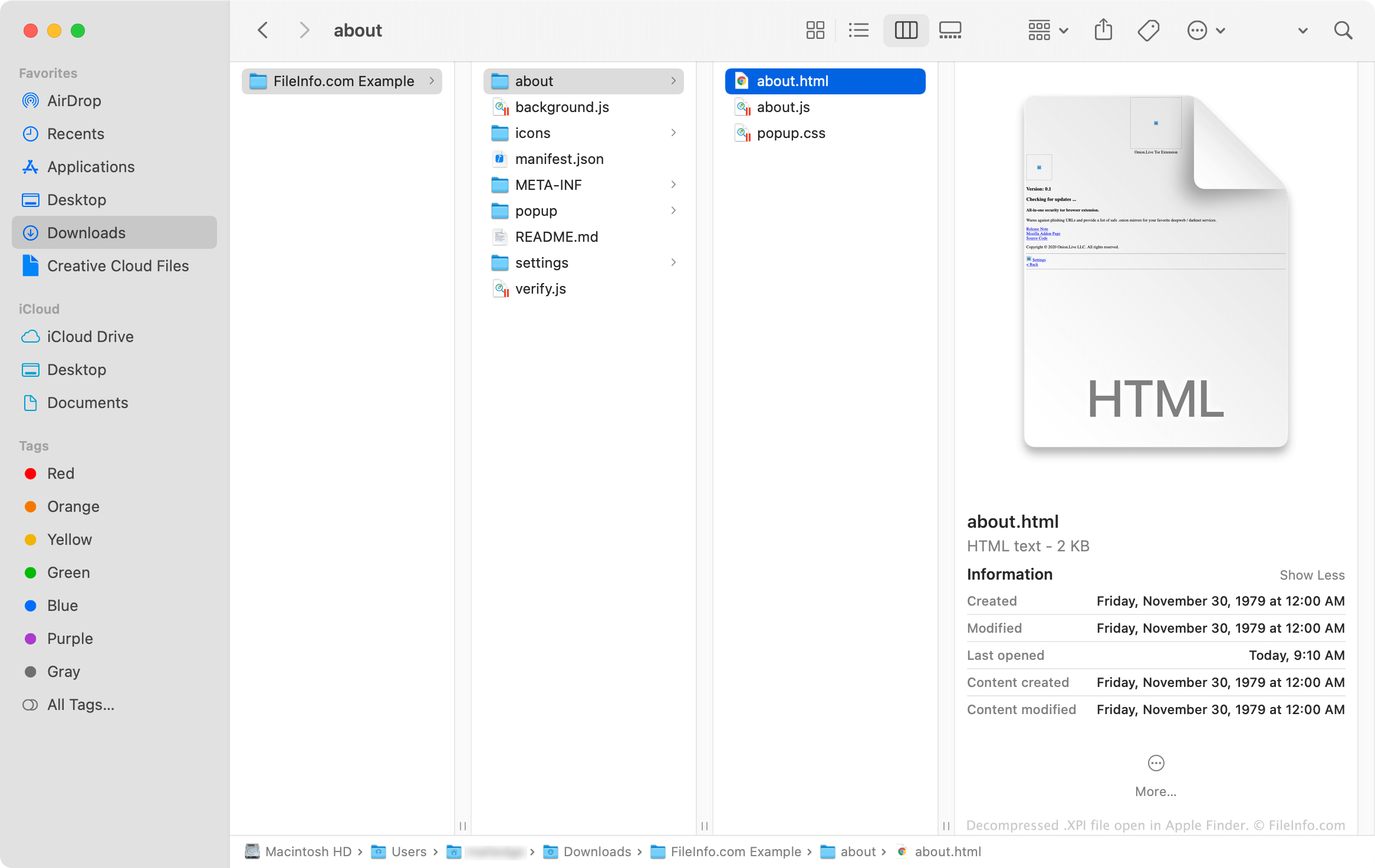
在 Apple Finder 中打开的 .xpi 文件截图
在 Apple Finder 中打开的 XPI 文件

XPI files are essentially renamed .ZIP archives that Mozilla applications use to install add-ons. These archives often contain .JS, .CSS, .HTML, and .JSON files that, combined, comprise the code needed to install an add-on. Add-ons that use icons and other images also contain .PNG files.

如何打开 XPI 文件

Some versions of Mozilla Firefox allow you to install an XPI file by dragging and dropping the file onto an open browser window. Firefox then uses a component called XPInstall to install the add-on your XPI file contains.

If dropping your XPI file onto Firefox does not work, you can manually install the file using the instructions below:

  1. In Windows, select the Menu (three horizontal line) icon in Firefox's upper-right corner and click Add-ons. (In macOS, select Tools → Add-ons.)
  2. Select Extensions, Themes, or Plugins (depending on the type of add-on your XPI file contains).
  3. Click the Gear icon dropdown menu and select Install Add-on From File....
  4. Navigate to and select your XPI file. Then, click Open.

How do I install an XPI file in the mobile version of Firefox?

On Android devices, you can install the add-on an XPI file contains by locating the file in an Android file manager (such as File Viewer Plus or ES File Explorer), tapping it, and opening it with Firefox.

The iOS version of Firefox does not allow users to install XPI files.

How do I install an XPI file in Mozilla Thunderbird?

To install an XPI file in Mozilla Thunderbird:

  1. In Windows, select the Menu (three horizontal lines) icon, click Add-ons, and then click Add-ons again. (In macOS, select Tools → Add-ons.)
  2. Select Extensions, Themes, or Plugins (depending on the type of add-on your XPI file contains).
  3. Click the Gear icon dropdown menu and select Install Add-on From File....
  4. Navigate to and select your XPI file. Then, click Open.

How do I view an XPI file's contents outside Mozilla applications?

Since an XPI file is a Zip-compressed archive, you can manually extract and view its contents by:

  1. Renaming the file to use the .zip extension.
  2. Extracting the file's contents with a Zip compression utility, such as Corel WinZip (Windows, Mac), 7-Zip (Windows), or Apple Archive Utility (Mac).
使用File Viewer Plus打开 400 多种文件格式。免费下载

可打开或引用 XPI 文件的程序

分类: 插件
更新时间: 2021-12-13

验证者 FileInfo.com

FileInfo.com 团队 独立研究了本页面列出的 Cross-platform Installer Package 文件格式和 Mac, Windows, Linux, and Android 应用。 我们的目标是达到 100% 的准确率,并且仅发布我们已验证过的文件类型信息。

如果您想为此页面提出新增或更新建议,请告诉我们