

.XPI Bestandsextensie
Platformonafhankelijk installatiepakket
| Ontwikkelaar | Mozilla |
| Populariteit |
4,0 | 857 stemmen |
Wat is een XPI-bestand?
Een XPI-bestand is een gecomprimeerd installatiearchief dat wordt gebruikt door verschillende Mozilla-toepassingen, waaronder Firefox, Thunderbird en SeaMonkey. Het bevat een add-on, zoals een Firefox plug-in, toolkit of thema. De meeste XPI-bestanden bevatten een bestand install.js, install.rdf of readme.md met de installatie-instructies voor de add-on.
Meer informatie
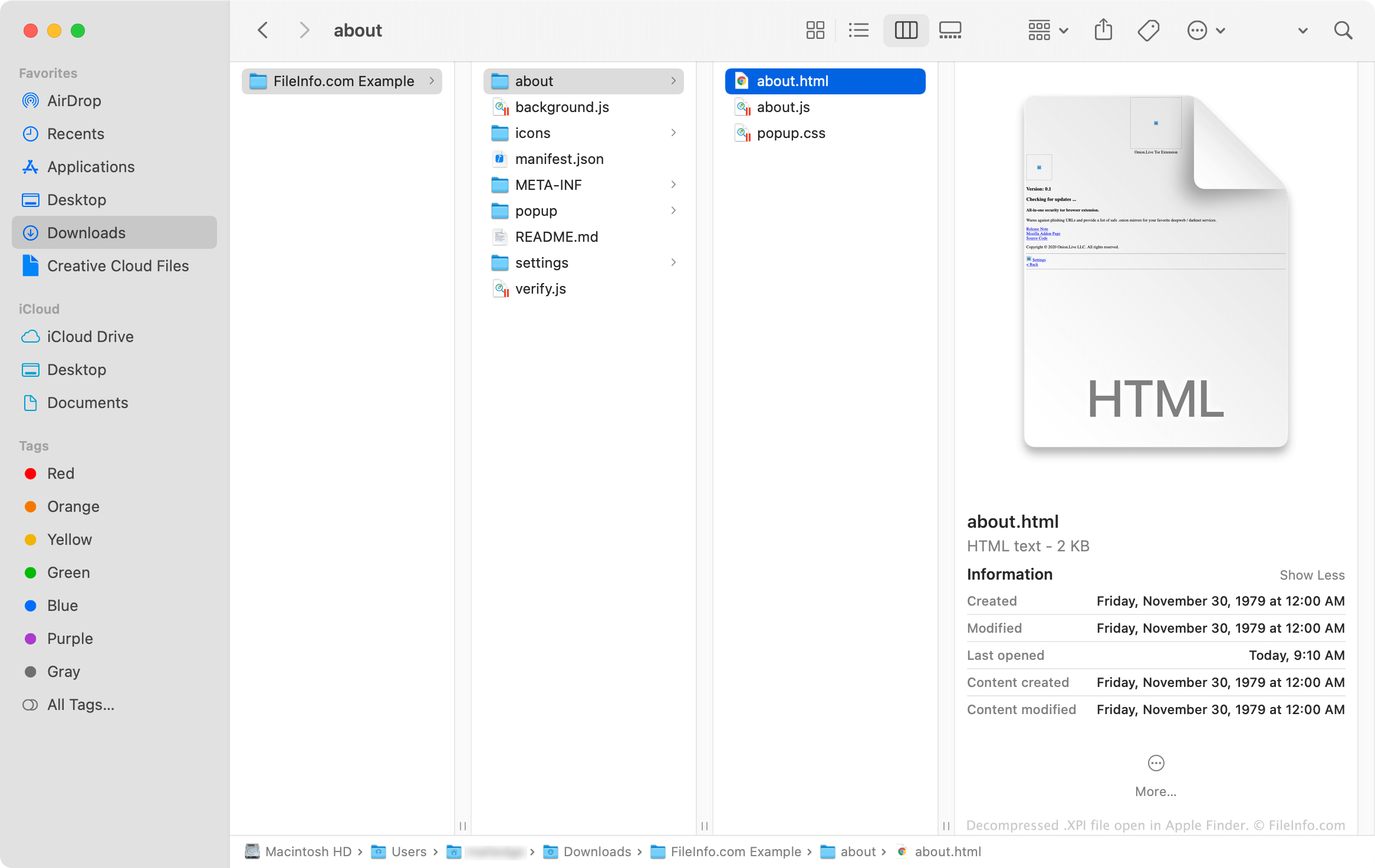
XPI-bestanden zijn in feite hernoemde .ZIP-archieven die Mozilla-toepassingen gebruiken om add-ons te installeren. Deze archieven bevatten vaak .JS-, .CSS-, .HTML- en .JSON-bestanden die samen de code vormen die nodig is om een add-on te installeren. Add-ons die pictogrammen en andere afbeeldingen gebruiken, bevatten ook .PNG-bestanden.
Een XPI-bestand openen
Met sommige versies van Mozilla Firefox kun je een XPI-bestand installeren door het bestand naar een geopend browservenster te slepen. Firefox gebruikt vervolgens een onderdeel met de naam XPInstall om de add-on te installeren die je XPI-bestand bevat.
Als het slepen van je XPI-bestand naar Firefox niet werkt, kun je het bestand handmatig installeren met de onderstaande instructies:
- Selecteer in Windows het pictogram Menu (drie horizontale lijnen) in de rechterbovenhoek van Firefox en klik op . (Selecteer in macOS .)
- Selecteer , of (afhankelijk van het type add-on dat je XPI-bestand bevat).
- Klik op het vervolgkeuzemenu van het tandwielpictogram en selecteer .
- Ga naar je XPI-bestand en selecteer het. Klik vervolgens op .
Hoe installeer ik een XPI-bestand in de mobiele versie van Firefox?
Op Android-apparaten kun je de add-on in een XPI-bestand installeren door het bestand te zoeken in een Android-bestandsbeheerder (zoals File Viewer Plus of ES File Explorer), erop te tikken en het met Firefox te openen.
Met de iOS-versie van Firefox kunnen gebruikers geen XPI-bestanden installeren.
Hoe installeer ik een XPI-bestand in Mozilla Thunderbird?
Een XPI-bestand installeren in Mozilla Thunderbird:
- Selecteer in Windows het pictogram Menu (drie horizontale lijnen), klik op en klik vervolgens nogmaals op . (Selecteer in macOS .)
- Selecteer , of (afhankelijk van het type add-on dat je XPI-bestand bevat).
- Klik op het vervolgkeuzemenu van het tandwielpictogram en selecteer .
- Ga naar je XPI-bestand en selecteer het. Klik vervolgens op .
Hoe bekijk ik de inhoud van een XPI-bestand buiten Mozilla-toepassingen?
Omdat een XPI-bestand een met Zip gecomprimeerd archief is, kun je de inhoud handmatig uitpakken en bekijken door:
- De naam van het bestand te wijzigen zodat het de extensie .zip gebruikt.
- De inhoud van het bestand uit te pakken met een hulpprogramma voor Zip-compressie, zoals Corel WinZip (Windows, Mac), 7-Zip (Windows) of Apple Archive Utility (Mac).