

.ASL Estensione file
Stile di Photoshop
| Sviluppatore | Adobe Systems |
| Popolarità |
4,0 | 40 Voti |
Che cos'è un file ASL?
Un file ASL è uno stile di livello che può essere utilizzato in Adobe Photoshop, un'applicazione professionale per l'editing delle immagini. Contiene uno o più effetti visivi preimpostati che un utente di Photoshop può applicare a un livello. I file ASL vengono comunemente condivisi online, consentendo agli utenti di Photoshop di scaricare e applicare ai propri livelli gli stili creati da altri utenti.
Maggiori informazioni
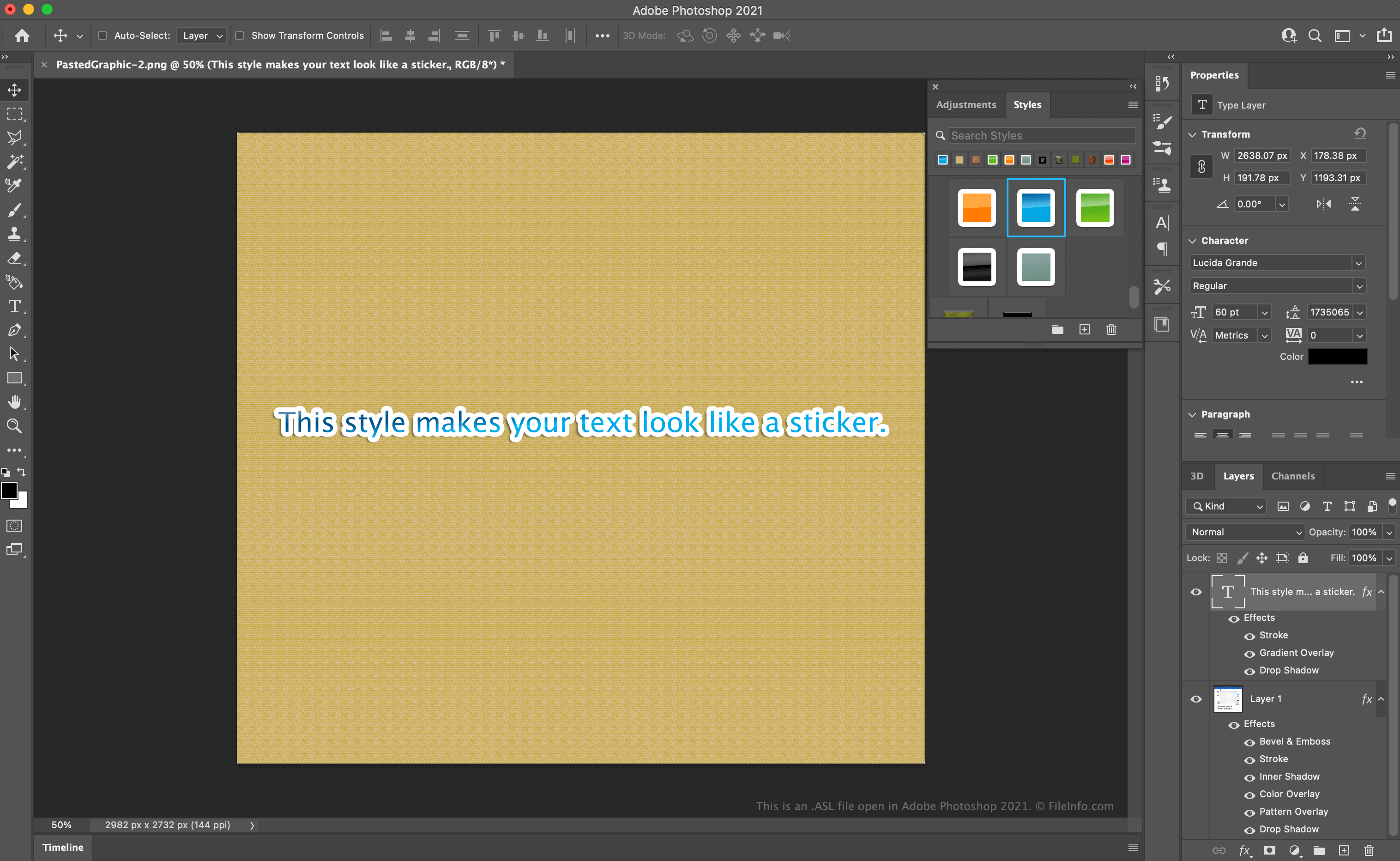
Mentre modifica un'immagine in Photoshop, un utente può applicare effetti visivi che cambiano l'aspetto dei livelli contenuti nell'immagine. Per esempio, un utente potrebbe applicare un effetto contorno e ombra esterna a un livello di testo, per distinguere il testo dal resto dell'immagine. Se un utente prevede di applicare lo stesso insieme di effetti a più livelli, può salvare quell'insieme di effetti come stile di livello, ovvero come file ASL.
Come si accede e si utilizzano gli stili di livello di Photoshop?
Gli utenti possono visualizzare gli stili di livello a cui hanno accesso selezionando dalla barra dei menu di Photoshop. La finestra Styles apparirà quindi in Photoshop.
Per applicare uno stile a un livello, seleziona il livello dalla scheda Layers, quindi seleziona lo stile che vuoi applicare dalla finestra Styles. Gli effetti contenuti nello stile verranno applicati al livello.
Come si crea un nuovo stile di livello di Photoshop?
Per salvare un insieme di effetti come stile di livello:
- Dalla scheda Layers, seleziona il livello a cui hai applicato l'insieme di effetti.
- Nella finestra Styles, seleziona il pulsante Create new style.
- Dopo la visualizzazione della finestra New Style, assegna un nome allo stile e seleziona .
Come si esporta uno stile di livello di Photoshop?
Per esportare uno stile di livello, seleziona lo stile nella finestra Styles e fai clic su di esso con il pulsante destro del mouse. Quindi, seleziona . Photoshop chiederà dove vuoi salvare lo stile esportato.
Dopo aver esportato uno stile, puoi condividerlo con altri utenti di Photoshop, consentendo loro di applicarlo ai propri livelli di Photoshop.
Come aprire un file ASL
Puoi importare i file ASL in Adobe Photoshop (Windows, Mac) per utilizzarli come stili di livello. Per importare uno stile di livello in Photoshop:
- Dalla barra dei menu di Photoshop, seleziona .
- Fai clic sul pulsante , vai alla cartella che contiene i file ASL (uno o più), quindi fai clic su .
- Nella finestra Export/Import Presets, Photoshop elencherà i predefiniti che puoi importare nella sezione Source Presets. Seleziona i predefiniti che vuoi importare, quindi fai clic sul pulsante per spostarli nella sezione Presets to Import.
- Seleziona il pulsante .
La prossima volta che aprirai la finestra Styles (selezionando dalla barra dei menu di Photoshop), i file ASL importati appariranno e saranno disponibili per essere applicati come stili di livello.
Programmi che aprono o fanno riferimento ai file ASL
Script di auto-splitting di LiveSplit
| Sviluppatore | LiveSplit |
| Popolarità |
3,6 | 5 Voti |
Un file ASL è uno script di auto-splitting creato per essere usato con LiveSplit, un programma cronometro usato dagli speedrunner di videogiochi. Contiene codice scritto in Auto Splitting Language che indica a LiveSplit quando reimpostare o avviare il cronometro di una nuova partita. I file ASL permettono agli speedrunner di modificare automaticamente il cronometro durante uno speedrun, così non devono perdere tempo e fare clic per modificare manualmente il cronometro.
Maggiori informazioni
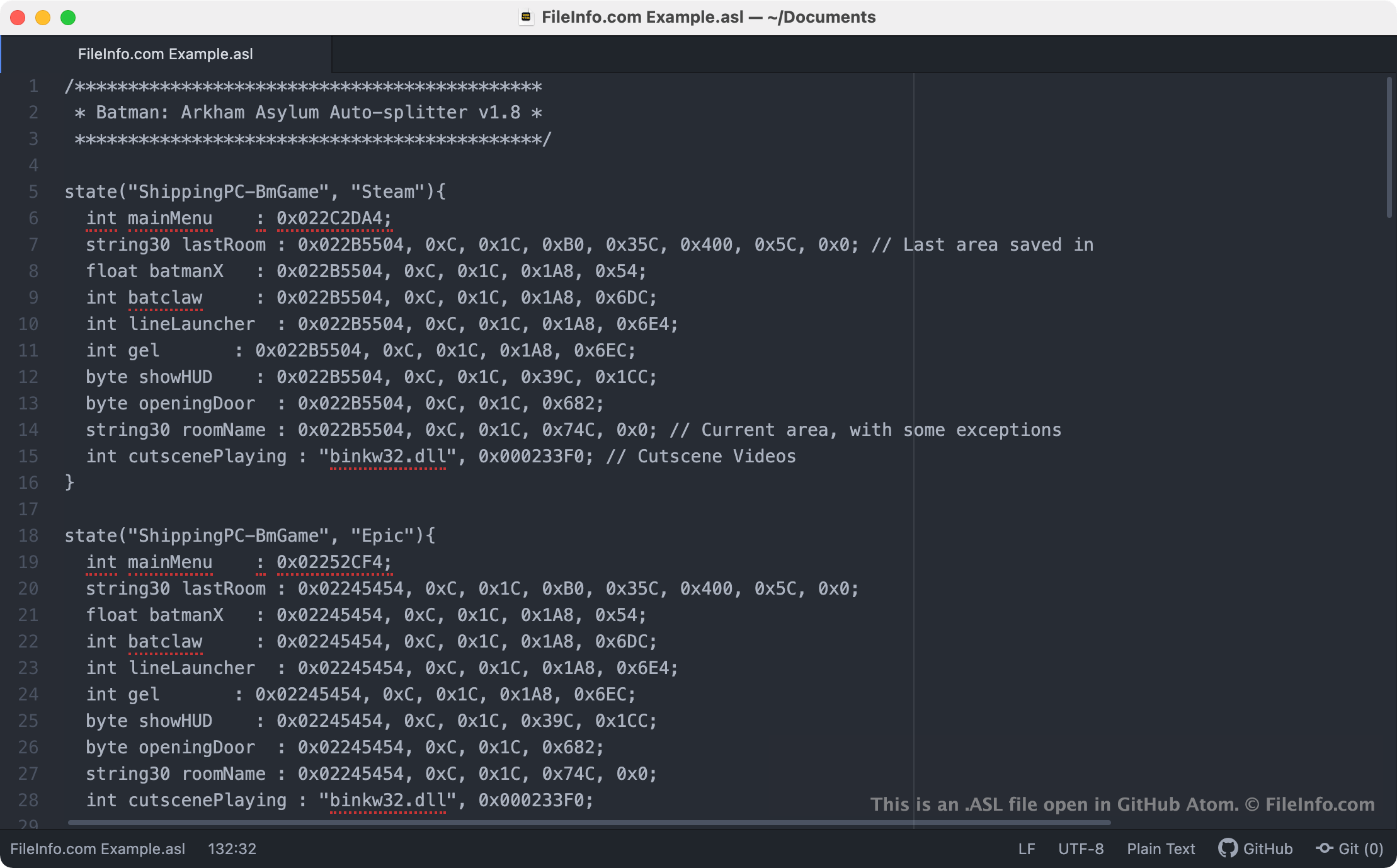
LiveSplit permette ai giocatori di cronometrare gli speedrun usando gli split, ovvero cronometri secondari per determinate sezioni o livelli di un gioco. I giocatori possono creare e attivare manualmente i propri split, oppure possono usare gli auto-splitter per attivare automaticamente gli split quando raggiungono un determinato livello o luogo o eseguono una determinata azione nel gioco. Molti auto-splitter sono script scritti in Auto Splitting Language di LiveSplit, che vengono salvati come file ASL.
Molti script ASL già disponibili sono inclusi in LiveSplit, per permettere agli speedrunner di aggiungere gli auto-split agli speedrun di giochi popolari. Gli utenti di LiveSplit possono anche creare i propri script ASL e caricarli manualmente in LiveSplit usando l'Editor del layout del programma.
Come aprire un file ASL
Puoi aprire un file ASL (Auto Splitter Script) e modificare lo script che contiene in un qualsiasi editor di testo, come Microsoft Notepad (Windows), Apple TextEdit (Mac) o GitHub Atom (multipiattaforma).
Per caricare manualmente uno script ASL in LiveSplit (Windows), devi:
- Fai clic con il pulsante destro del mouse sulla finestra di LiveSplit e seleziona . Viene visualizzato l'Editor del layout.
- Seleziona il pulsante . Quindi seleziona .
- Fai doppio clic sulla voce Scriptable Auto Splitter visualizzata nell'Editor del layout. Quindi specifica il percorso in cui è archiviato il file ASL.