.ASV Extension de fichier

MATLAB Autosave

Développeur MathWorks
Popularité
4.5  |  4 Votes
 

Qu'est-ce qu'un fichier ASV ?

An ASV file is an autosave file created by MathWorks MATLAB, a mathematical analysis and computation program. It contains an automatically saved version of a MATLAB source code file, better known as an .M file. By default, ASV files are stored in the same location as the M files from which they are created.

Plus d'informations

MATLAB includes an Editor/Debugger that researchers, developers, and engineers use to create M files. If you edit an M file in the MATLAB Editor/Debugger and do not save your edits within the span of five minutes, MATLAB creates an autosaved version of your edited file. That version is saved with the .asv file extension. If MATLAB quits unexpectedly while you are editing an M file, you can open the corresponding ASV file to keep working from the most recently autosaved version of your file.

If you want to adjust how MATLAB creates ASV files, you can do so by opening the program's Preferences menu and selecting Editor/Debugger → Autosave. From this menu, you can specify how often MATLAB autosaves files, what extension MATLAB assigns to autosaved files, and where autosaves are stored.

REMARQUE: On Linux and other Unix platforms, MATLAB assigns the .m~ extension to autosaves.

Comment ouvrir un fichier ASV

You can open an ASV file with the MathWorks MATLAB Editor/Debugger just as you would any M file. If you need a reminder of where your ASV files are stored, open the MATLAB Preferences menu (File → Preferences) and select Editor/Debugger → Autosave to view the location in which MATLAB stores autosaves.

Ouvrez plus de 400 formats de fichiers avec File Viewer Plus.Téléchargement gratuit

Programmes qui ouvrent les fichiers ASV

Windows
Version d'essai gratuite
Mac
Version d'essai gratuite
Linux
Version d'essai gratuite

Finale 2012 Auto-Saved Score

Développeur MakeMusic
Popularité
2.8  |  12 Votes
 

An ASV file is an auto-saved backup of a MakeMusic Finale musical score. Users can set Finale to create ASV files at regular intervals, to automatically back up their work. ASV files use the extension asv.mus.

Plus d'informations

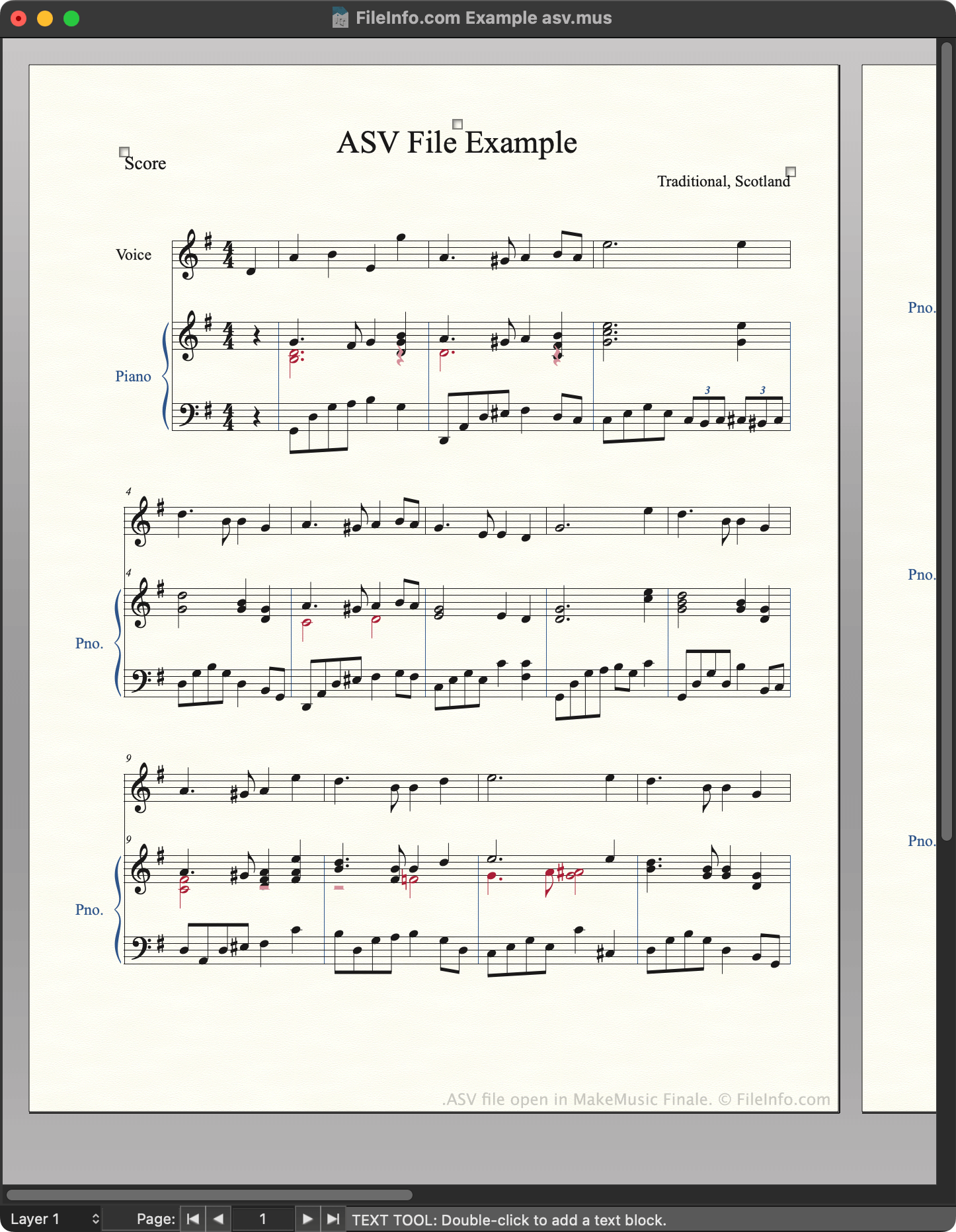
Capture d'écran d'un fichier .asv dans MakeMusic Finale
Fichier ASV ouvert dans MakeMusic Finale

MakeMusic Finale is a music notation program that composers use to create, edit, and play back musical scores. In Finale 2012 and earlier versions, these scores are saved as .MUS files. Optionally, composers can configure Finale to automatically back up open MUS files at a regular interval, so they don't lose their work if the program closes unexpectedly. Finale saves these automatically-generated backups in the following directory:

~/​Documents/​Finale Files/​Backups

Each backup uses the same filename as the MUS file from which it was created, except that the backup's filename ends with asv.mus, to note it is an auto-saved backup. Finale users and documentation often refer to these backup files as ASV files, even though the files use the .mus extension.

How to change Finale's auto-save settings

Finale users can adjust how often the program creates and updates ASV backups. To do so:

  1. Open Finale's Preferences menu.
  2. Select Save from the left-hand sidebar.
  3. To begin creating ASV files, select the Auto Save File(s) Every _ Minutes checkbox. (To stop creating them, clear the checkbox.)
  4. In the _ Minutes field, specify how often you want Finale to create/update ASV files.

REMARQUE: Finale 2014 and later versions create .ASVX files instead of ASV files.

Comment ouvrir un fichier ASV

You can open an ASV file with MakeMusic Finale (Windows, Mac). To do so, select File → Open... from the program's menu bar. Then, navigate to and open your ASV file.

After you open your ASV file, you can use the File → Save As... option to save the file as a normal MUS or .MUSX file.

Comment convertir un fichier ASV

You can use MakeMusic Finale to export the score an ASV file contains in a variety of formats, including:

  • .AIFF - Audio Interchange File Format
  • .WAV - WAVE Audio
  • .EPUB - Open eBook
  • .MIDI - MIDI Music Data
  • .MXL - Compressed MusicXML

Programmes qui ouvrent les fichiers ASV

Windows
Version d'essai gratuite
Mac
Version d'essai gratuite

Adobe Photoshop Selective Color File

Développeur Adobe Systems
Popularité
2.3  |  4 Votes
 

Color settings file used by Adobe Photoshop, a program used to create and edit raster graphics; contains color adjustment settings for cyan, magenta, yellow, and black (CMYK) values of different colors, which are on a scale from -100% to +100%); also contains the selective color method, which is either relative or absolute; used for saving color adjustment presets that can be applied to multiple images.

Plus d'informations

The Selective Color window can be accessed in Photoshop by selecting Image → Adjustments → Selective Color....

Programmes qui ouvrent les fichiers ASV

Windows
Version d'essai gratuite
Mac
Version d'essai gratuite

Vérifié par FileInfo.com

L'équipe FileInfo.com a mené des recherches indépendantes sur tous les formats de fichiers et logiciels répertoriés sur cette page. Notre objectif est une précision de 100%, et nous ne publions que des informations sur les types de fichiers que nous avons vérifiés.

Si vous souhaitez suggérer des ajouts ou des mises à jour de cette page, faites-le-nous savoir.