

.ICNS Dateiendung
macOS-Symbolressource
| Entwickler | Apple |
| Beliebtheit |
4,2 | 97 Stimmen |
Was ist eine ICNS-Datei?
Eine ICNS-Datei ist ein Symbol, das von einer macOS-Anwendung verwendet wird. Sie enthält ein oder mehrere Bilder in verschiedenen Größen, die im .TIFF-Format gespeichert sind. ICNS-Dateien werden hauptsächlich als Anwendungssymbole und Dateitypsymbole verwendet, die im macOS Finder, auf dem Schreibtisch und im Dock angezeigt werden.
Weitere Informationen
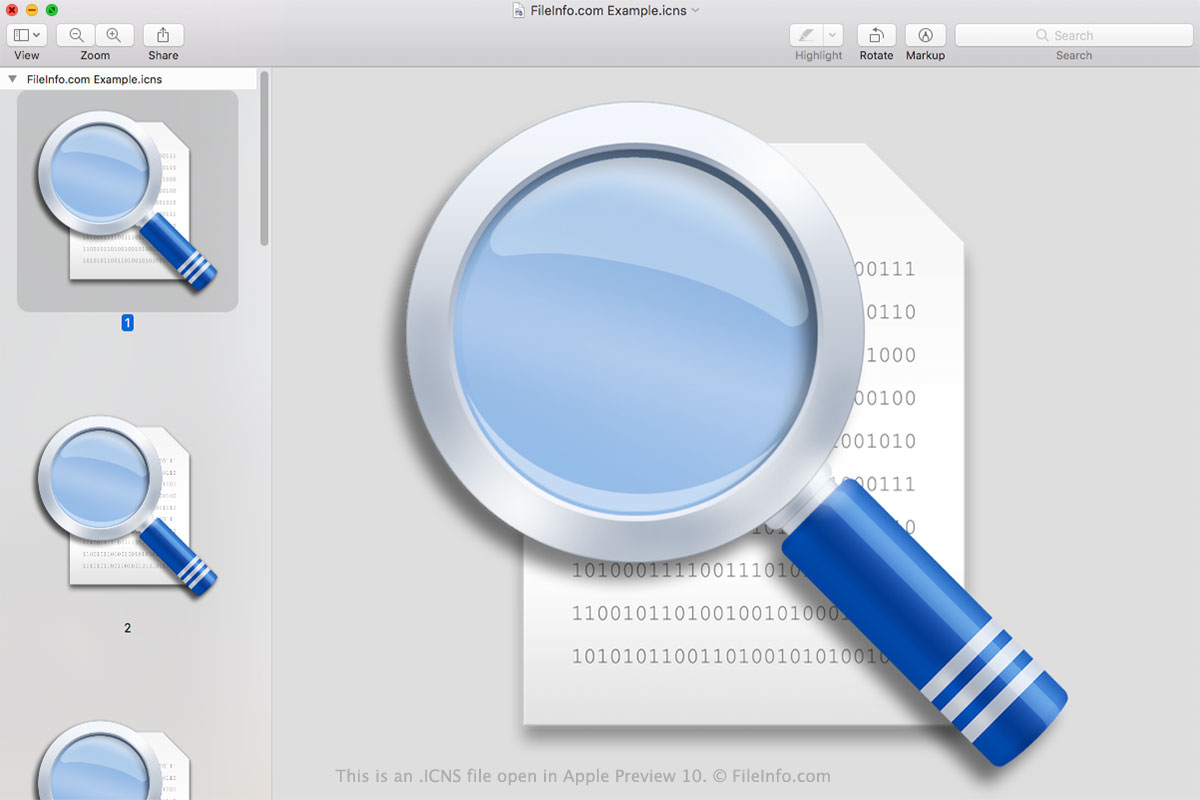
Die meisten macOS-Anwendungen enthalten ein identifizierendes Symbol, anhand dessen Sie das Programm schnell in Ihrer Anwendungsliste und im Launchpad erkennen können. Anwendungen verwenden außerdem Dateitypsymbole, anhand derer Sie Dateien identifizieren können, die in dieser Anwendung geöffnet werden. Diese Symbole werden als ICNS-Dateien gespeichert und befinden sich im Verzeichnis Contents/Resources des .APP-Pakets.
ICNS-Dateien werden aus einer oder mehreren .PNG-Dateien erstellt. Diese Dateien können Abmessungen von 16x16, 32x32, 48x48, 128x128, 256x256, 512x512 oder 1024x1024 Pixeln haben. Durch das Speichern mehrerer Auflösungen in einer ICNS-Datei kann macOS das Symbol in verschiedenen Größen korrekt anzeigen. Zum Erstellen einer ICNS-Datei gehen Entwickler wie folgt vor:
- Erstellen Sie einen Ordner mit der .ICONSET-Erweiterung.
- Legen Sie ihre PNG-Bilder mit Dateinamen im Format icon_16x16.png in diesem Ordner ab.
- Verwenden Sie den Terminalbefehl iconutil -c icns path/to/iconset/folder, um die ICNS-Datei zu erstellen.
Die .PLIST-Datei einer Anwendung (Info.plist) verweist mithilfe der Eigenschaft CFBundleIconFile auf ihre ICNS-Dateien.
HINWEIS: ICNS-Dateien ähneln .ICO-Dateien (Windows-Symboldateien).
So öffnen Sie eine ICNS-Datei
Sie können eine ICNS-Datei mit Apple Preview (macOS), XnViewMP (plattformübergreifend) oder Inkscape (plattformübergreifend) öffnen. Apple Preview zeigt alle Bilder an, die Ihre ICNS-Datei enthält; die anderen Programme tun dies nicht.
So konvertieren Sie eine ICNS-Datei
Sie können Apple Preview oder Snap Converter verwenden, um ICNS-Dateien in andere Formate zu konvertieren. Apple Preview kann die in einer ICNS-Datei enthaltenen Bilder beispielsweise in die folgenden Formate konvertieren:
- .HEIC – High-Efficiency Image Compression
- .JPEG – JPEG-Bild
- .JPX – JPEG-2000-Bild
- .EXR – OpenEXR-Bild
- .PDF – Portable Document Format
- .PNG – Portable Network Graphic
- .TIFF – Tagged Image File Format
In Apple Preview müssen Sie die in einer ICNS-Datei enthaltenen Bilder einzeln konvertieren. In Snap Converter können Sie alle in einer ICNS-Datei enthaltenen Bilder auf einmal extrahieren und konvertieren.