.XEF 文件扩展名

eManager Form Data

开发者 X-Genics
受欢迎程度
3.2  |  5 
 

什么是 XEF 文件?

An XEF file is a form data file used by X-Genics eManager, a content management suite (CMS) for other X-Genics applications. It contains data a user entered in an X-Genics form. The data that XEF files contain is saved in an XML format.

更多信息

Businesses use X-Genics eManager, and its associated dashboard and SmartApps, to monitor and report on business performance and processes. As part of this monitoring, users can enter data in X-Genics forms. When a user enters data in an X-Genics form, that data is saved as an XEF file, for later use and review.

如何打开 XEF 文件

The data that XEF files contain is meant to be viewed with X-Genics eManager. However, you can also open XEF files with Microsoft Visual Studio Code or any other text editor, if you want to view the data they contain outside eManager.

使用File Viewer Plus打开 400 多种文件格式。免费下载

可打开 XEF 文件的程序

分类: 数据
更新时间: 2023-06-01

WinAce Encrypted File

开发者 E-merge
受欢迎程度
3.0  |  3 
 

An XEF file is a file that has been encrypted by E-merge WinAce, a discontinued archive and encryption utility. It contains a document, image, video, or other type of file, which has been encrypted to prevent unauthorized access. To open an XEF file, you must know the password used to encrypt it.

更多信息

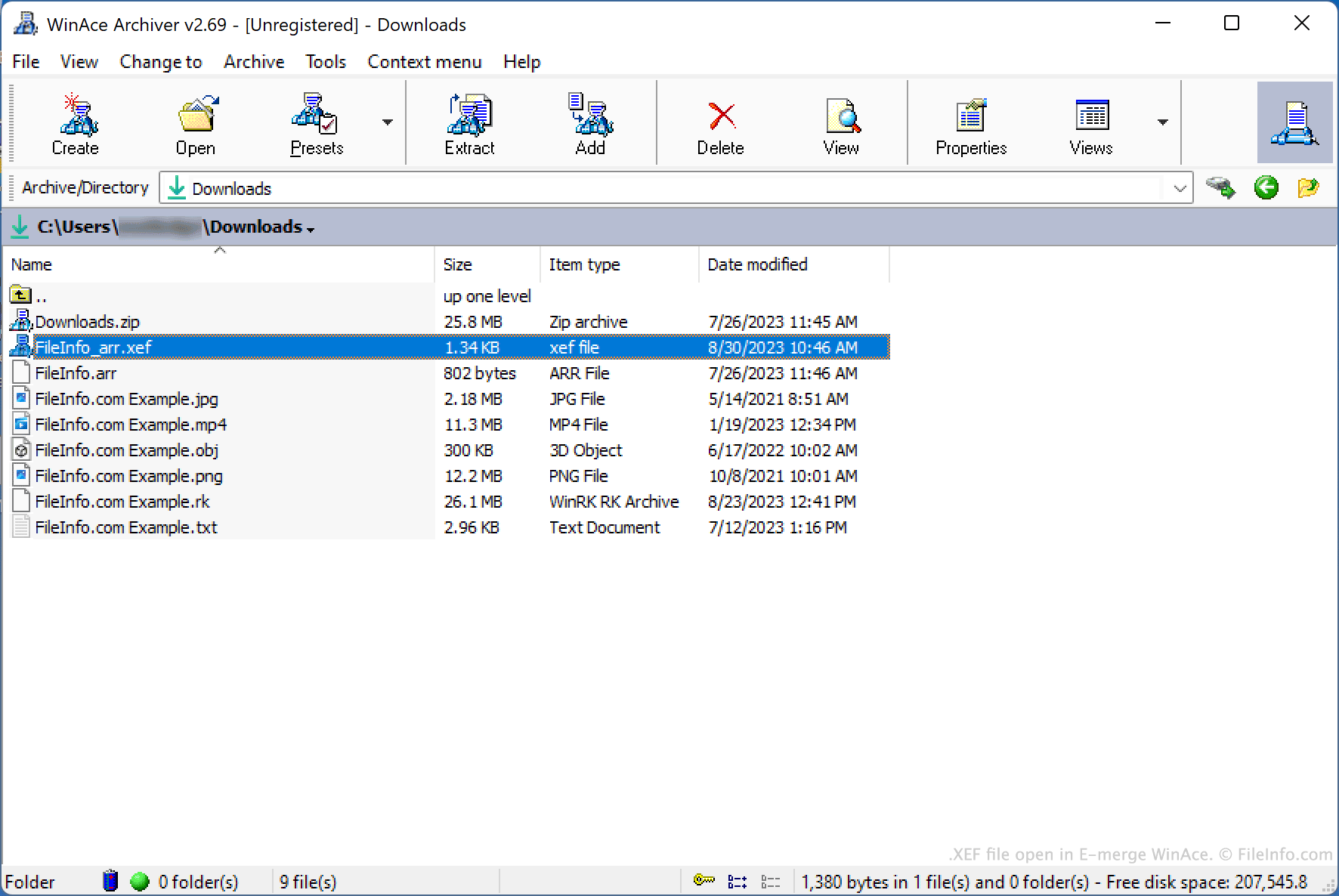
在 E-merge WinAce 中打开的 .xef 文件截图
在 E-merge WinAce 中打开的 XEF 文件

WinAce is an archiving and file encryption utility that was available for Windows. It allowed users to package files in compressed archives (typically saved in WinAce's proprietary .ACE archive format) and encrypt individual files, using a variety of encryption methods.

To encrypt a file with WinAce, users:

  1. Selected the file in WinAce's file explorer.
  2. Selected File → Encrypt/Encode... → Encrypt... from WinAce's menu bar.
  3. Specified their desired password and encryption method.
  4. Clicked Encrypt.

WinAce then created an encrypted copy of the user's file, saved as an XEF file.

Optionally, a user could choose whether to include the original file's name in the encrypted file's name, or to set the encrypted file's name randomly. They could also choose to have WinAce delete the original, unencrypted file as part of the encryption process.

如何打开 XEF 文件

You can decrypt an XEF file with E-merge WinAce (Windows), to restore the encrypted file it contains. While WinAce is discontinued, it is still available for download online.

To open an XEF file with WinAce:

  1. Open WinAce and, in the app's file explorer, navigate to and select your XEF file.
  2. Select File → Encrypt/Encode... → Decrypt... from WinAce's menu bar.
  3. In the Decrypt files window, enter the password used to encrypt your XEF file.
  4. Click Decrypt.

WinAce will then decrypt your XEF file and create a copy of your original, unencrypted file.

可打开 XEF 文件的程序

Windows
免费试用
分类: 编码
更新时间: 2023-08-30

验证者 FileInfo.com

FileInfo.com 团队 独立研究了本页面列出的所有文件格式和软件程序。 我们的目标是达到 100% 的准确率,并且仅发布我们已验证过的文件类型信息。

如果您想为此页面提出新增或更新建议,请告诉我们