.SESX 文件扩展名
Audition Session
| 开发者 | Adobe |
| 受欢迎程度 |
3.7 | 336 票 |
什么是 SESX 文件?
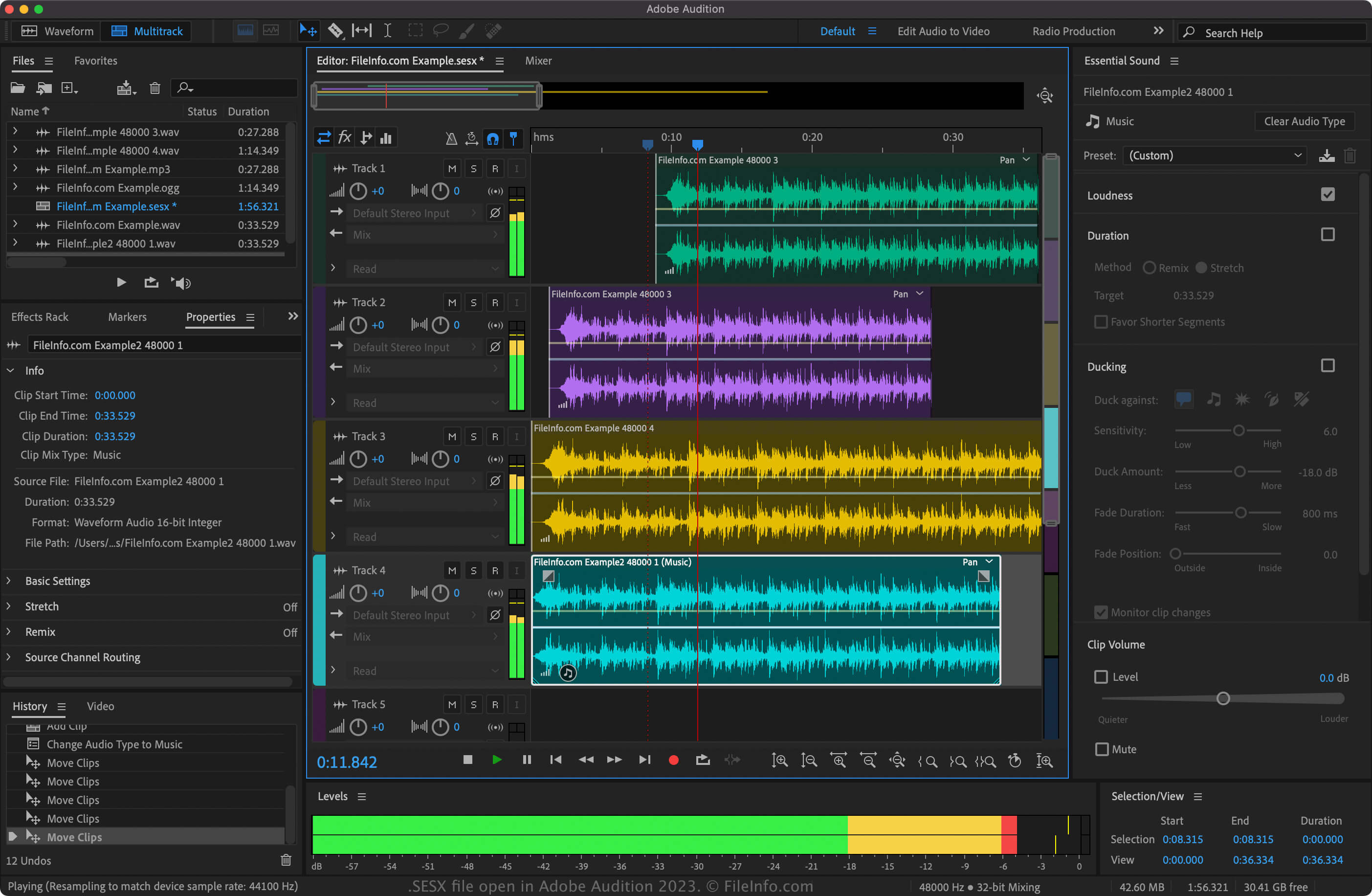
An SESX file contains a session created by Adobe Audition, an audio production application. It stores a multitrack audio project in an XML format, which includes mixing and effects settings. SESX files do not contain the actual audio data in a project. Instead, they save the pathnames to the audio files.
更多信息
Adobe introduced the SESX format when it released version 3.0 of Audition in November 2007. The format replaced the .SES format, a binary format that was the default audio project file type used by earlier versions of Audition.
To create an SESX file with Audition, select File → New → Multitrack Session.... You can customize various settings for modifying audio in SESX projects.
You can also import many different types of audio formats into the projects, such as .AIF, .FLAC, .AAC, .OGG, .WAV, .OMF, and .MP3. To import an audio file in Audition, select File → Import.
如何打开 SESX 文件
You can open SESX files only with Adobe Audition (multiplatform). To open an SESX file in Audition, select File → Open and then navigate to and open your SESX file. Also, if you have Audition installed and associated with the SESX file type, you can simply double-click your SESX file to open it.
如何转换 SESX 文件
Adobe Audition can convert SESX files to various formats. To convert a SESX file with Audition, select File → Export. Here are some of the possible formats:
- .RMI - RMID MIDI
- .MID - MIDI
- .AVI - Audio Video Interleave
- .WMV - Windows Media Video
- .ASF - Advanced Systems Format
- .MOV - Apple QuickTime Movie
- .WAV - WAVE Audio
- .AAC - Advanced Audio Coding
- .AIFF - Audio Interchange File Format
- .OGG - Ogg Vorbis Audio
- .APE - Monkey's Audio Lossless Audio
- .M4A - MPEG-4 Audio
- .WMA - Windows Media Audio
- .MP3 - MP3 Audio
- .VOX - Dialogic Voice Audio
- .SND - Sound File
- .SES - Audition Session