

.SESX 파일 확장자
Audition 세션
| 개발사 | Adobe |
| 인기도 |
3.7 | 339 표 |
SESX 파일이란 무엇인가요?
SESX 파일에는 오디오 제작 애플리케이션인 Adobe Audition으로 만든 세션이 들어 있습니다. 이 파일은 믹싱 및 효과 설정이 포함된 XML 형식으로 멀티트랙 오디오 프로젝트를 저장합니다. SESX 파일에는 프로젝트의 실제 오디오 데이터가 들어 있지 않습니다. 대신 오디오 파일의 경로를 저장합니다.
추가 정보
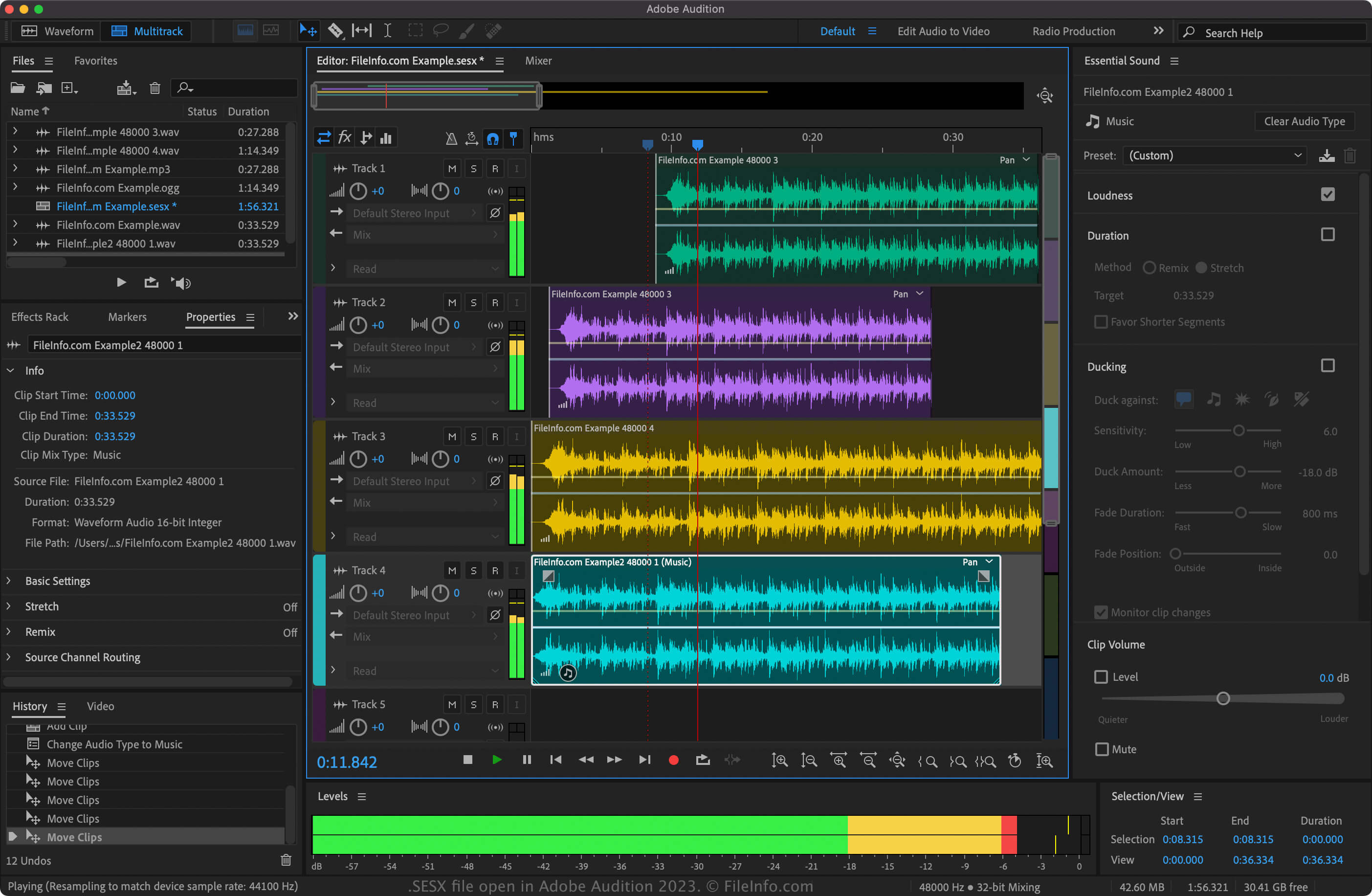
Adobe는 2007년 11월 Audition 버전 3.0을 출시하면서 SESX 형식을 도입했습니다. 이 형식은 Audition 이전 버전에서 기본 오디오 프로젝트 파일 형식으로 사용된 바이너리 형식인 .SES 형식을 대체했습니다.
Audition으로 SESX 파일을 만들려면 을 선택합니다. SESX 프로젝트에서 오디오를 수정하기 위한 다양한 설정을 사용자 지정할 수 있습니다.
또한 .AIF, .FLAC, .AAC, .OGG, .WAV, .OMF, .MP3 등 다양한 오디오 형식을 프로젝트로 가져올 수 있습니다. Audition에서 오디오 파일을 가져오려면 를 선택합니다.
SESX 파일을 여는 방법
Adobe Audition(다중 플랫폼)으로만 SESX 파일을 열 수 있습니다. Audition에서 SESX 파일을 열려면 을 선택한 다음 SESX 파일이 있는 위치로 이동하여 파일을 엽니다. 또한 Audition이 설치되어 있고 SESX 파일 형식과 연결되어 있다면 SESX 파일을 두 번 클릭하여 간단히 열 수 있습니다.
SESX 파일을 변환하는 방법
Adobe Audition은 SESX 파일을 다양한 형식으로 변환할 수 있습니다. Audition으로 SESX 파일을 변환하려면 를 선택합니다. 가능한 형식은 다음과 같습니다:
- .RMI - RMID MIDI
- .MID - MIDI
- .AVI - Audio Video Interleave
- .WMV - Windows Media Video
- .ASF - Advanced Systems Format
- .MOV - Apple QuickTime Movie
- .WAV - WAVE 오디오
- .AAC - Advanced Audio Coding
- .AIFF - Audio Interchange File Format
- .OGG - Ogg Vorbis 오디오
- .APE - Monkey's Audio 무손실 오디오
- .M4A - MPEG-4 오디오
- .WMA - Windows Media 오디오
- .MP3 - MP3 오디오
- .VOX - Dialogic 음성 오디오
- .SND - 사운드 파일
- .SES - Audition 세션