.OGG 파일 확장자

2개의 파일 유형.ogg 확장자를 사용합니다.

Ogg Vorbis Audio

개발사 Xiph.Org
인기도
3.9  |  318 투표
 
🔍File Helper(으)로 .OGG 파일을 웹 브라우저에서 바로 여세요.온라인으로 보기

OGG 파일이란 무엇인가요?

An OGG file is an audio file, similar to an .MP3 file, that typically stores music. It contains audio data saved in the Ogg container format and compressed with Vorbis audio compression. OGG files may also include song metadata, such as artist information and track data.

추가 정보

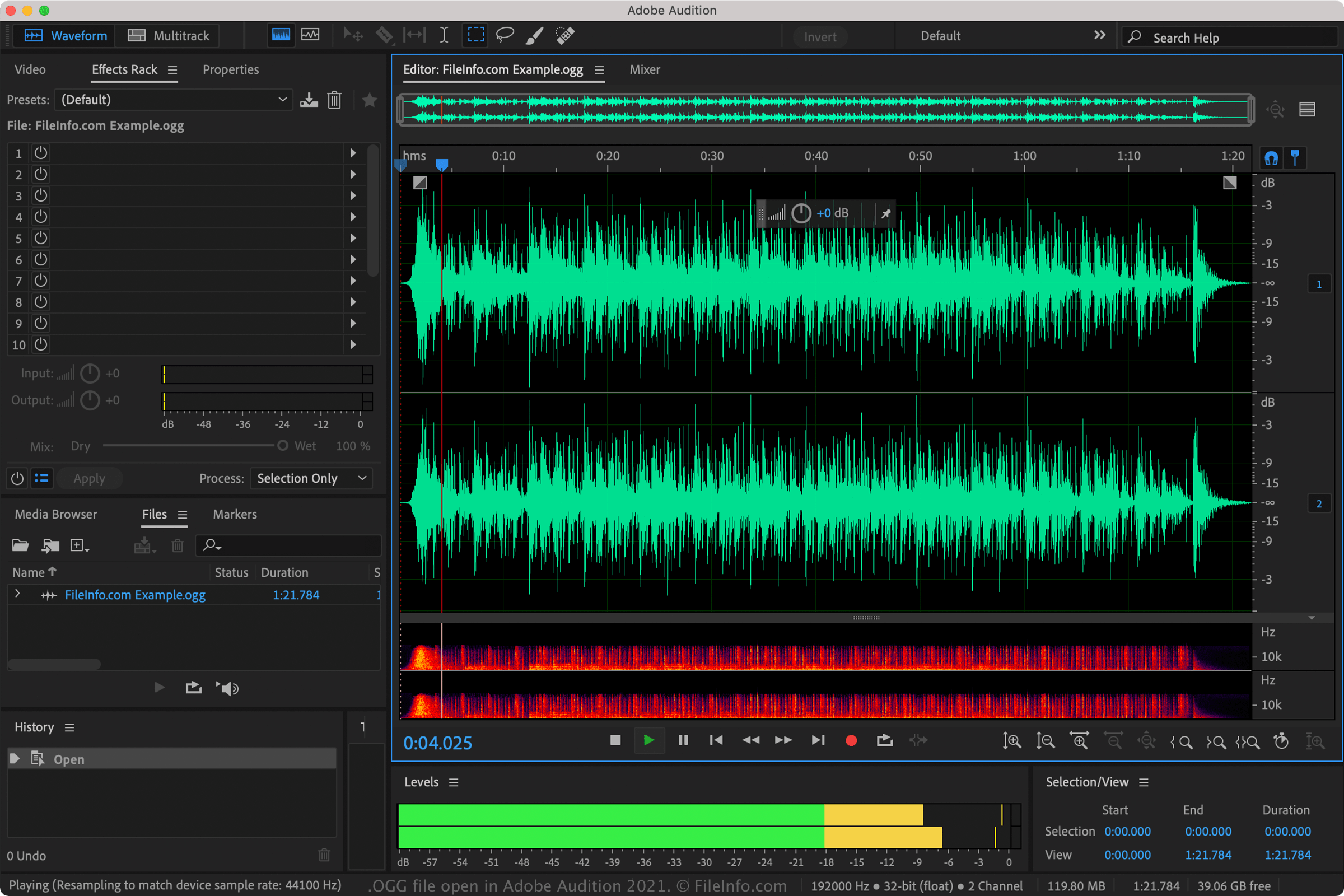
Adobe Audition 2021에서 열린 .ogg 파일의 스크린샷
Adobe Audition 2021에서 열린 OGG 파일

The Ogg container format is a multimedia format that supports multiple streams of video, audio, text, and metadata. The individual streams may be compressed with different compression methods, including Theora (video), Vorbis (audio), Opus (audio), FLAC (audio), and OggPCM (audio).

Before 2007, OGG files were used to store various types of media, but since then the Xiph.Org Foundation recommends that OGG files store only audio data. Now, you will most likely encounter only OGG files that store audio data compressed with Vorbis compression.

However, OGG files can also use other types of audio compression, including FLAC and Speex. These files cannot officially be referred to as Vorbis files, since they use a different compression scheme. Also, they are typically saved as .OGA files.

While OGG files are not as common as MP3 files, they contain higher-quality audio than MP3s of equal size.

OGG 파일을 여는 방법

You can open OGG files with various audio players. Examples of software you can play OGG files with include Microsoft Media Player (bundled with Windows), VideoLAN VLC media player (multiplatform), Nullsoft Winamp (Windows), MPlayer (multiplatform), and Adobe Audition (multiplatform).

OGG 파일을 변환하는 방법

Many audio editors and media players, including Audacity, VideoLAN VLC media player, and Adobe Audition, can convert OGG files to other formats.

For example, Audacity can convert OGG files to the following audio formats:

  • .MP3 - MP3 Audio
  • .WAV - WAVE Audio
  • .AIFF - Audio Interchange File Format
  • .FLAC - Free Lossless Audio Codec
  • .MP2 - MP2 Audio
  • .M4A - MPEG-4 Audio
  • .AC3 - Audio Codec 3
  • .AMR - Adaptive Multi-rate Codec
  • .OPUS - Opus Audio
  • .WMA - Windows Media Audio

OGG 파일을 여는 프로그램

카테고리: 오디오
업데이트: 2022-03-30

Origin Graph File

개발사 OriginLab
인기도
2.4  |  32 투표
 

An OGG file contains a graph created by Origin, a data analysis and graphing application used by various scientists and engineers. It stores a graph generated from imported data, such as a column, bar, pie, line, symbol, waterfall, 3D, polar, or statistical graph. OGG files also store metadata about the graph, such as the title and colors.

추가 정보

You can open OGG files with Origin and Origin Viewer. Origin is only available for Windows and is the primary program used to create, open, and edit OGG files. When open in Origin, the graph appears as a window in an open project (.OPJ or .OPJU file). Origin Viewer is also commonly used since it is a free alternative to Origin and can be used in Windows and macOS.

To open an OGG file in Origin, select File → Open..., select the "Origin Window .ogg" file type, navigate to the OGW file location, and click Open.

You can save Origin graphs as templates in order to preserve settings to be used with other graphs you create. To do this, select File → Save Template As... and Origin will create an .OTP file to store the template.

참고: The release of Origin 2018 included an updated unicode format for saving workbooks (.OGGU), which features performance advantages over the older, non-unicode OGG file format.

OGG 파일을 여는 프로그램

Windows
카테고리: 데이터
업데이트: 2018-02-01

검증자 FileInfo.com

FileInfo.com 팀 이 페이지에 나열된 모든 파일 형식과 소프트웨어 프로그램을 독자적으로 조사했습니다. 저희의 목표는 100% 정확성이며, 검증한 파일 유형에 대한 정보만 게시합니다.

이 페이지에 추가하거나 업데이트할 내용을 제안하고 싶으시면 알려 주세요.