.WMV 文件扩展名

Windows Media Video

开发者 Microsoft
受欢迎程度
3.6  |  408 
 
🔍使用File Helper直接在您的网络浏览器中打开 .WMV 文件在线查看

什么是 WMV 文件?

A WMV file is a video saved in the Microsoft Advanced Systems Format (ASF) and compressed with Windows Media Video (WMV) compression. It may store an animation, video clip, TV episode, or movie and supports high-definition (HD) video. WMV files also support encryption for use with Digital Rights Management (DRM) systems.

更多信息

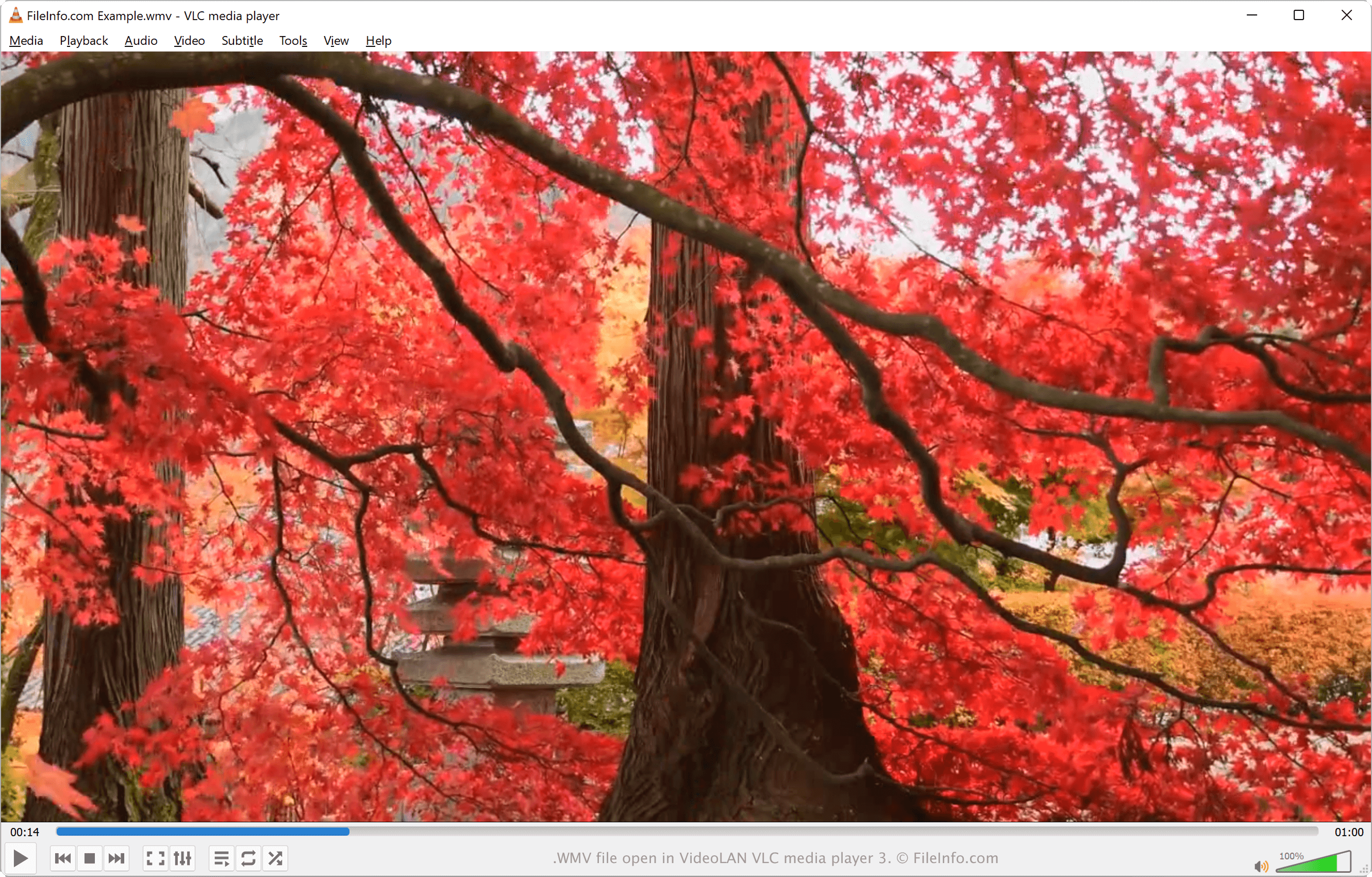
在 VideoLAN VLC media player 中打开的 .wmv 文件截图
在 VideoLAN VLC media player 中打开的 WMV 文件

In 1999, Microsoft introduced the WMV video codec (along with the WMV Screen and WMV Image codecs) as part of the Windows Media framework. The WMV codec is the most well-known codec of the three and is utilized to compress .ASF videos, transforming them into WMV files.

Due to the popularity of Windows, the WMV format became one of the most common video formats in the 2000s. It could be streamed over the Internet and played with various media players, commonly those bundled with Windows.

In addition, YouTube allows users to upload WMV videos, and Windows Media Player's default video file format is WMV. Also, some users may encounter DRM-enabled WMV files downloaded via a commercial video service that they can only play on the device that downloaded it.

However, as Windows Media Player's popularity has waned, and as developers have created cross-platform video file formats that rival WMV files' compression ratio, WMV files have fallen out of favor. As a result, MPEG-4 Video (.MP4) files are now much more popular than WMV files.

如何打开 WMV 文件

You can open a WMV file with various media players. In Windows, you can play a WMV video with the bundled Microsoft Media Player and Microsoft Movies & TV players.

Other applications that open WMV files in Windows, macOS, and Linux include VideoLAN VLC media player, Eltima Elmedia Player, and Kodi.

If you do not want to download a program to open a WMV file, you can upload it to Google Drive and view the video in a web browser. If you are a mobile user, you can open WMV files with J2 Interactive MX Player (Android), Videolabs VLC (Android), olimsoft OPlayer (iOS), and VideoLAN VLC for Mobile (iOS).

如何转换 WMV 文件

Several video conversion tools, including VideoLAN VLC media player, HandBrake, and Xilisoft Video Converter Ultimate, can convert WMV files to other formats.

For example, VLC media player can convert WMV files to the following video formats:

  • .MP4 - MPEG-4 Video
  • .WEBM - WebM Video
  • .TS - Video Transport Stream
  • .ASF - Advanced Systems Format

可打开 WMV 文件的程序

分类: 视频
更新时间: 2022-04-08

验证者 FileInfo.com

FileInfo.com 团队 独立研究了本页面列出的 Windows Media Video 文件格式和 Mac, Windows, Linux, Android, and iOS 应用。 我们的目标是达到 100% 的准确率,并且仅发布我们已验证过的文件类型信息。

如果您想为此页面提出新增或更新建议,请告诉我们