.FCM 文件扩展名

CanvasWorkspace Fabric Cutting Design

开发者 Brother
受欢迎程度
4.0  |  5 
 

什么是 FCM 文件?

An FCM file is a fabric cutting design created by Brother CanvasWorkspace, a program used to create cutting designs and transfer them to Brother cutting machines. It contains one or more black-and-white shapes. Brother cutting machines use the patterns FCM files contain to cut out corresponding fabric shapes.

更多信息

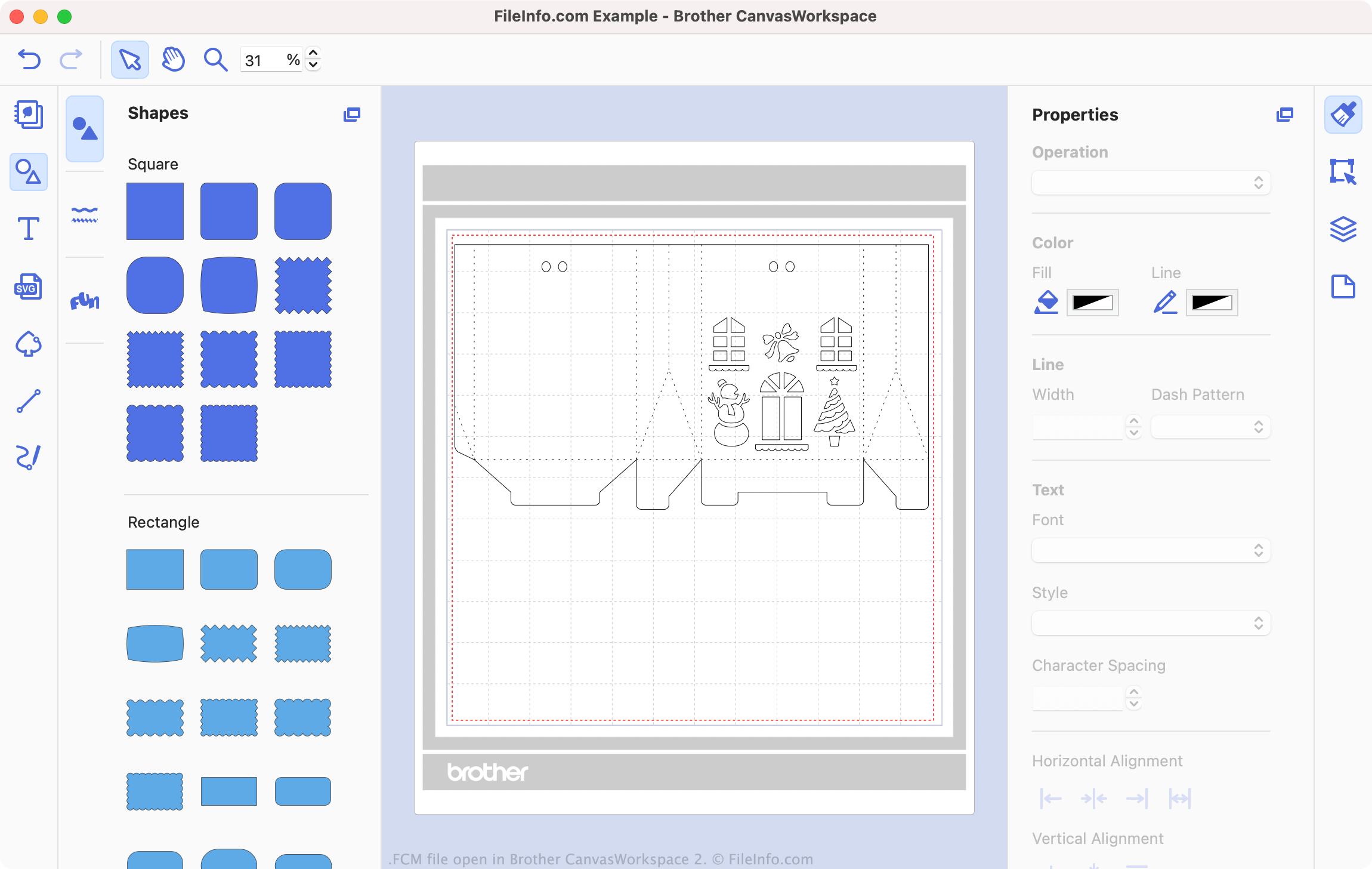
在 Brother CanvasWorkspace 2 中打开的 .fcm 文件截图
在 Brother CanvasWorkspace 2 中打开的 FCM 文件

Brother CanvasWorkspace is a free program that allows sewing and embroidery enthusiasts to design patterns for use with Brother cutting machines, such as the DC200, CM650W, SDX225, and many others. CanvasWorkspace saves these patterns as .CWPRJ and FCM files. CWPRJ files are editable project files that a user can use to edit an existing pattern. FCM files are typically finished patterns, which are meant to be transferred to a cutting machine.

While CWPRJ files can contain multiple colors and other complex design elements, FCM files contain only simple, black-and-white shapes. That's because the files are intended for use with a cutting machine, which uses only each shape's outline. However, you can open an FCM file in Brother CanvasWorkspace, to view the shapes it contains and transfer it to a cutting machine.

How do I convert an SVG file to an FCM file?

You can convert existing .SVG files into FCM files, for use with a Brother cutting machine. To do so:

  1. Open CanvasWorkspace and select File → Import from Your Computer ....
  2. Navigate to and open your SVG file.

Your SVG file will then open in CanvasWorkspace. Edit your file as needed, and then select File → Export/Transfer FCM file... to export the file as an FCM file.

如何打开 FCM 文件

You can open an FCM file in Brother CanvasWorkspace (cross-platform). To do so, select File → Import from Your Computer... from the program's menu bar. Then, navigate to your FCM file and select Open.

注: If your FCM file is stored on your cutting machine, and your cutting machine is connected to your PC, instead select File → Import from Your Computer....

How do I transfer an FCM file to my Brother cutting machine?

To transfer an FCM file to your Brother cutting machine:

  1. Connect a USB flash drive to your PC.
  2. Open your FCM file in Brother CanvasWorkspace.
  3. Select File → Export/Transfer FCM file....
  4. Select Export FCM File.
  5. Save the FCM file to your USB flash drive.
  6. Disconnect your USB flash drive from your PC. Then, connect it to your Brother cutting machine.

You can now load your FCM file on your Brother cutting machine.

使用File Viewer Plus打开 400 多种文件格式。免费下载

可打开 FCM 文件的程序

fCraft World File

开发者 fCraft
受欢迎程度
3.0  |  6 
 

File created by fCraft, a third-party server program that hosts multiplayer worlds for the game Minecraft Classic; saves a map that represents the 3D world that players navigate in; hosted by the server and saved to the \​maps\​ directory on the server.

更多信息

The FCM format is also the primary format used by Spacecraft, another third-party Minecraft Classic server.

可打开或引用 FCM 文件的程序

Windows
免费
免费
分类: 游戏
更新时间: 2012-07-05

验证者 FileInfo.com

FileInfo.com 团队 独立研究了本页面列出的所有文件格式和软件程序。 我们的目标是达到 100% 的准确率,并且仅发布我们已验证过的文件类型信息。

如果您想为此页面提出新增或更新建议,请告诉我们