

.FCM Přípona souboru
Návrh pro řezání látky CanvasWorkspace
| Vývojář | Brother |
| Popularita |
4,0 | 5 hlasů |
Co je soubor FCM?
Soubor FCM je návrh pro řezání látky vytvořený v programu Brother CanvasWorkspace, který slouží k vytváření řezacích návrhů a jejich přenosu do řezacích strojů Brother. Obsahuje jeden nebo více černobílých tvarů. Řezací stroje Brother používají vzory obsažené v souborech FCM k vyřezání odpovídajících tvarů z látky.
Další informace
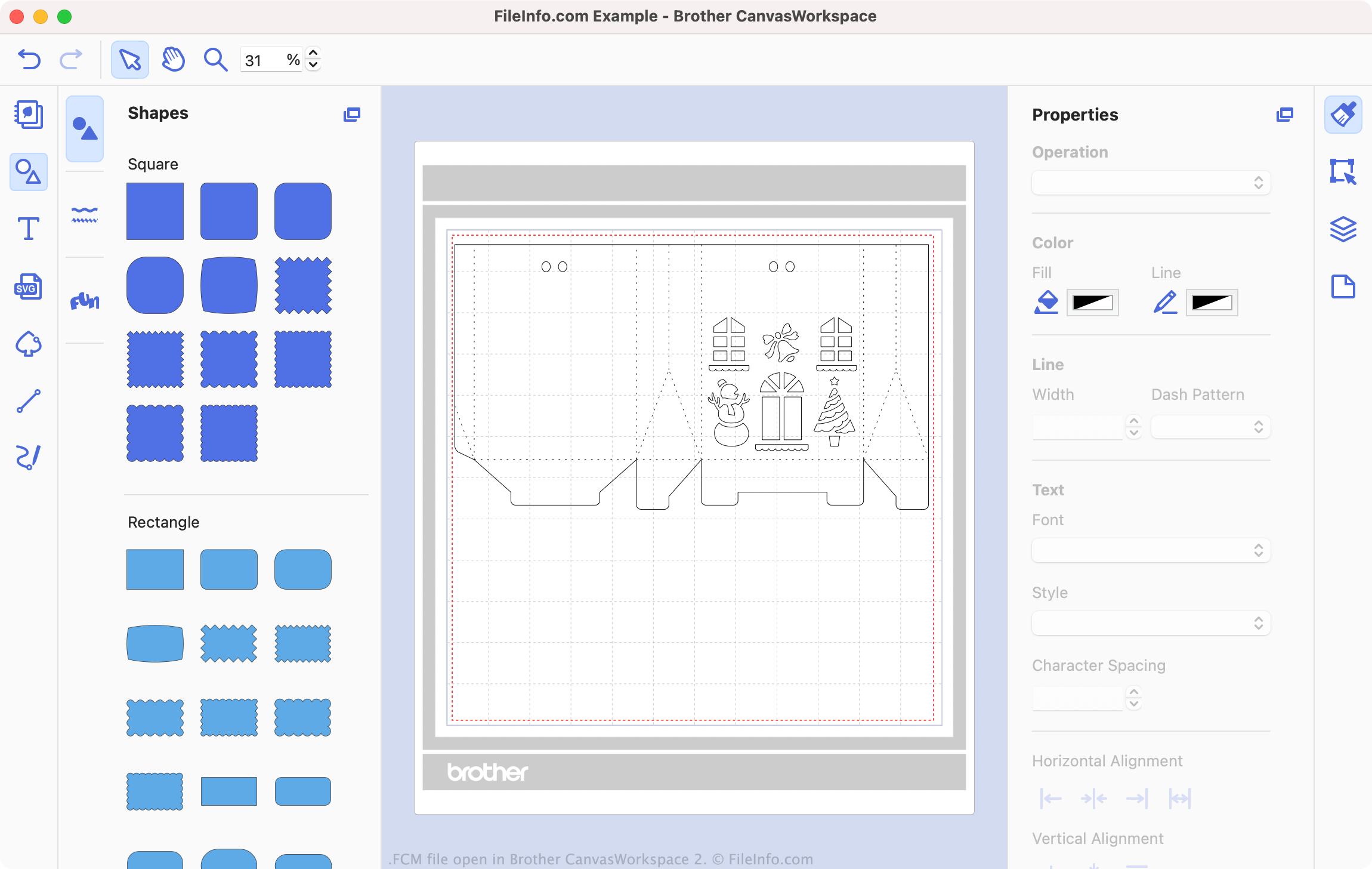
Brother CanvasWorkspace je bezplatný program, který nadšencům do šití a vyšívání umožňuje navrhovat vzory pro použití s řezacími stroji Brother, jako jsou DC200, CM650W, SDX225 a mnoho dalších. CanvasWorkspace ukládá tyto vzory jako soubory .CWPRJ a FCM. Soubory CWPRJ jsou upravitelné projektové soubory, pomocí kterých může uživatel upravovat existující vzor. Soubory FCM jsou obvykle dokončené vzory určené k přenosu do řezacího stroje.
Zatímco soubory CWPRJ mohou obsahovat více barev a další složité prvky návrhu, soubory FCM obsahují pouze jednoduché černobílé tvary. Je to proto, že tyto soubory jsou určeny pro použití s řezacím strojem, který využívá pouze obrys každého tvaru. Soubor FCM však můžete otevřít v programu Brother CanvasWorkspace, prohlédnout si tvary, které obsahuje, a přenést jej do řezacího stroje.
Jak převedu soubor SVG na soubor FCM?
Existující soubory .SVG můžete převést na soubory FCM pro použití s řezacím strojem Brother. Postup:
- Otevřete CanvasWorkspace a vyberte .
- Přejděte k souboru SVG a otevřete jej.
Soubor SVG se poté otevře v programu CanvasWorkspace. Podle potřeby soubor upravte a poté vyberte , čímž soubor exportujete jako soubor FCM.
Jak otevřít soubor FCM
Soubor FCM můžete otevřít v programu Brother CanvasWorkspace (pro různé platformy). V nabídce programu vyberte . Poté přejděte k souboru FCM a vyberte .
POZNÁMKA: Pokud je váš soubor FCM uložen v řezacím stroji a řezací stroj je připojen k počítači, vyberte místo toho .
Jak přenesu soubor FCM do řezacího stroje Brother?
Chcete-li přenést soubor FCM do řezacího stroje Brother:
- Připojte k počítači USB flash disk.
- Otevřete soubor FCM v programu Brother CanvasWorkspace.
- Vyberte .
- Vyberte .
- Uložte soubor FCM na USB flash disk.
- Odpojte USB flash disk od počítače. Poté jej připojte k řezacímu stroji Brother.
Nyní můžete načíst soubor FCM v řezacím stroji Brother.