

.FCM Extension de fichier
Motif de découpe de tissu CanvasWorkspace
| Développeur | Brother |
| Popularité |
4,0 | 5 Votes |
Qu'est-ce qu'un fichier FCM ?
Un fichier FCM est un motif de découpe de tissu créé par Brother CanvasWorkspace, un programme utilisé pour créer des motifs de découpe et les transférer vers des machines de découpe Brother. Il contient une ou plusieurs formes noires et blanches. Les machines de découpe Brother utilisent les motifs contenus dans les fichiers FCM pour découper les formes correspondantes dans le tissu.
Plus d'informations
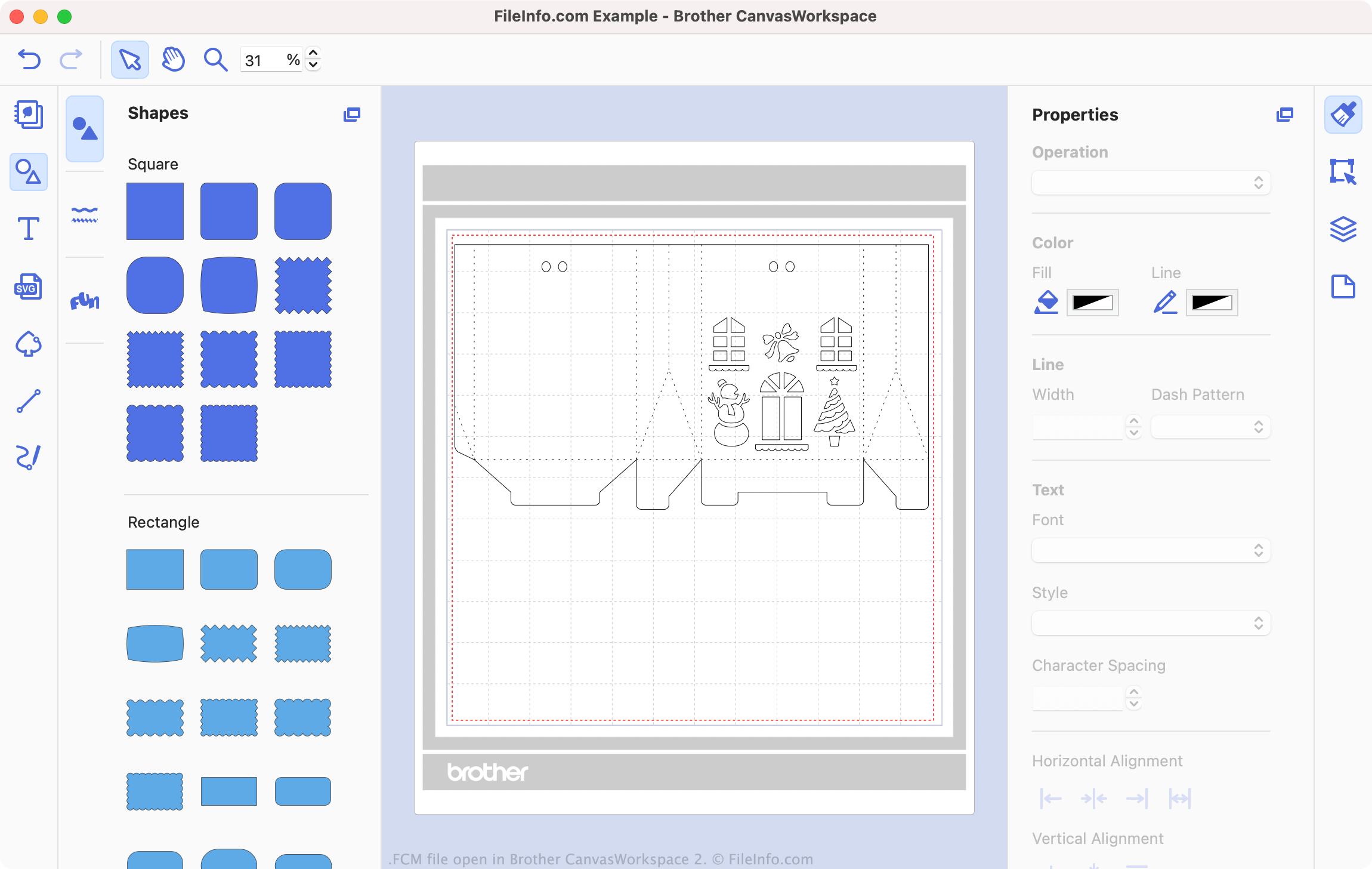
Brother CanvasWorkspace est un programme gratuit qui permet aux passionnés de couture et de broderie de concevoir des motifs destinés à être utilisés avec des machines de découpe Brother, comme les modèles DC200, CM650W, SDX225 et bien d'autres. CanvasWorkspace enregistre ces motifs sous forme de fichiers .CWPRJ et FCM. Les fichiers CWPRJ sont des fichiers de projet modifiables qu'un utilisateur peut utiliser pour modifier un motif existant. Les fichiers FCM sont généralement des motifs finalisés, destinés à être transférés vers une machine de découpe.
Alors que les fichiers CWPRJ peuvent contenir plusieurs couleurs et d'autres éléments de conception complexes, les fichiers FCM contiennent uniquement des formes simples, noires et blanches. En effet, ces fichiers sont destinés à être utilisés avec une machine de découpe, qui utilise uniquement le contour de chaque forme. Cependant, vous pouvez ouvrir un fichier FCM dans Brother CanvasWorkspace pour afficher les formes qu'il contient et le transférer vers une machine de découpe.
Comment convertir un fichier SVG en fichier FCM ?
Vous pouvez convertir des fichiers .SVG existants en fichiers FCM, afin de les utiliser avec une machine de découpe Brother. Pour ce faire :
- Ouvrez CanvasWorkspace et sélectionnez .
- Accédez à votre fichier SVG et ouvrez-le.
Votre fichier SVG s'ouvre alors dans CanvasWorkspace. Modifiez votre fichier selon vos besoins, puis sélectionnez pour exporter le fichier au format FCM.
Comment ouvrir un fichier FCM
Vous pouvez ouvrir un fichier FCM dans Brother CanvasWorkspace (multiplateforme). Pour ce faire, sélectionnez dans la barre de menus du programme. Accédez ensuite à votre fichier FCM et sélectionnez .
REMARQUE : Si votre fichier FCM est stocké sur votre machine de découpe et que celle-ci est connectée à votre PC, sélectionnez plutôt .
Comment transférer un fichier FCM vers ma machine de découpe Brother ?
Pour transférer un fichier FCM vers votre machine de découpe Brother :
- Connectez une clé USB à votre PC.
- Ouvrez votre fichier FCM dans Brother CanvasWorkspace.
- Sélectionnez .
- Sélectionnez .
- Enregistrez le fichier FCM sur votre clé USB.
- Déconnectez votre clé USB de votre PC. Connectez-la ensuite à votre machine de découpe Brother.
Vous pouvez maintenant charger votre fichier FCM sur votre machine de découpe Brother.