.FCM ファイル拡張子

CanvasWorkspace Fabric Cutting Design

開発元 Brother
人気度
4.0  |  5 
 

FCMファイルとは?

An FCM file is a fabric cutting design created by Brother CanvasWorkspace, a program used to create cutting designs and transfer them to Brother cutting machines. It contains one or more black-and-white shapes. Brother cutting machines use the patterns FCM files contain to cut out corresponding fabric shapes.

詳細情報

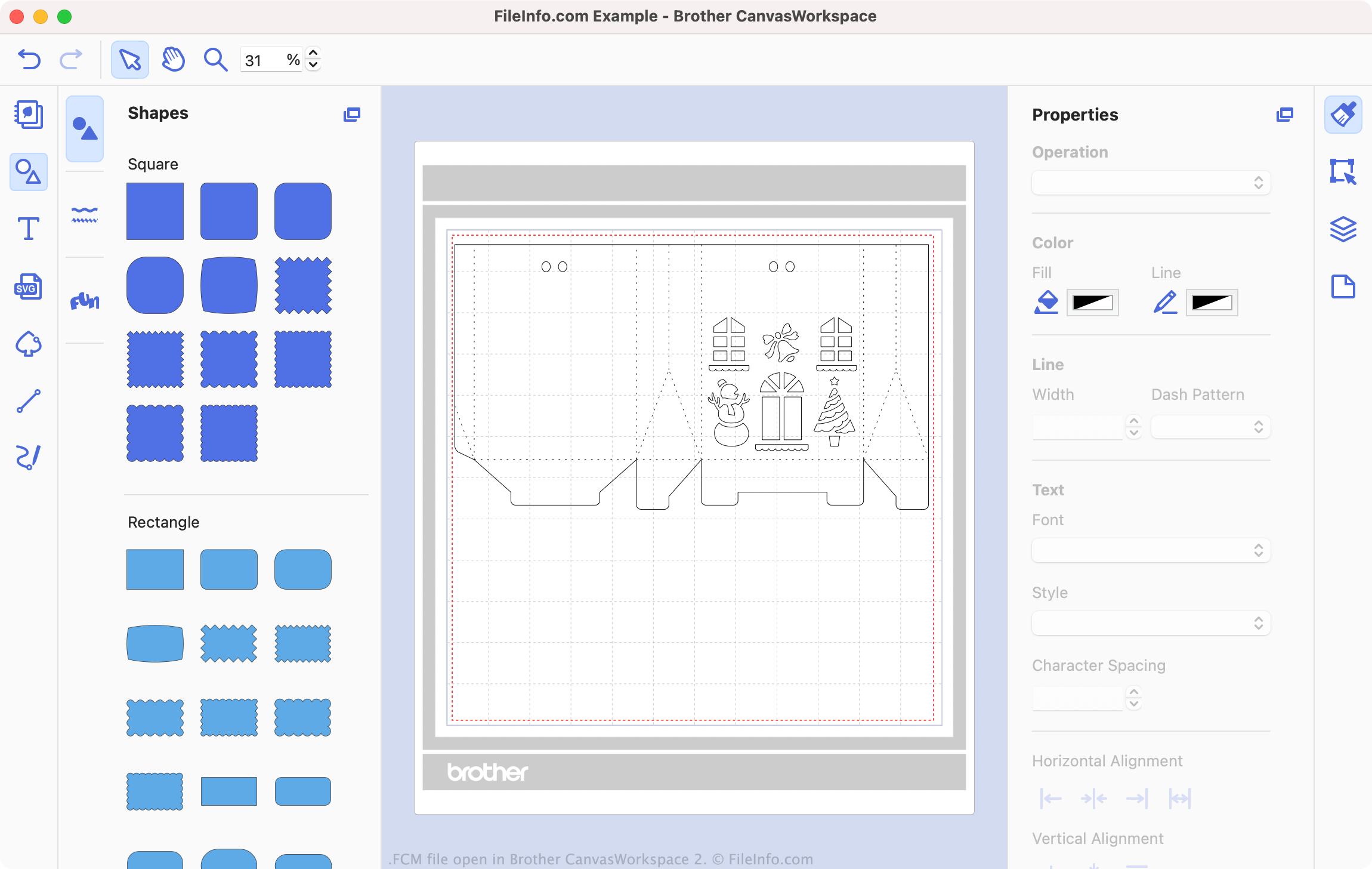
Brother CanvasWorkspace 2で開いた.fcmファイルのスクリーンショット
Brother CanvasWorkspace 2で開いたFCMファイル

Brother CanvasWorkspace is a free program that allows sewing and embroidery enthusiasts to design patterns for use with Brother cutting machines, such as the DC200, CM650W, SDX225, and many others. CanvasWorkspace saves these patterns as .CWPRJ and FCM files. CWPRJ files are editable project files that a user can use to edit an existing pattern. FCM files are typically finished patterns, which are meant to be transferred to a cutting machine.

While CWPRJ files can contain multiple colors and other complex design elements, FCM files contain only simple, black-and-white shapes. That's because the files are intended for use with a cutting machine, which uses only each shape's outline. However, you can open an FCM file in Brother CanvasWorkspace, to view the shapes it contains and transfer it to a cutting machine.

How do I convert an SVG file to an FCM file?

You can convert existing .SVG files into FCM files, for use with a Brother cutting machine. To do so:

  1. Open CanvasWorkspace and select File → Import from Your Computer ....
  2. Navigate to and open your SVG file.

Your SVG file will then open in CanvasWorkspace. Edit your file as needed, and then select File → Export/Transfer FCM file... to export the file as an FCM file.

FCMファイルの開き方

You can open an FCM file in Brother CanvasWorkspace (cross-platform). To do so, select File → Import from Your Computer... from the program's menu bar. Then, navigate to your FCM file and select Open.

注: If your FCM file is stored on your cutting machine, and your cutting machine is connected to your PC, instead select File → Import from Your Computer....

How do I transfer an FCM file to my Brother cutting machine?

To transfer an FCM file to your Brother cutting machine:

  1. Connect a USB flash drive to your PC.
  2. Open your FCM file in Brother CanvasWorkspace.
  3. Select File → Export/Transfer FCM file....
  4. Select Export FCM File.
  5. Save the FCM file to your USB flash drive.
  6. Disconnect your USB flash drive from your PC. Then, connect it to your Brother cutting machine.

You can now load your FCM file on your Brother cutting machine.

File Viewer Plusで400種類以上のファイル形式を開けます。無料ダウンロード

FCMファイルを開くプログラム

fCraft World File

開発元 fCraft
人気度
3.0  |  6 
 

File created by fCraft, a third-party server program that hosts multiplayer worlds for the game Minecraft Classic; saves a map that represents the 3D world that players navigate in; hosted by the server and saved to the \​maps\​ directory on the server.

詳細情報

The FCM format is also the primary format used by Spacecraft, another third-party Minecraft Classic server.

FCMファイルを開く、または参照するプログラム

Windows
無料
無料
カテゴリ: ゲーム
更新日: 2012-07-05

検証者 FileInfo.com

FileInfo.comチーム は、このページに掲載されているすべてのファイル形式とソフトウェアについて独自に調査しました。 私たちの目標は100%の正確性であり、検証済みのファイルタイプに関する情報のみを公開しています。

このページへの追加や更新をご提案いただける場合は、お知らせください。