

.FCM Rozszerzenie pliku
Projekt wycinania tkaniny CanvasWorkspace
| Deweloper | Brother |
| Popularność |
4,0 | 5 Głosów |
Czym jest plik FCM?
Plik FCM to projekt wycinania tkaniny utworzony w programie Brother CanvasWorkspace, służącym do tworzenia projektów wycinania i przesyłania ich do maszyn tnących Brother. Zawiera jeden lub więcej czarno-białych kształtów. Maszyny tnące Brother używają wzorów zawartych w plikach FCM do wycinania odpowiadających im kształtów z tkaniny.
Więcej informacji
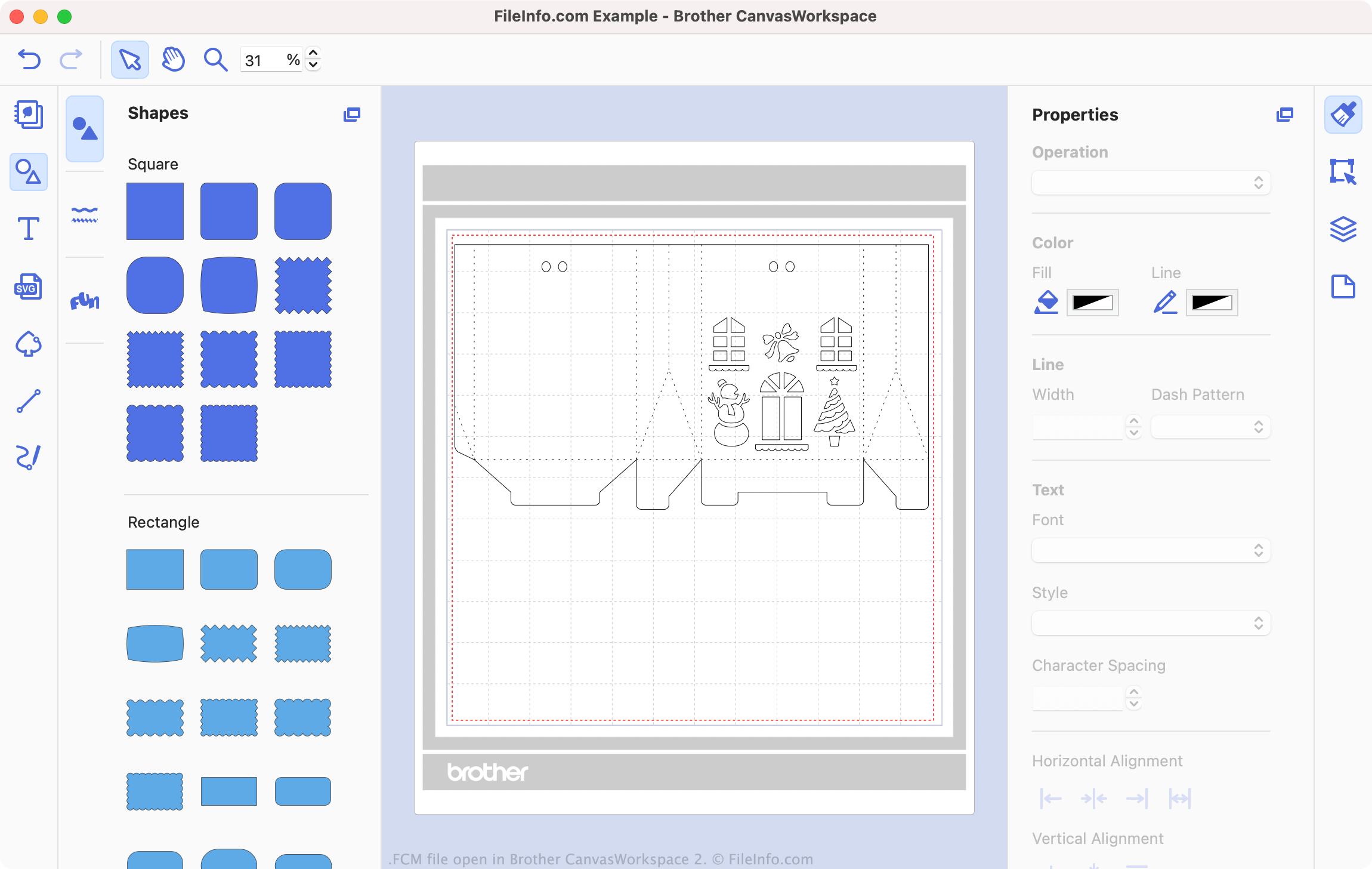
Brother CanvasWorkspace to bezpłatny program, który pozwala miłośnikom szycia i haftowania projektować wzory do użycia z maszynami tnącymi Brother, takimi jak DC200, CM650W, SDX225 i wiele innych. CanvasWorkspace zapisuje te wzory jako pliki .CWPRJ i FCM. Pliki CWPRJ to edytowalne pliki projektów, których użytkownik może użyć do edytowania istniejącego wzoru. Pliki FCM zazwyczaj zawierają ukończone wzory przeznaczone do przesłania do maszyny tnącej.
Podczas gdy pliki CWPRJ mogą zawierać wiele kolorów i inne złożone elementy projektu, pliki FCM zawierają tylko proste, czarno-białe kształty. Wynika to z tego, że pliki są przeznaczone do użycia z maszyną tnącą, która wykorzystuje tylko obrys każdego kształtu. Możesz jednak otworzyć plik FCM w programie Brother CanvasWorkspace, aby wyświetlić zawarte w nim kształty i przesłać go do maszyny tnącej.
Jak przekonwertować plik SVG na plik FCM?
Możesz przekonwertować istniejące pliki .SVG na pliki FCM do użycia z maszyną tnącą Brother. Aby to zrobić:
- Otwórz program CanvasWorkspace i wybierz .
- Przejdź do pliku SVG i otwórz go.
Plik SVG zostanie następnie otwarty w programie CanvasWorkspace. W razie potrzeby edytuj plik, a następnie wybierz , aby wyeksportować plik jako plik FCM.
Jak otworzyć plik FCM
Możesz otworzyć plik FCM w programie Brother CanvasWorkspace (wieloplatformowym). Aby to zrobić, wybierz na pasku menu programu opcję . Następnie przejdź do pliku FCM i wybierz .
UWAGA: Jeśli plik FCM jest przechowywany na maszynie tnącej, a maszyna tnąca jest podłączona do komputera, zamiast tego wybierz .
Jak przesłać plik FCM do maszyny tnącej Brother?
Aby przesłać plik FCM do maszyny tnącej Brother:
- Podłącz pamięć flash USB do komputera.
- Otwórz plik FCM w programie Brother CanvasWorkspace.
- Wybierz .
- Wybierz .
- Zapisz plik FCM na pamięci flash USB.
- Odłącz pamięć flash USB od komputera. Następnie podłącz ją do maszyny tnącej Brother.
Możesz teraz wczytać plik FCM na maszynie tnącej Brother.