.FCM 파일 확장자

CanvasWorkspace Fabric Cutting Design

개발사 Brother
인기도
4.0  |  5 투표
 

FCM 파일이란 무엇인가요?

An FCM file is a fabric cutting design created by Brother CanvasWorkspace, a program used to create cutting designs and transfer them to Brother cutting machines. It contains one or more black-and-white shapes. Brother cutting machines use the patterns FCM files contain to cut out corresponding fabric shapes.

추가 정보

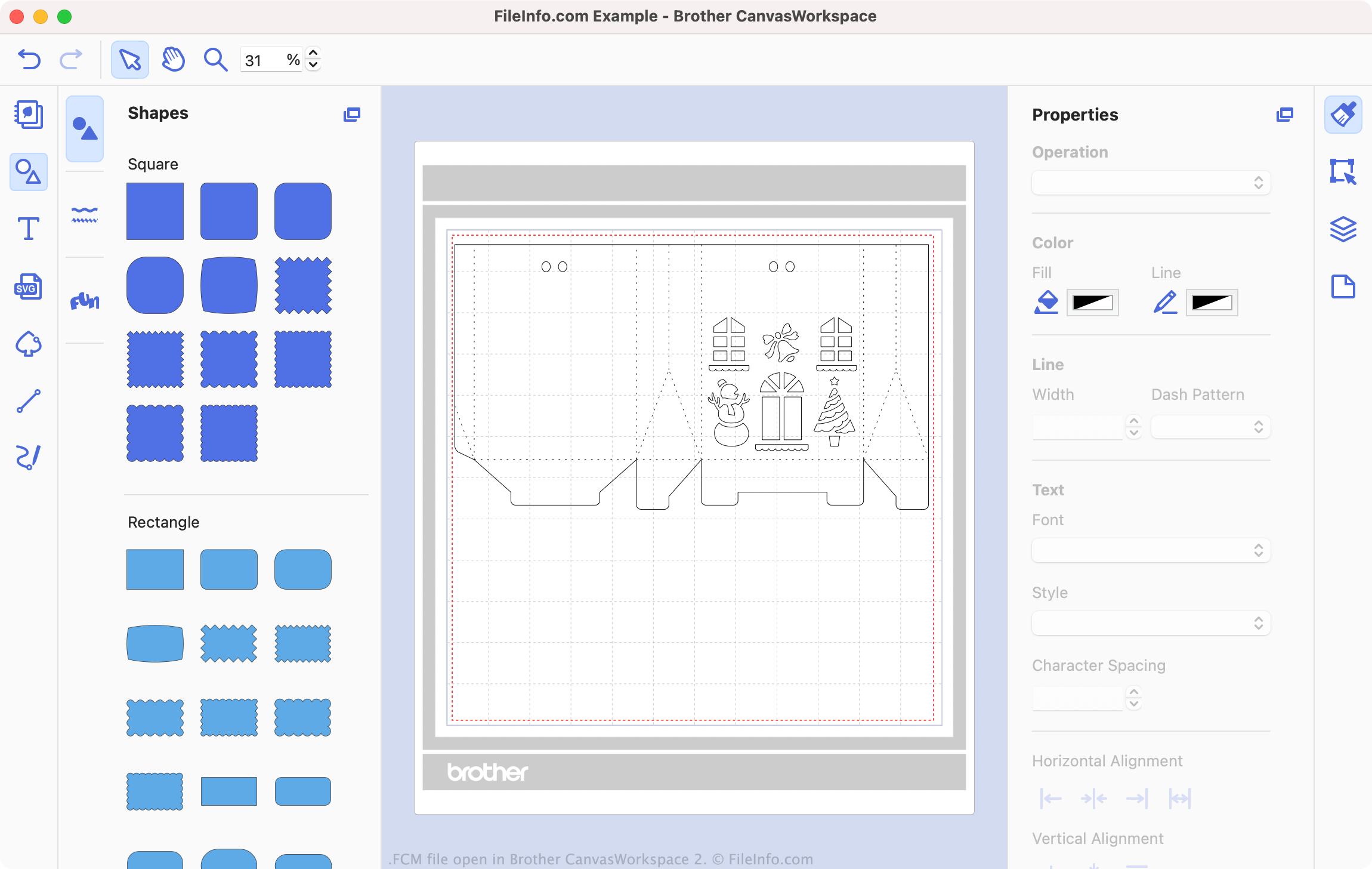
Brother CanvasWorkspace 2에서 열린 .fcm 파일의 스크린샷
Brother CanvasWorkspace 2에서 열린 FCM 파일

Brother CanvasWorkspace is a free program that allows sewing and embroidery enthusiasts to design patterns for use with Brother cutting machines, such as the DC200, CM650W, SDX225, and many others. CanvasWorkspace saves these patterns as .CWPRJ and FCM files. CWPRJ files are editable project files that a user can use to edit an existing pattern. FCM files are typically finished patterns, which are meant to be transferred to a cutting machine.

While CWPRJ files can contain multiple colors and other complex design elements, FCM files contain only simple, black-and-white shapes. That's because the files are intended for use with a cutting machine, which uses only each shape's outline. However, you can open an FCM file in Brother CanvasWorkspace, to view the shapes it contains and transfer it to a cutting machine.

How do I convert an SVG file to an FCM file?

You can convert existing .SVG files into FCM files, for use with a Brother cutting machine. To do so:

  1. Open CanvasWorkspace and select File → Import from Your Computer ....
  2. Navigate to and open your SVG file.

Your SVG file will then open in CanvasWorkspace. Edit your file as needed, and then select File → Export/Transfer FCM file... to export the file as an FCM file.

FCM 파일을 여는 방법

You can open an FCM file in Brother CanvasWorkspace (cross-platform). To do so, select File → Import from Your Computer... from the program's menu bar. Then, navigate to your FCM file and select Open.

참고: If your FCM file is stored on your cutting machine, and your cutting machine is connected to your PC, instead select File → Import from Your Computer....

How do I transfer an FCM file to my Brother cutting machine?

To transfer an FCM file to your Brother cutting machine:

  1. Connect a USB flash drive to your PC.
  2. Open your FCM file in Brother CanvasWorkspace.
  3. Select File → Export/Transfer FCM file....
  4. Select Export FCM File.
  5. Save the FCM file to your USB flash drive.
  6. Disconnect your USB flash drive from your PC. Then, connect it to your Brother cutting machine.

You can now load your FCM file on your Brother cutting machine.

File Viewer Plus(으)로 400개 이상의 파일 형식을 여세요.무료 다운로드

FCM 파일을 여는 프로그램

fCraft World File

개발사 fCraft
인기도
3.0  |  6 투표
 

File created by fCraft, a third-party server program that hosts multiplayer worlds for the game Minecraft Classic; saves a map that represents the 3D world that players navigate in; hosted by the server and saved to the \​maps\​ directory on the server.

추가 정보

The FCM format is also the primary format used by Spacecraft, another third-party Minecraft Classic server.

FCM 파일을 열거나 참조하는 프로그램

Windows
무료
무료
카테고리: 게임
업데이트: 2012-07-05

검증자 FileInfo.com

FileInfo.com 팀 이 페이지에 나열된 모든 파일 형식과 소프트웨어 프로그램을 독자적으로 조사했습니다. 저희의 목표는 100% 정확성이며, 검증한 파일 유형에 대한 정보만 게시합니다.

이 페이지에 추가하거나 업데이트할 내용을 제안하고 싶으시면 알려 주세요.