.APR 文件扩展名

ArcView Project File

开发者 ESRI
受欢迎程度
2.5  |  14 
 

什么是 APR 文件?

Mapping project created with ArcView, a GIS (Geographical Information System) program for visualizing, managing, creating, and analyzing geographic data; saved as an Object Database in a standard text format.

更多信息

APR files can be edited with a text editor. However, a backup copy of the file should be created before manually editing the file's contents.

ArcView is part of ESRI's ArcGIS Desktop product family.

使用File Viewer Plus打开 400 多种文件格式。免费下载

可打开 APR 文件的程序

Windows
分类: GIS
更新时间: 2008-11-13

Animate Publish Profile

开发者 Adobe Systems
受欢迎程度
2.0  |  2 
 

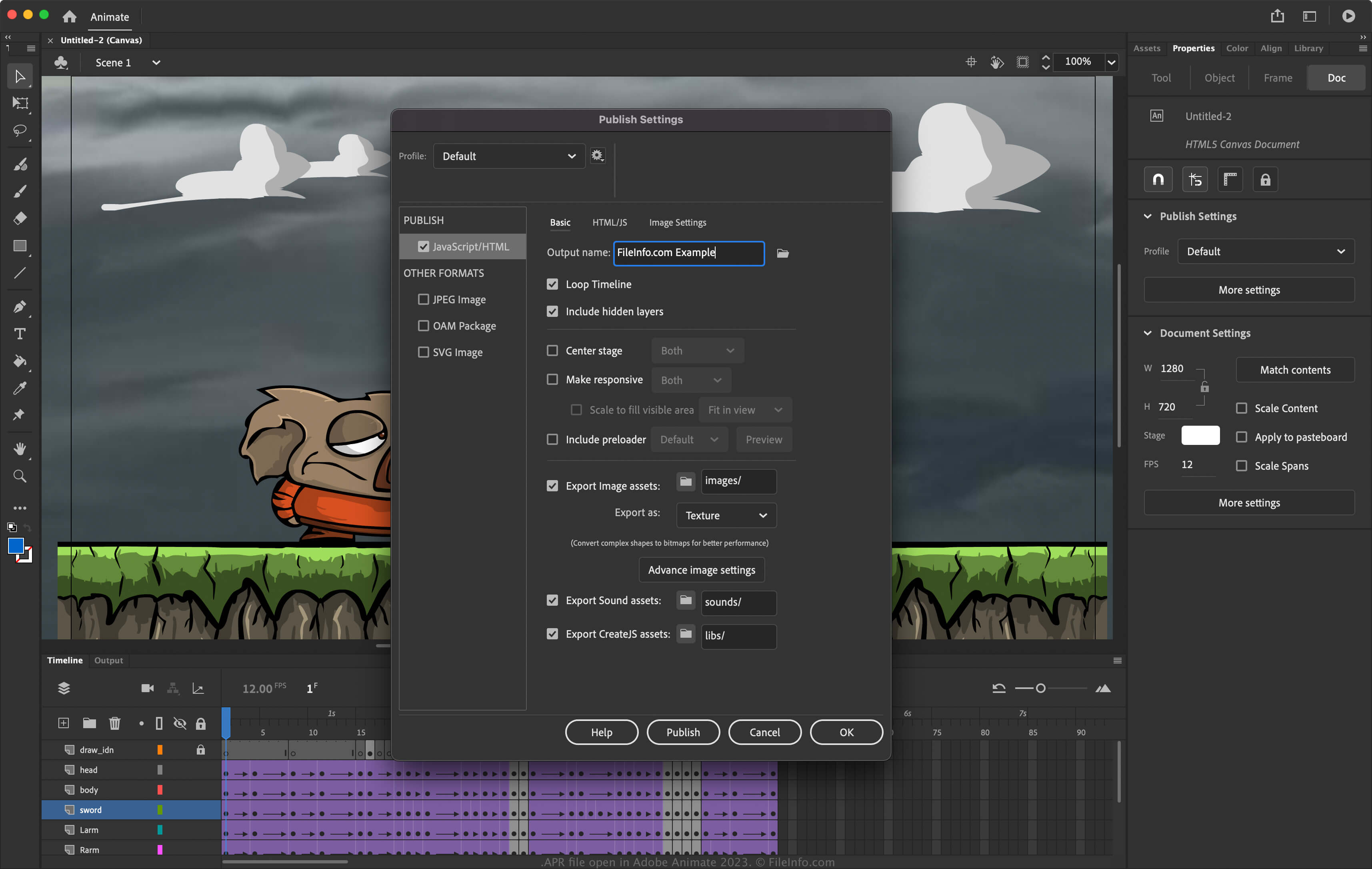
An APR file contains publishing settings for an animation created by Adobe Animate, an application artists use to draw and publish interactive animations. It stores settings that configure the publishing of an animation, such as the output name, loop timeline, image asset formats, and the image assets included in the publish. Animate users export publish settings as APR files to save them or share them to re-use them later or set up publishing settings for other installations of Animate.

更多信息

在 Adobe Animate 2023 中打开的 .apr 文件截图
在 Adobe Animate 2023 中打开的 APR 文件

Animate is an application for Windows and macOS that allows you to design animations for banners, cartoons, games, and the web. In addition, the software allows you to modify its settings to configure how the software publishes animations. To access the publishing settings in Animate, select File → Publish Settings.

How to create an APR file with Adobe Animate

To export the publish settings to an APR file with Animate:

  1. Select File → Publish Settings.
  2. Choose the gear icon next to the current profile.
  3. Select Export profile... from the dropdown menu.

注: If you want to create an entirely new profile, select Create profile..., name the profile, and adjust the settings. You can then export it as an APR file by selecting Export profile... from the dropdown menu.

如何打开 APR 文件

You can open APR files with Adobe Animate (multiplatform). To open an APR file:

  1. Select File → Publish Settings.
  2. Choose the gear icon next to the current profile.
  3. Select Import profile... from the dropdown menu.

可打开 APR 文件的程序

Windows
免费试用
Mac
免费试用
分类: 设置
更新时间: 2023-04-28

Apadana Project File

开发者 Javid Software Development
受欢迎程度
2.0  |  1 
 

Project file created by Apadana, a multimedia authoring application; contains text, graphics, objects, animation settings, and other embedded multimedia content; used for creating interactive presentations, user interfaces, and other multimedia applications.

可打开 APR 文件的程序

Windows
Javid Software Development Apadana
分类: 开发者
更新时间: 2011-01-03

验证者 FileInfo.com

FileInfo.com 团队 独立研究了本页面列出的所有文件格式和软件程序。 我们的目标是达到 100% 的准确率,并且仅发布我们已验证过的文件类型信息。

如果您想为此页面提出新增或更新建议,请告诉我们