

.APR Rozszerzenie pliku
Profil publikowania Animate
| Deweloper | Adobe Systems |
| Popularność |
2,0 | 2 Głosy |
Plik APR zawiera ustawienia publikowania animacji utworzonej w programie Adobe Animate — aplikacji używanej przez artystów do rysowania i publikowania interaktywnych animacji. Przechowuje ustawienia konfiguracyjne publikowania animacji, takie jak nazwa danych wyjściowych, zapętlenie osi czasu, formaty zasobów graficznych oraz zasoby graficzne uwzględnione w publikacji. Użytkownicy programu Animate eksportują ustawienia publikowania jako pliki APR, aby je zapisać lub udostępnić i ponownie wykorzystać w późniejszym czasie albo skonfigurować ustawienia publikowania dla innych instalacji programu Animate.
Więcej informacji
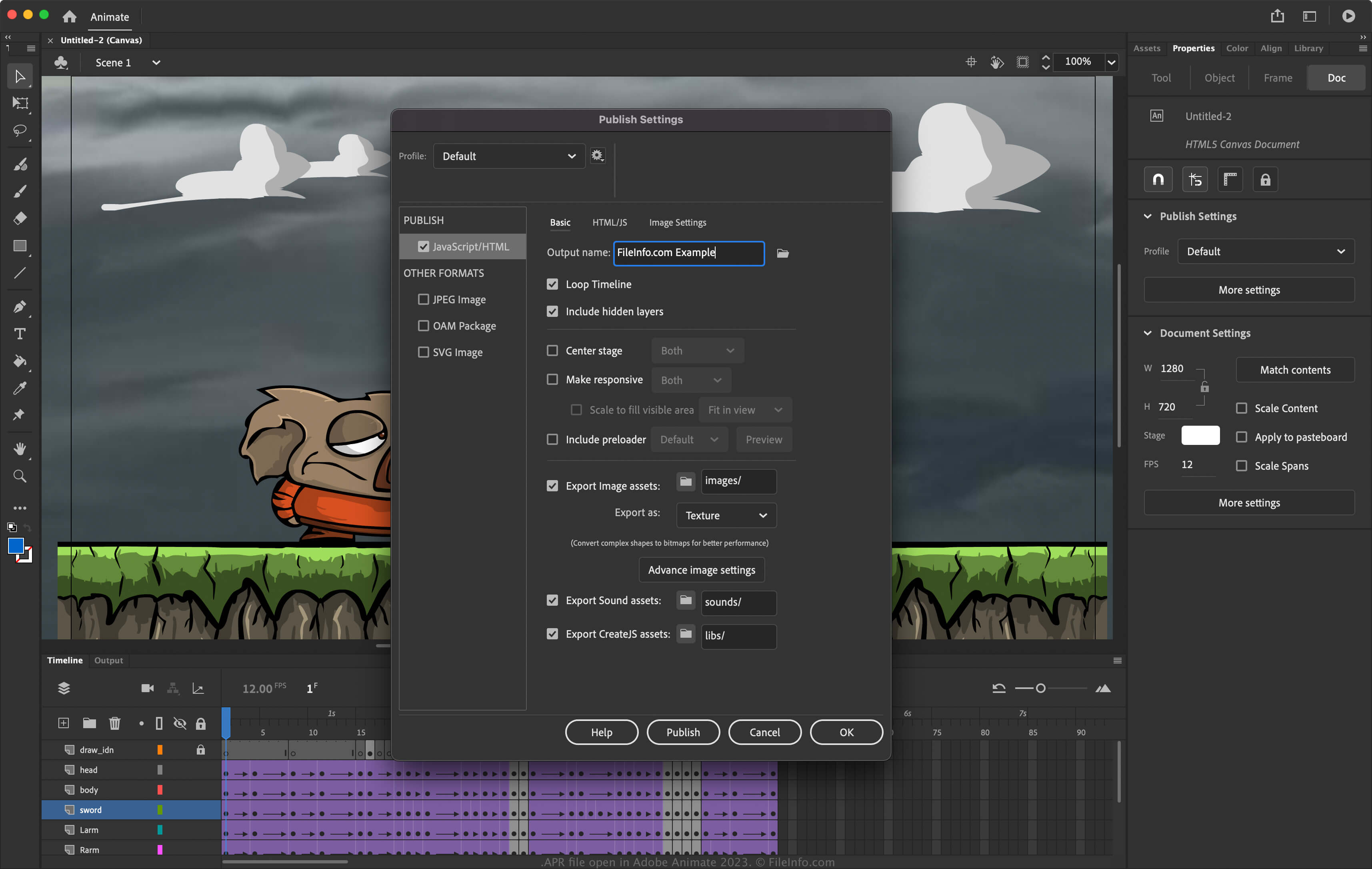
Animate to aplikacja dla systemów Windows i macOS, która umożliwia projektowanie animacji do banerów, kreskówek, gier i internetu. Ponadto program pozwala modyfikować swoje ustawienia, aby skonfigurować sposób publikowania animacji. Aby uzyskać dostęp do ustawień publikowania w programie Animate, wybierz .
Jak utworzyć plik APR za pomocą programu Adobe Animate
Aby wyeksportować ustawienia publikowania do pliku APR za pomocą programu Animate:
- Wybierz .
- Wybierz ikonę koła zębatego obok bieżącego profilu.
- Wybierz z menu rozwijanego.
UWAGA: Jeśli chcesz utworzyć zupełnie nowy profil, wybierz , nadaj profilowi nazwę i dostosuj ustawienia. Następnie możesz wyeksportować go jako plik APR, wybierając z menu rozwijanego.
Jak otworzyć plik APR
Pliki APR można otwierać za pomocą programu Adobe Animate (wieloplatformowego). Aby otworzyć plik APR:
- Wybierz .
- Wybierz ikonę koła zębatego obok bieżącego profilu.
- Wybierz z menu rozwijanego.