

.APR Extension de fichier
Profil de publication Animate
| Développeur | Adobe Systems |
| Popularité |
2,0 | 2 Votes |
Un fichier APR contient les paramètres de publication d’une animation créée avec Adobe Animate, une application que les artistes utilisent pour dessiner et publier des animations interactives. Il stocke les paramètres qui configurent la publication d’une animation, comme le nom de sortie, la lecture en boucle de la chronologie, les formats des ressources d’image et les ressources d’image incluses dans la publication. Les utilisateurs d’Animate exportent les paramètres de publication sous forme de fichiers APR pour les enregistrer ou les partager, afin de les réutiliser ultérieurement ou de configurer les paramètres de publication d’autres installations d’Animate.
Plus d'informations
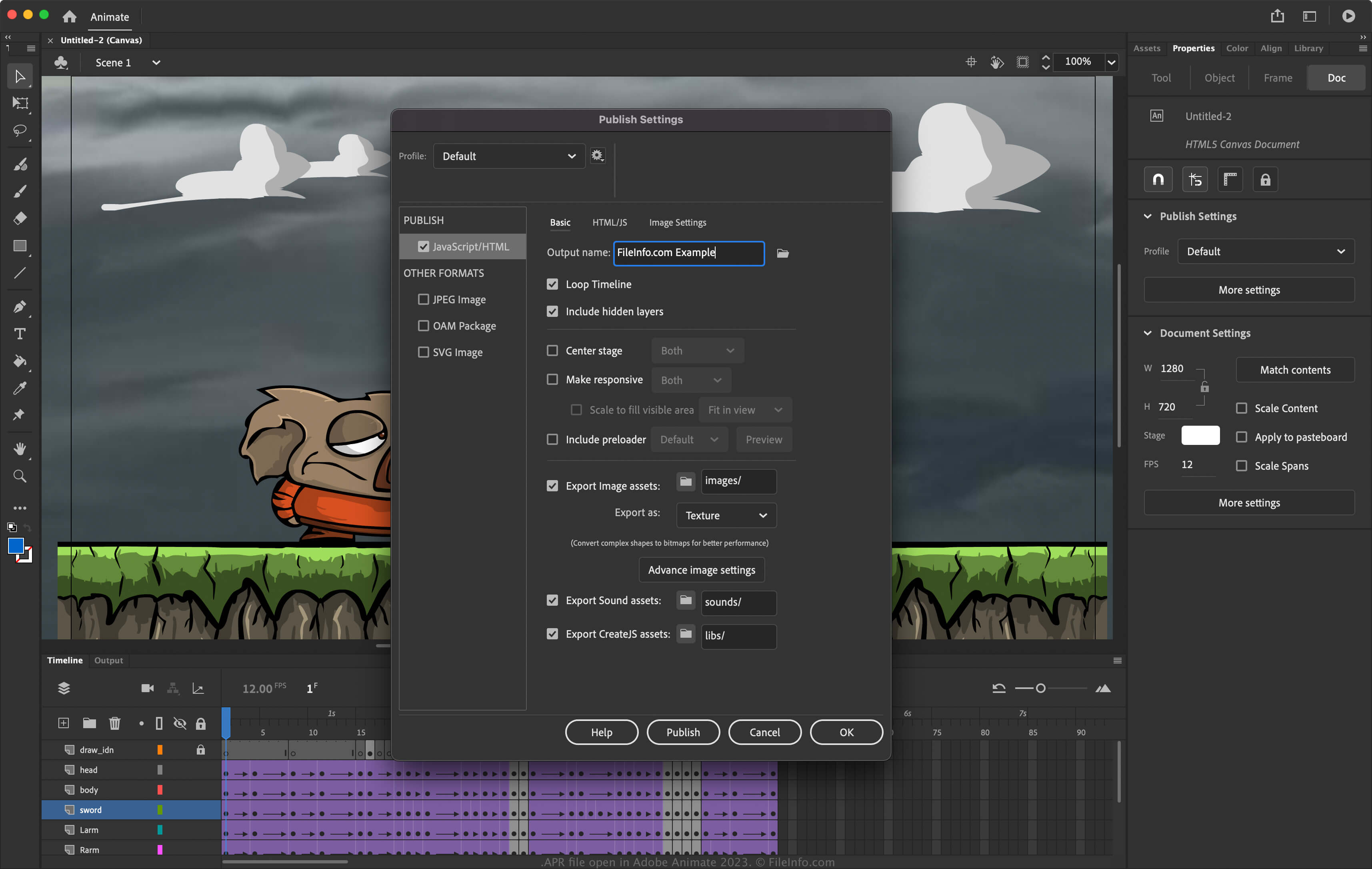
Animate est une application pour Windows et macOS qui vous permet de concevoir des animations pour des bannières, des dessins animés, des jeux et le Web. En outre, le logiciel vous permet de modifier ses paramètres afin de configurer la façon dont il publie les animations. Pour accéder aux paramètres de publication dans Animate, sélectionnez .
Comment créer un fichier APR avec Adobe Animate
Pour exporter les paramètres de publication vers un fichier APR avec Animate :
- Sélectionnez .
- Cliquez sur l’icône d’engrenage à côté du profil actuel.
- Sélectionnez dans le menu déroulant.
REMARQUE : Si vous souhaitez créer un profil entièrement nouveau, sélectionnez , nommez le profil et ajustez les paramètres. Vous pouvez ensuite l’exporter sous forme de fichier APR en sélectionnant dans le menu déroulant.
Comment ouvrir un fichier APR
Vous pouvez ouvrir les fichiers APR avec Adobe Animate (multiplateforme). Pour ouvrir un fichier APR :
- Sélectionnez .
- Cliquez sur l’icône d’engrenage à côté du profil actuel.
- Sélectionnez dans le menu déroulant.