.APR ファイル拡張子

ArcView Project File

開発元 ESRI
人気度
2.5  |  14 
 

APRファイルとは?

Mapping project created with ArcView, a GIS (Geographical Information System) program for visualizing, managing, creating, and analyzing geographic data; saved as an Object Database in a standard text format.

詳細情報

APR files can be edited with a text editor. However, a backup copy of the file should be created before manually editing the file's contents.

ArcView is part of ESRI's ArcGIS Desktop product family.

File Viewer Plusで400種類以上のファイル形式を開けます。無料ダウンロード

APRファイルを開くプログラム

Windows
カテゴリ: GIS
更新日: 2008-11-13

Animate Publish Profile

開発元 Adobe Systems
人気度
2.0  |  2 
 

An APR file contains publishing settings for an animation created by Adobe Animate, an application artists use to draw and publish interactive animations. It stores settings that configure the publishing of an animation, such as the output name, loop timeline, image asset formats, and the image assets included in the publish. Animate users export publish settings as APR files to save them or share them to re-use them later or set up publishing settings for other installations of Animate.

詳細情報

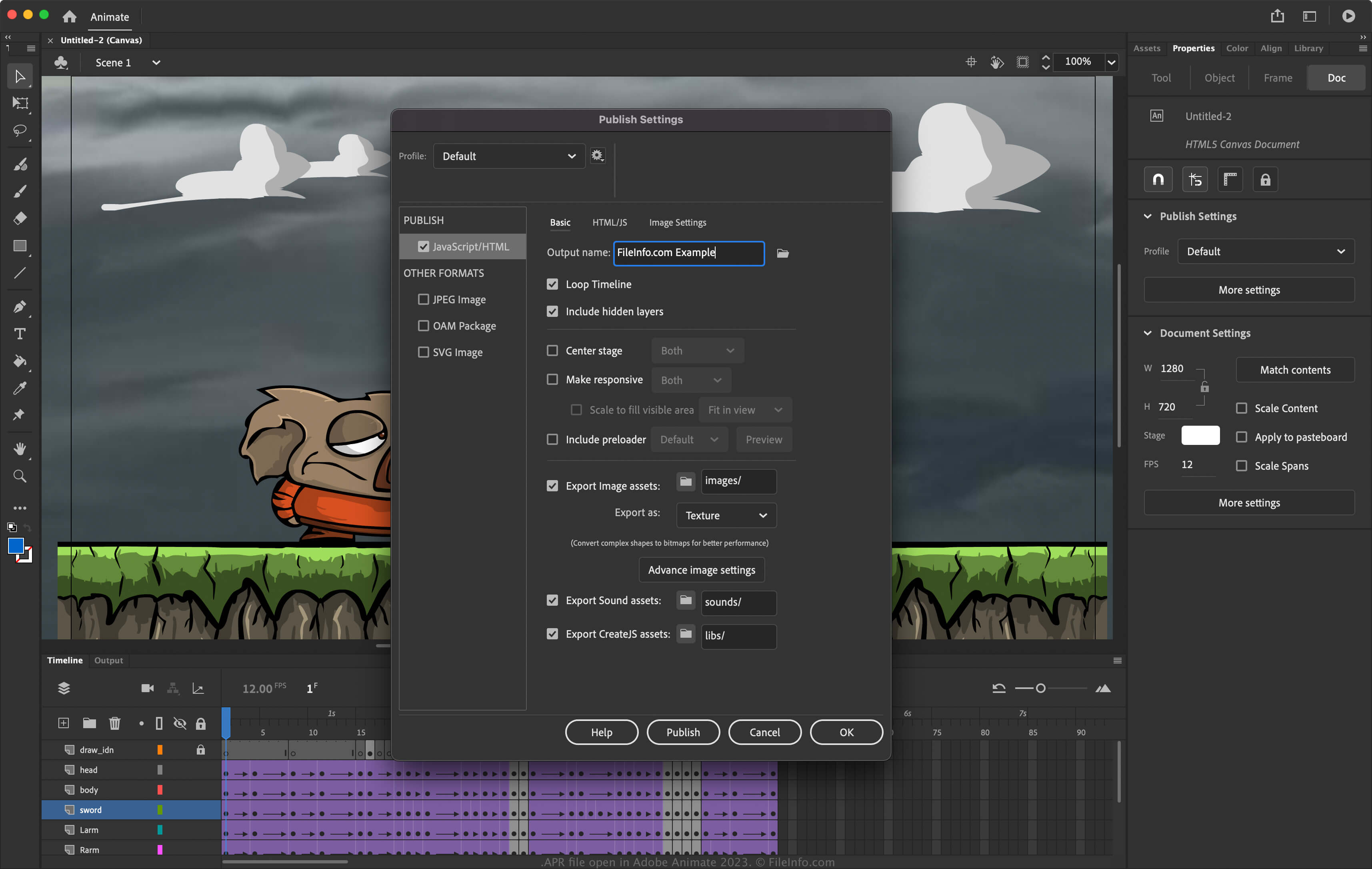
Adobe Animate 2023で開いた.aprファイルのスクリーンショット
Adobe Animate 2023で開いたAPRファイル

Animate is an application for Windows and macOS that allows you to design animations for banners, cartoons, games, and the web. In addition, the software allows you to modify its settings to configure how the software publishes animations. To access the publishing settings in Animate, select File → Publish Settings.

How to create an APR file with Adobe Animate

To export the publish settings to an APR file with Animate:

  1. Select File → Publish Settings.
  2. Choose the gear icon next to the current profile.
  3. Select Export profile... from the dropdown menu.

注: If you want to create an entirely new profile, select Create profile..., name the profile, and adjust the settings. You can then export it as an APR file by selecting Export profile... from the dropdown menu.

APRファイルの開き方

You can open APR files with Adobe Animate (multiplatform). To open an APR file:

  1. Select File → Publish Settings.
  2. Choose the gear icon next to the current profile.
  3. Select Import profile... from the dropdown menu.

APRファイルを開くプログラム

Windows
無料体験版
Mac
無料体験版
カテゴリ: 設定
更新日: 2023-04-28

Apadana Project File

開発元 Javid Software Development
人気度
2.0  |  1 
 

Project file created by Apadana, a multimedia authoring application; contains text, graphics, objects, animation settings, and other embedded multimedia content; used for creating interactive presentations, user interfaces, and other multimedia applications.

APRファイルを開くプログラム

Windows
Javid Software Development Apadana
カテゴリ: 開発者
更新日: 2011-01-03

検証者 FileInfo.com

FileInfo.comチーム は、このページに掲載されているすべてのファイル形式とソフトウェアについて独自に調査しました。 私たちの目標は100%の正確性であり、検証済みのファイルタイプに関する情報のみを公開しています。

このページへの追加や更新をご提案いただける場合は、お知らせください。