

.APR Estensione file
Profilo di pubblicazione di Animate
| Sviluppatore | Adobe Systems |
| Popolarità |
2,0 | 2 Voti |
Un file APR contiene le impostazioni di pubblicazione per un'animazione creata con Adobe Animate, un'applicazione che gli artisti usano per disegnare e pubblicare animazioni interattive. Memorizza le impostazioni che configurano la pubblicazione di un'animazione, come il nome dell'output, la timeline in loop, i formati delle risorse immagine e le risorse immagine incluse nella pubblicazione. Gli utenti di Animate esportano le impostazioni di pubblicazione come file APR per salvarle o condividerle, riutilizzarle in seguito oppure configurare le impostazioni di pubblicazione per altre installazioni di Animate.
Maggiori informazioni
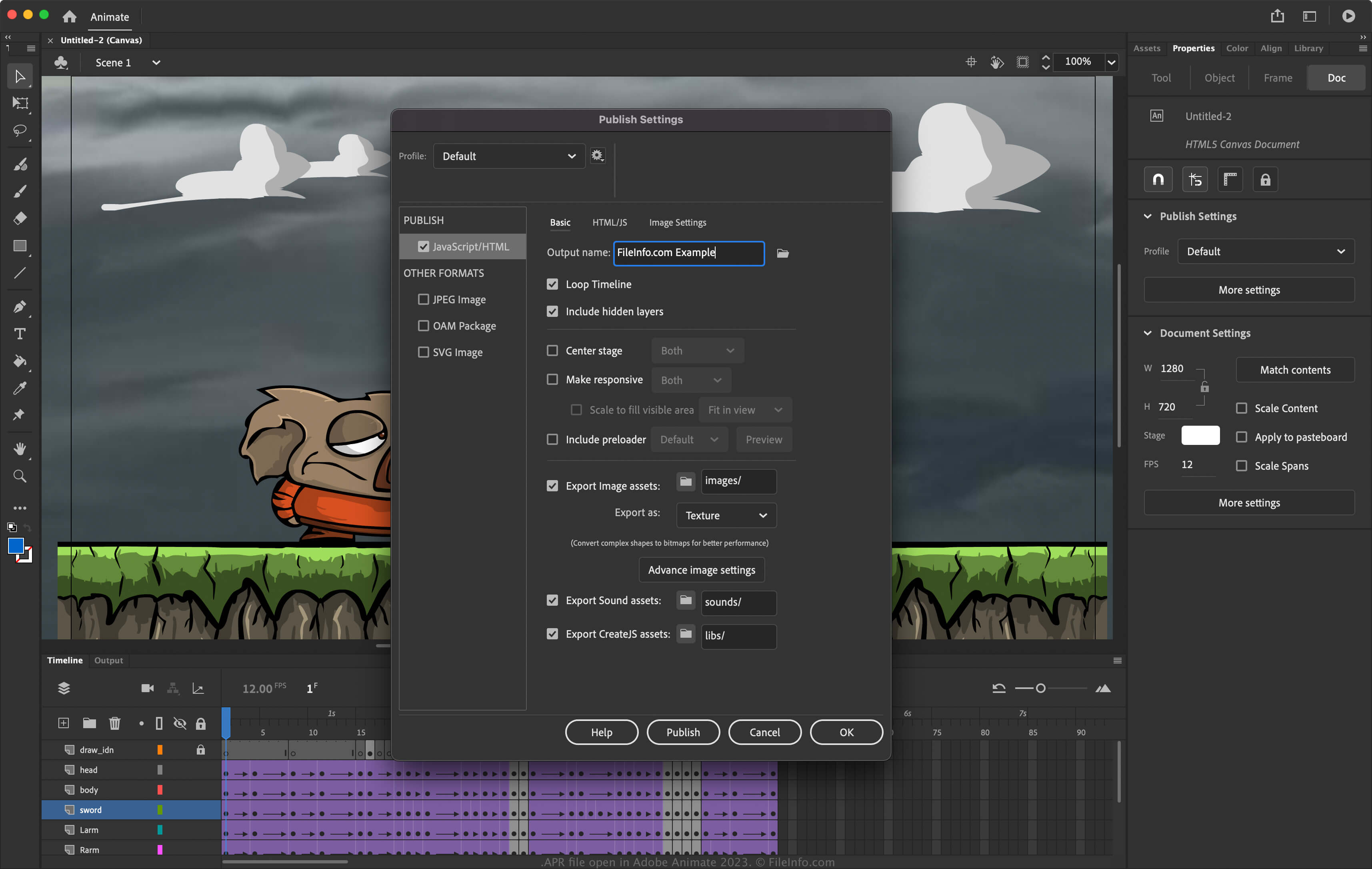
Animate è un'applicazione per Windows e macOS che ti consente di progettare animazioni per banner, cartoni animati, giochi e il web. Inoltre, il software ti consente di modificarne le impostazioni per configurare il modo in cui pubblica le animazioni. Per accedere alle impostazioni di pubblicazione in Animate, seleziona .
Come creare un file APR con Adobe Animate
Per esportare le impostazioni di pubblicazione in un file APR con Animate:
- Seleziona .
- Seleziona l'icona a forma di ingranaggio accanto al profilo attuale.
- Seleziona dal menu a discesa.
NOTA: Se vuoi creare un profilo completamente nuovo, seleziona , assegna un nome al profilo e modifica le impostazioni. Puoi quindi esportarlo come file APR selezionando dal menu a discesa.
Come aprire un file APR
Puoi aprire i file APR con Adobe Animate (multipiattaforma). Per aprire un file APR:
- Seleziona .
- Seleziona l'icona a forma di ingranaggio accanto al profilo attuale.
- Seleziona dal menu a discesa.