.APR 파일 확장자

ArcView Project File

개발사 ESRI
인기도
2.5  |  14 투표
 

APR 파일이란 무엇인가요?

Mapping project created with ArcView, a GIS (Geographical Information System) program for visualizing, managing, creating, and analyzing geographic data; saved as an Object Database in a standard text format.

추가 정보

APR files can be edited with a text editor. However, a backup copy of the file should be created before manually editing the file's contents.

ArcView is part of ESRI's ArcGIS Desktop product family.

File Viewer Plus(으)로 400개 이상의 파일 형식을 여세요.무료 다운로드

APR 파일을 여는 프로그램

Windows
카테고리: GIS
업데이트: 2008-11-13

Animate Publish Profile

개발사 Adobe Systems
인기도
2.0  |  2 투표
 

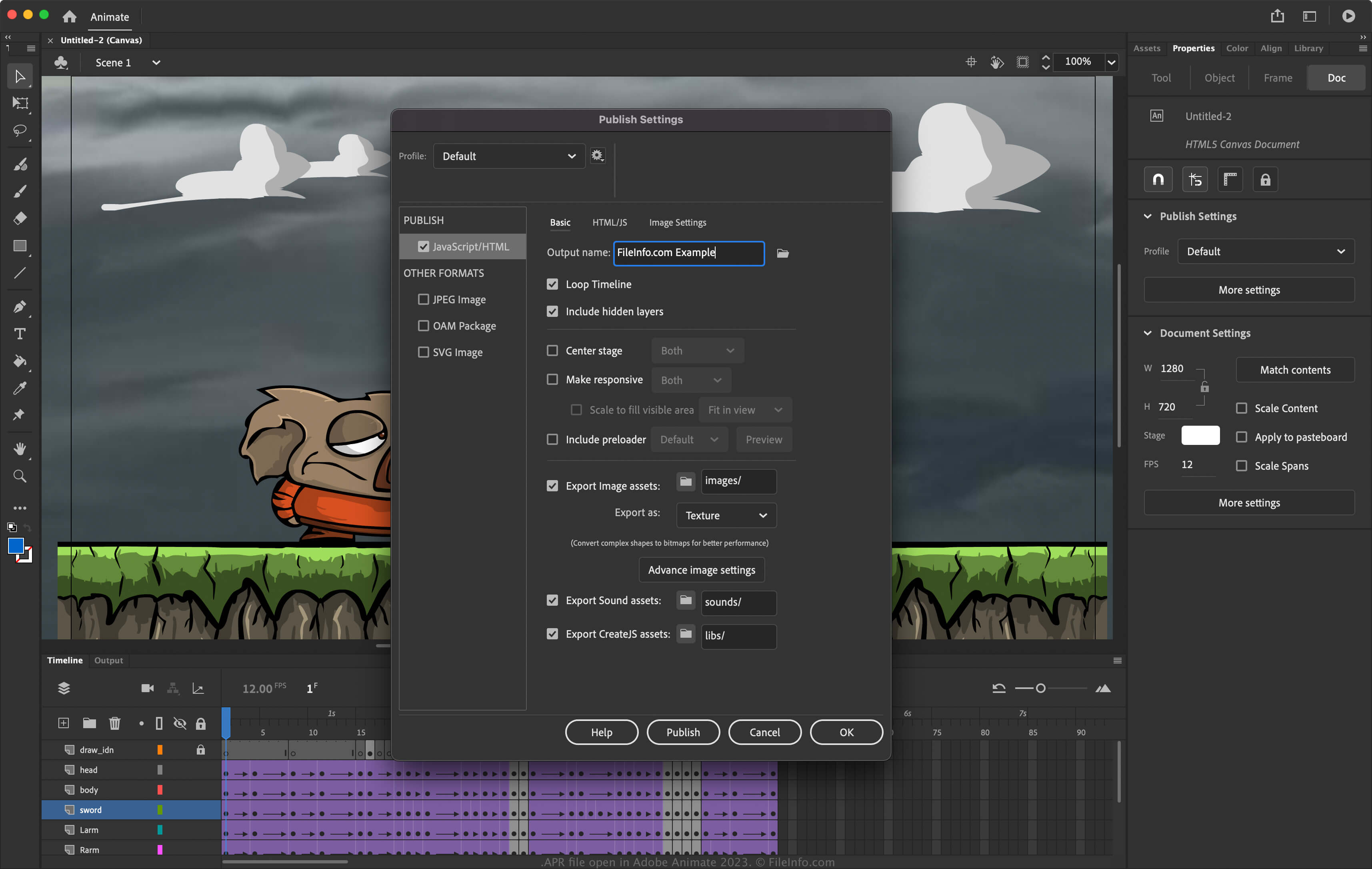
An APR file contains publishing settings for an animation created by Adobe Animate, an application artists use to draw and publish interactive animations. It stores settings that configure the publishing of an animation, such as the output name, loop timeline, image asset formats, and the image assets included in the publish. Animate users export publish settings as APR files to save them or share them to re-use them later or set up publishing settings for other installations of Animate.

추가 정보

Adobe Animate 2023에서 열린 .apr 파일의 스크린샷
Adobe Animate 2023에서 열린 APR 파일

Animate is an application for Windows and macOS that allows you to design animations for banners, cartoons, games, and the web. In addition, the software allows you to modify its settings to configure how the software publishes animations. To access the publishing settings in Animate, select File → Publish Settings.

How to create an APR file with Adobe Animate

To export the publish settings to an APR file with Animate:

  1. Select File → Publish Settings.
  2. Choose the gear icon next to the current profile.
  3. Select Export profile... from the dropdown menu.

참고: If you want to create an entirely new profile, select Create profile..., name the profile, and adjust the settings. You can then export it as an APR file by selecting Export profile... from the dropdown menu.

APR 파일을 여는 방법

You can open APR files with Adobe Animate (multiplatform). To open an APR file:

  1. Select File → Publish Settings.
  2. Choose the gear icon next to the current profile.
  3. Select Import profile... from the dropdown menu.

APR 파일을 여는 프로그램

Windows
무료 체험판
Mac
무료 체험판
카테고리: 설정
업데이트: 2023-04-28

Apadana Project File

개발사 Javid Software Development
인기도
2.0  |  1 투표
 

Project file created by Apadana, a multimedia authoring application; contains text, graphics, objects, animation settings, and other embedded multimedia content; used for creating interactive presentations, user interfaces, and other multimedia applications.

APR 파일을 여는 프로그램

Windows
Javid Software Development Apadana
카테고리: 개발자
업데이트: 2011-01-03

검증자 FileInfo.com

FileInfo.com 팀 이 페이지에 나열된 모든 파일 형식과 소프트웨어 프로그램을 독자적으로 조사했습니다. 저희의 목표는 100% 정확성이며, 검증한 파일 유형에 대한 정보만 게시합니다.

이 페이지에 추가하거나 업데이트할 내용을 제안하고 싶으시면 알려 주세요.