

.SB3 Rozszerzenie pliku
Projekt Scratch 3.0
| Deweloper | MIT |
| Popularność |
4,2 | 2101 Głosów |
Czym jest plik SB3?
Plik SB3 to projekt utworzony za pomocą Scratch 3.0, wizualnej platformy programistycznej opracowanej w Massachusetts Institute of Technology (MIT) do tworzenia opowiadań, niewielkich gier i animacji. Zawiera program Scratch zbudowany z bloków kodu, a także zasoby, takie jak duszkowie, dźwięki i metadane projektu. Pliki SB3 zastąpiły pliki Scratch .SB2 i są zapisywane w formacie opartym na formacie ZIP, który przechowuje dane projektu w formacie JSON.
Więcej informacji
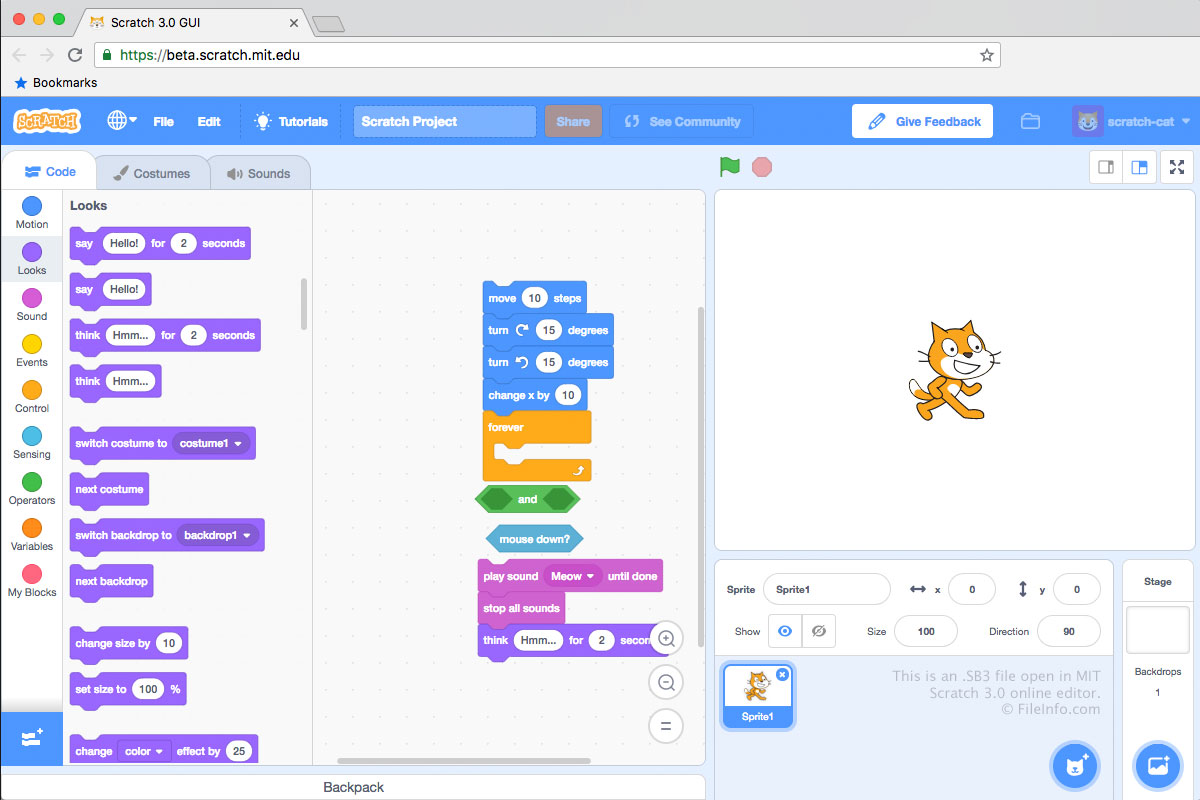
Pliki SB3 są zapisywane w formacie plików Scratch 3.0, pliki SB2 są zapisywane w formacie plików Scratch 2.0, a .SB pliki są zapisywane w oryginalnym formacie plików Scratch. Każdy plik SB3 jest archiwum .ZIP, które przechowuje zawartość projektu programistycznego, w tym plik .JSON (prawdopodobnie o nazwie project.json), duszków, skryptów, kostiumów i plików audio.
Jak utworzyć plik SB3
Zazwyczaj programiści tworzą pliki SB3, zapisując projekty na komputerze z internetowego edytora Scratch firmy MIT, dostępnego pod adresem https://scratch.mit.edu/. Aby zapisać projekt z edytora Scratch jako plik SB3:
- Otwórz projekt w edytorze Scratch.
- Wybierz opcję .
- Nadaj nazwę plikowi, wybierz miejsce zapisu i kliknij przycisk .
Pliki SB3 można także tworzyć w dostępnych offline edytorach Scratch firmy MIT przeznaczonych dla urządzeń z systemami Windows, macOS, Android i ChromeOS.
UWAGA: W przypadku SB3 litera S oznacza „Scratch”, litera B — „Binary”, a cyfra 3 oznacza wersję Scratcha (3.0).
Jak otworzyć plik SB3
Plik SB3 można otworzyć za pomocą programu Scratch Desktop (Windows, Mac), aplikacji Scratch dla systemów Android i ChromeOS lub internetowego edytora Scratch firmy MIT (Web). Aby otworzyć plik SB3 w internetowym edytorze Scratch:
- Otwórz edytor Scratch w przeglądarce internetowej.
- Wybierz opcję .
- Przejdź do pliku SB3 i otwórz go.
Możesz także wypakować zawartość pliku SB3 za pomocą dowolnego narzędzia do dekompresji plików ZIP (takiego jak 7-Zip lub Apple Archive Utility) po zmianie nazwy pliku tak, aby używał rozszerzenia .zip.
Jak przekonwertować plik SB3
Za pomocą narzędzia TurboWarp Packager możesz przekonwertować plik SB3 do formatu wykonywalnego, aby uruchamiać zawarty w nim program na komputerze lub w przeglądarce internetowej. TurboWarp Packager może eksportować pliki SB3 w następujących formatach: