.SB3 ファイル拡張子

Scratch 3.0 Project

開発元 MIT
人気度
4.2  |  2073 
 

SB3ファイルとは?

An SB3 file is a project created by Scratch 3.0, a visual programming platform developed at the Massachusetts Institute of Technology (MIT) for creating stories, small games, and animations. It contains a Scratch program made from code blocks, along with assets such as sprites, sounds, and project metadata. SB3 files replaced Scratch .SB2 files, and are saved in a Zip-based format that stores project data in JSON.

詳細情報

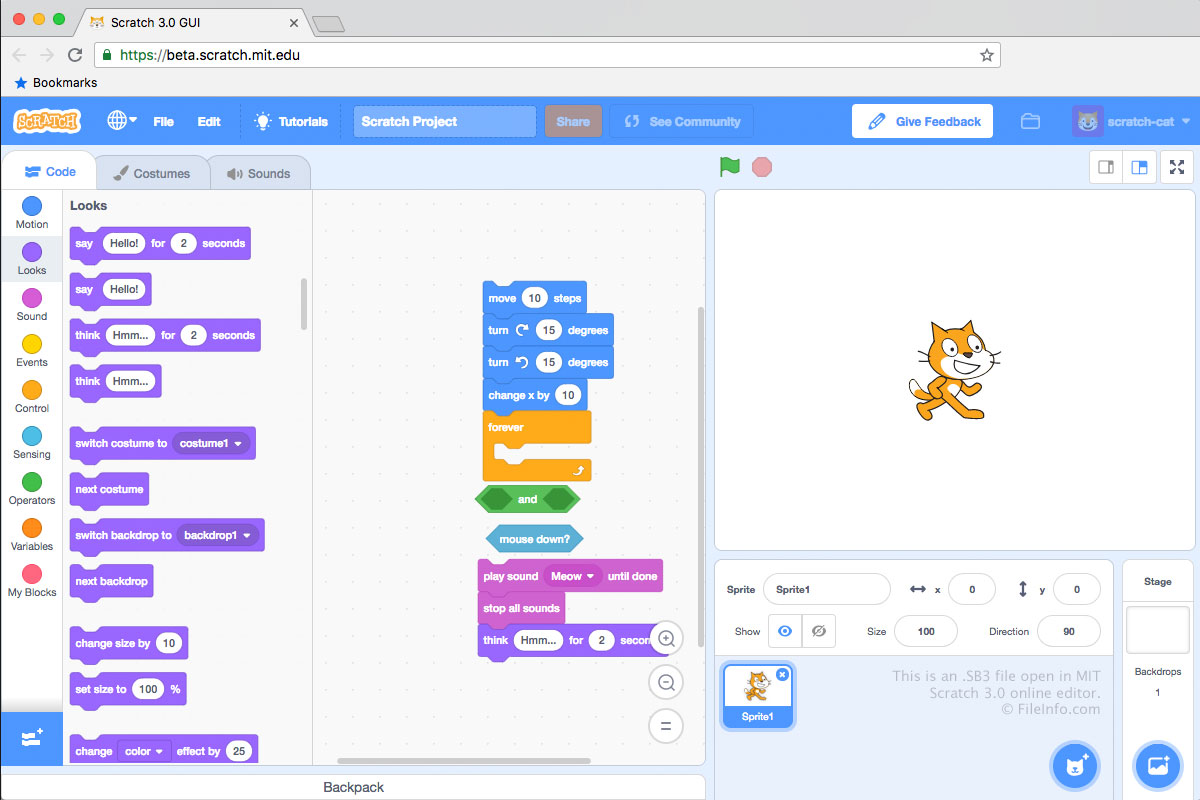
MIT Scratch 3.0で開いた.sb3ファイルのスクリーンショット
MIT Scratch 3.0で開いたSB3ファイル

SB3 files are saved in the Scratch 3.0 file format, SB2 files are saved in the Scratch 2.0 file format, and .SB files are saved in the original Scratch file format. Each SB3 file is a .ZIP archive that stores a development project's contents, including a .JSON file (likely named project.json), sprites, scripts, costumes, and audio files.

How to create an SB3 file

Typically, developers create SB3 files by saving projects to their computer from MIT's online Scratch Editor, which can be accessed from https://scratch.mit.edu/. To save a Scratch Editor project as an SB3 file:

  1. Open your project in the Scratch Editor.
  2. Select File → Save to your computer.
  3. Name your file, select a save location, and click Save.

Developers can also create SB3 files in MIT's offline Scratch editors, which are available for Windows, macOS, Android, and ChromeOS devices.

注: In SB3, the S stands for "Scratch," the B for "Binary," and the 3 for the version of Scratch (3.0).

SB3ファイルの開き方

You can open an SB3 file with Scratch Desktop (Windows, Mac), Scratch for Android and ChromeOS, or MIT's online Scratch Editor (Web). To open an SB3 file in the online Scratch Editor:

  1. Open the Scratch Editor in your web browser.
  2. Select File → Load from your computer.
  3. Navigate to and open your SB3 file.

You can also extract an SB3 file's contents with any Zip-decompression utility (such as 7-Zip or Apple Archive Utility), after renaming the file to use the .zip extension.

SB3ファイルの変換方法

You can use TurboWarp Packager to convert an SB3 file to an executable format, so you can run the program it contains on a PC or in a web browser. TurboWarp Packager can export SB3 files in the following formats:

  • .EXE - Windows Application
  • .APP - macOS Application Bundle
  • .HTML - Hypertext Markup Language File
  • .ELF - Executable and Linkable Format File
  • .ZIP - Zipped File
File Viewer Plusで400種類以上のファイル形式を開けます。無料ダウンロード

SB3ファイルを開くプログラム

Windows
Mac
Linux
無料
無料
Web
無料
Android
無料
Chrome OS
無料
カテゴリ: 開発者
更新日: 2025-12-08

検証者 FileInfo.com

FileInfo.comチーム は、このページに掲載されているScratch 3.0 Projectファイル形式とMac, Windows, Linux, and Androidアプリについて独自に調査しました。 私たちの目標は100%の正確性であり、検証済みのファイルタイプに関する情報のみを公開しています。

このページへの追加や更新をご提案いただける場合は、お知らせください。