.SB3 파일 확장자

Scratch 3.0 Project

개발사 MIT
인기도
4.2  |  2073 투표
 

SB3 파일이란 무엇인가요?

An SB3 file is a project created by Scratch 3.0, a visual programming platform developed at the Massachusetts Institute of Technology (MIT) for creating stories, small games, and animations. It contains a Scratch program made from code blocks, along with assets such as sprites, sounds, and project metadata. SB3 files replaced Scratch .SB2 files, and are saved in a Zip-based format that stores project data in JSON.

추가 정보

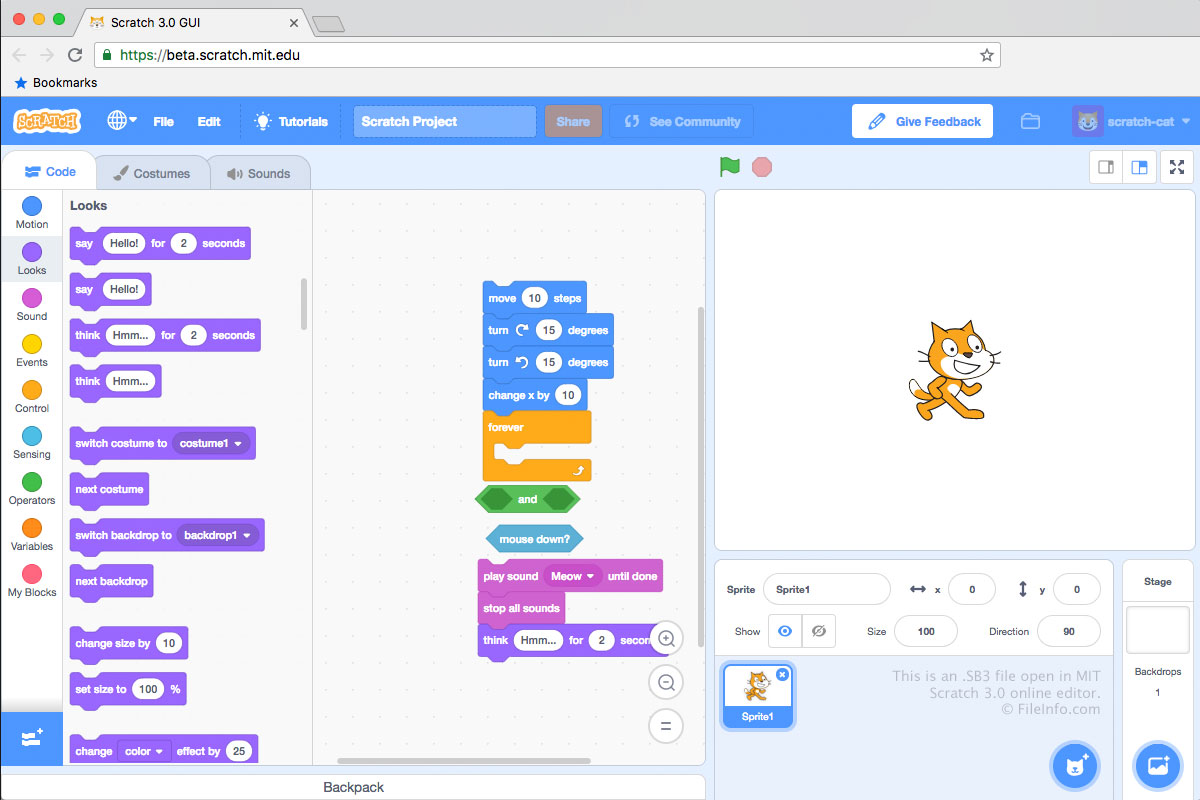
MIT Scratch 3.0에서 열린 .sb3 파일의 스크린샷
MIT Scratch 3.0에서 열린 SB3 파일

SB3 files are saved in the Scratch 3.0 file format, SB2 files are saved in the Scratch 2.0 file format, and .SB files are saved in the original Scratch file format. Each SB3 file is a .ZIP archive that stores a development project's contents, including a .JSON file (likely named project.json), sprites, scripts, costumes, and audio files.

How to create an SB3 file

Typically, developers create SB3 files by saving projects to their computer from MIT's online Scratch Editor, which can be accessed from https://scratch.mit.edu/. To save a Scratch Editor project as an SB3 file:

  1. Open your project in the Scratch Editor.
  2. Select File → Save to your computer.
  3. Name your file, select a save location, and click Save.

Developers can also create SB3 files in MIT's offline Scratch editors, which are available for Windows, macOS, Android, and ChromeOS devices.

참고: In SB3, the S stands for "Scratch," the B for "Binary," and the 3 for the version of Scratch (3.0).

SB3 파일을 여는 방법

You can open an SB3 file with Scratch Desktop (Windows, Mac), Scratch for Android and ChromeOS, or MIT's online Scratch Editor (Web). To open an SB3 file in the online Scratch Editor:

  1. Open the Scratch Editor in your web browser.
  2. Select File → Load from your computer.
  3. Navigate to and open your SB3 file.

You can also extract an SB3 file's contents with any Zip-decompression utility (such as 7-Zip or Apple Archive Utility), after renaming the file to use the .zip extension.

SB3 파일을 변환하는 방법

You can use TurboWarp Packager to convert an SB3 file to an executable format, so you can run the program it contains on a PC or in a web browser. TurboWarp Packager can export SB3 files in the following formats:

  • .EXE - Windows Application
  • .APP - macOS Application Bundle
  • .HTML - Hypertext Markup Language File
  • .ELF - Executable and Linkable Format File
  • .ZIP - Zipped File
File Viewer Plus(으)로 400개 이상의 파일 형식을 여세요.무료 다운로드

SB3 파일을 여는 프로그램

Windows
Mac
Linux
무료
무료
Web
무료
Android
무료
Chrome OS
무료
카테고리: 개발자
업데이트: 2025-12-08

검증자 FileInfo.com

FileInfo.com 팀 이 페이지에 나열된 Scratch 3.0 Project 파일 형식과 Mac, Windows, Linux, and Android 앱을 독자적으로 조사했습니다. 저희의 목표는 100% 정확성이며, 검증한 파일 유형에 대한 정보만 게시합니다.

이 페이지에 추가하거나 업데이트할 내용을 제안하고 싶으시면 알려 주세요.