

.SB3 Extension de fichier
Projet Scratch 3.0
| Développeur | MIT |
| Popularité |
4,2 | 2101 Votes |
Qu'est-ce qu'un fichier SB3 ?
Un fichier SB3 est un projet créé par Scratch 3.0, une plateforme de programmation visuelle développée au Massachusetts Institute of Technology (MIT) pour créer des histoires, de petits jeux et des animations. Il contient un programme Scratch composé de blocs de code, ainsi que des ressources telles que des sprites, des sons et des métadonnées de projet. Les fichiers SB3 ont remplacé les fichiers Scratch .SB2 et sont enregistrés dans un format basé sur Zip qui stocke les données du projet au format JSON.
Plus d'informations
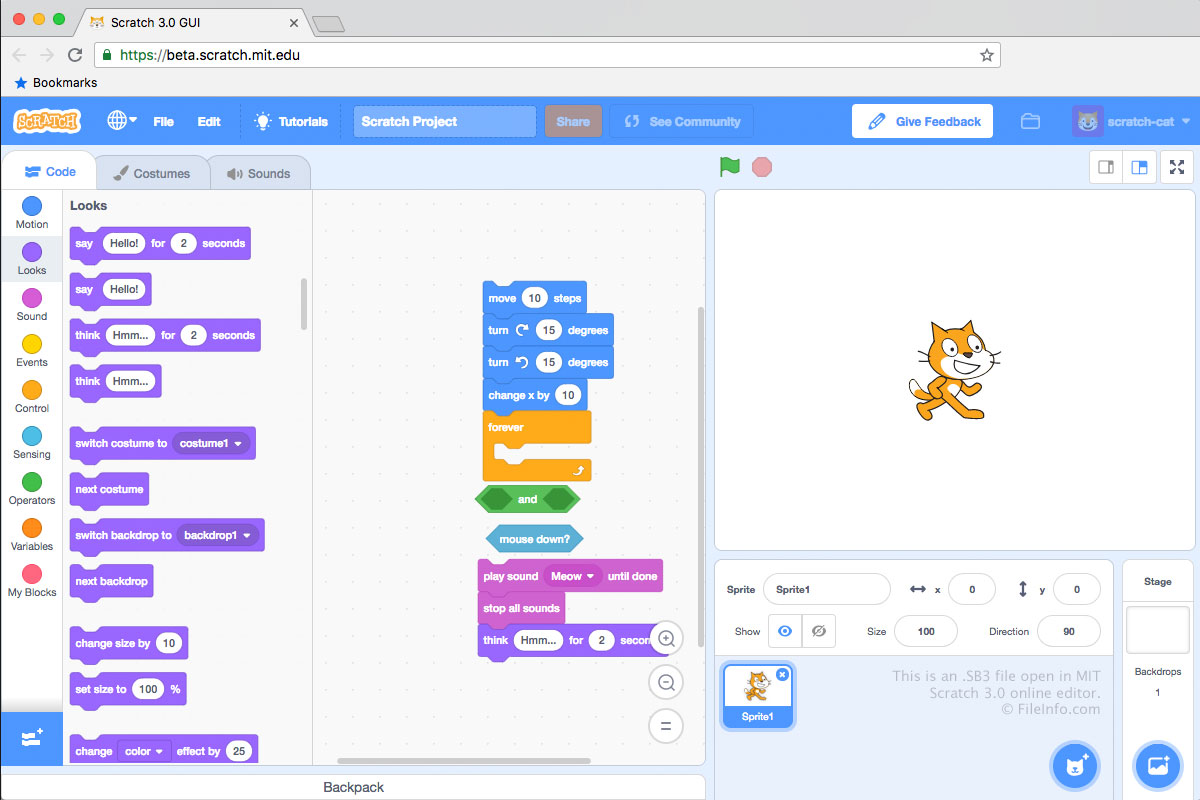
Les fichiers SB3 sont enregistrés au format de fichier Scratch 3.0, les fichiers SB2 au format de fichier Scratch 2.0 et les fichiers .SB au format de fichier Scratch d'origine. Chaque fichier SB3 est une archive .ZIP qui stocke le contenu d'un projet de développement, notamment un fichier .JSON (probablement nommé project.json), des sprites, des scripts, des costumes et des fichiers audio.
Comment créer un fichier SB3
En général, les développeurs créent des fichiers SB3 en enregistrant des projets sur leur ordinateur depuis l'éditeur Scratch en ligne du MIT, accessible à l'adresse https://scratch.mit.edu/. Pour enregistrer un projet de l'éditeur Scratch au format SB3 :
- Ouvrez votre projet dans l'éditeur Scratch.
- Sélectionnez .
- Nommez votre fichier, sélectionnez un emplacement d'enregistrement, puis cliquez sur .
Les développeurs peuvent également créer des fichiers SB3 dans les éditeurs Scratch hors ligne du MIT, disponibles pour les appareils Windows, macOS, Android et ChromeOS.
REMARQUE : Dans SB3, le S signifie « Scratch », le B signifie « Binary » et le 3 indique la version de Scratch (3.0).
Comment ouvrir un fichier SB3
Vous pouvez ouvrir un fichier SB3 avec Scratch Desktop (Windows, Mac), Scratch pour Android et ChromeOS, ou avec l'éditeur Scratch en ligne du MIT (Web). Pour ouvrir un fichier SB3 dans l'éditeur Scratch en ligne :
- Ouvrez l'éditeur Scratch dans votre navigateur Web.
- Sélectionnez .
- Accédez à votre fichier SB3 et ouvrez-le.
Vous pouvez également extraire le contenu d'un fichier SB3 avec n'importe quel utilitaire de décompression Zip (tel que 7-Zip ou Apple Archive Utility), après avoir renommé le fichier pour lui attribuer l'extension .zip.
Comment convertir un fichier SB3
Vous pouvez utiliser TurboWarp Packager pour convertir un fichier SB3 dans un format exécutable, afin de pouvoir exécuter le programme qu'il contient sur un PC ou dans un navigateur Web. TurboWarp Packager peut exporter les fichiers SB3 dans les formats suivants :