

.SB2 파일 확장자
Scratch 2.0 프로젝트 파일
| 개발사 | MIT |
| 인기도 |
4.3 | 1196 표 |
SB2 파일이란 무엇인가요?
SB2 파일은 매사추세츠 공과대학교(MIT)에서 만든 애플리케이션 개발 플랫폼인 Scratch로 만든 프로그램입니다. 스토리, 간단한 게임, 애니메이션을 만드는 데 사용되는 Scratch 프로그래밍 언어 코드가 포함되어 있습니다. SB2 파일은 원래의 Scratch .SB 파일을 대체했으며, 이후에는 .SB3 파일로 대체되었습니다.
추가 정보
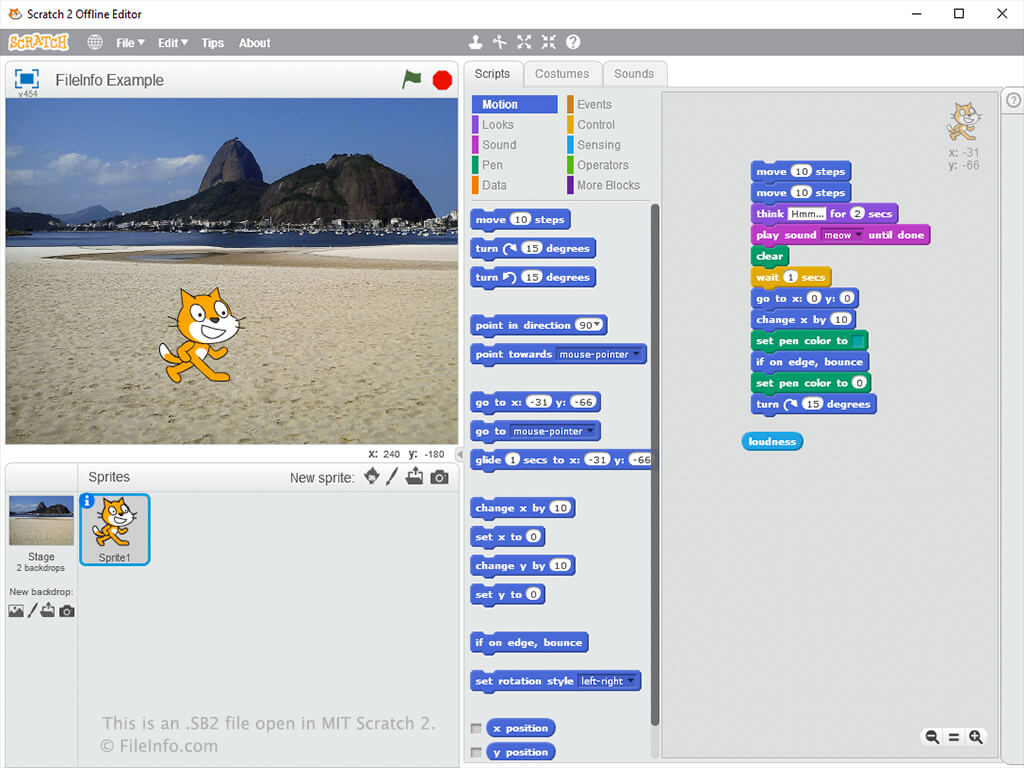
SB2 파일은 Scratch 2.0 파일 형식으로 저장됩니다. SB2 파일은 단순히 .ZIP 아카이브이며, 스프라이트, 스크립트, 의상, 사운드 파일 등의 콘텐츠를 저장합니다. Microsoft 파일 탐색기, Apple Archive Utility, 7-Zip, Corel WinZip 또는 RARLAB WinRAR와 같은 Zip 압축 유틸리티를 사용하여 SB2 파일의 콘텐츠를 추출할 수 있습니다.
SB2 파일을 만들려면:
- MIT Scratch 페이지에서 "Scratch Project Editor"를 엽니다.
- 애니메이션을 만들고 브라우저 창에서 를 선택합니다.
- 파일 이름을 지정하고 저장 위치를 선택한 다음 를 클릭합니다.
참고: Scratch 프로젝트는 Java 아카이브(.JAR 파일)로 컴파일할 수 있으며, 웹 브라우저에서 실행할 수 있습니다.
SB2 파일을 여는 방법
Scratch Desktop(멀티플랫폼), Scratch 2.0 Offline Editor(멀티플랫폼), MIT Scratch 웹 프로그램 및 Scratch(Android)로 SB2 파일을 열 수 있습니다.
Scratch Desktop에서 SB2 파일을 열려면 를 선택합니다.
Panther(Windows), Snap!(멀티플랫폼) 및 Scratux(Linux)에서도 SB2 파일을 열 수 있습니다.
SB2 파일을 변환하는 방법
Scratch Desktop에서 SB2 파일을 SB3 파일로 변환할 수 있습니다. SB2 파일을 변환하려면 Scratch Desktop에서 파일을 연 다음 를 선택합니다.