

.MDECK Rozszerzenie pliku
Prezentacja slajdów MindManager
| Deweloper | Corel |
| Popularność |
1,5 | 2 Głosy |
Czym jest plik MDECK?
Plik MDECK to zbiór co najmniej jednego slajdu utworzonego za pomocą aplikacji Corel MindManager do tworzenia diagramów wizualnych. Zawiera slajdy składające się z obiektów oraz tematów głównych lub podrzędnych. Użytkownicy mogą tworzyć slajdy od podstaw lub mapować tematy z istniejącej mapy MindManager (.MMAP).
Więcej informacji
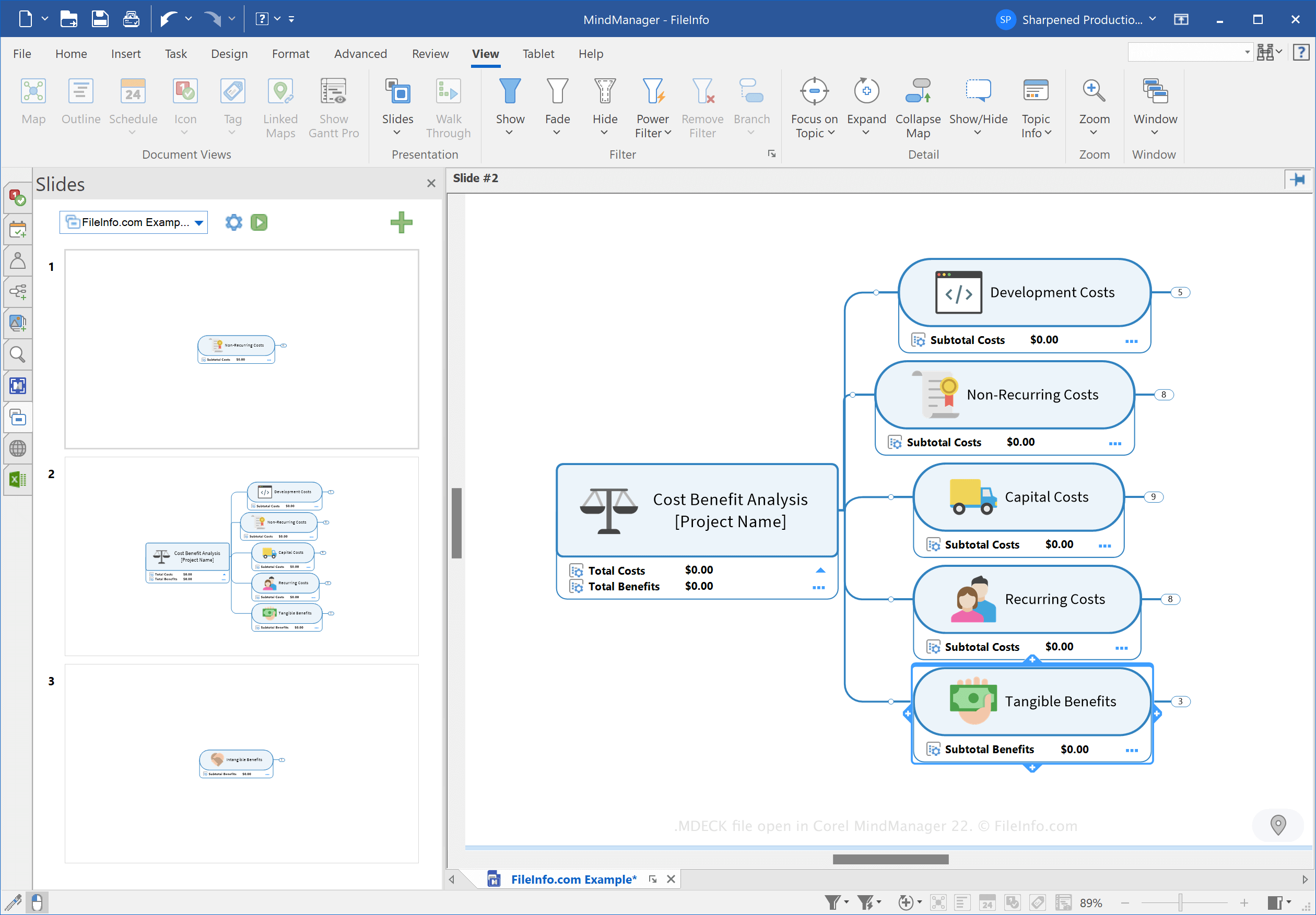
MindManager to aplikacja, która pozwala tworzyć różne typy map myśli, takie jak schematy blokowe i diagramy, aby ułatwić planowanie, organizowanie i udostępnianie pomysłów oraz złożonych procesów. Możesz na przykład użyć programu MindManager do zmapowania złożonego projektu budowlanego i udostępnienia go innym użytkownikom.
Firma Corel wprowadziła typ pliku MDECK wraz z wydaniem programu MindManager 21 w marcu 2021 roku. Możesz tworzyć zestawy slajdów, aby organizować slajdy na podstawie map myśli na potrzeby prezentacji.
Jak utworzyć plik MDECK
Możesz utworzyć zestaw slajdów w programie MindManager, korzystając z jednej z trzech poniższych metod:
- Kliknij przycisk ustawień slajdów (ikonę koła zębatego) w panelu Slides, a następnie wybierz .
- Wybierz . Wybierz kartę , kliknij opcję na wstążce, a następnie wybierz .
W systemie Windows program MindManager domyślnie zapisuje pliki MDECK w następującym katalogu:
C:\Users\[username]\Documents\My Maps\My Slide Decks
Jak otworzyć plik MDECK
Plik MDECK można otworzyć za pomocą programu Corel MindManager w systemach Windows i macOS. Aby otworzyć plik, wybierz .
Jak przekonwertować plik MDECK
Program Corel MindManager może konwertować pliki MDECK do następujących formatów obrazów:
- .JPG - obraz JPEG
- .PNG - grafika Portable Network Graphic
- .GIF - format Graphical Interchange Format
- .BMP - obraz bitmapowy
- .EMF - rozszerzony metaplik Windows
- .WMF - metaplik Windows
Aby przekonwertować plik MDECK, kliknij przycisk ustawień slajdów (ikonę koła zębatego) w panelu Slides, a następnie wybierz .