

.MDECK Estensione file
Presentazione di diapositive MindManager
| Sviluppatore | Corel |
| Popolarità |
1,5 | 2 Voti |
Che cos'è un file MDECK?
Un file MDECK è una raccolta di una o più diapositive create da Corel MindManager, un'applicazione per la creazione di diagrammi visivi. Contiene diapositive composte da oggetti e argomenti di ramo o sottoramo. Puoi creare diapositive da zero oppure mappare gli argomenti di una MindManager Map esistente (file .MMAP).
Maggiori informazioni
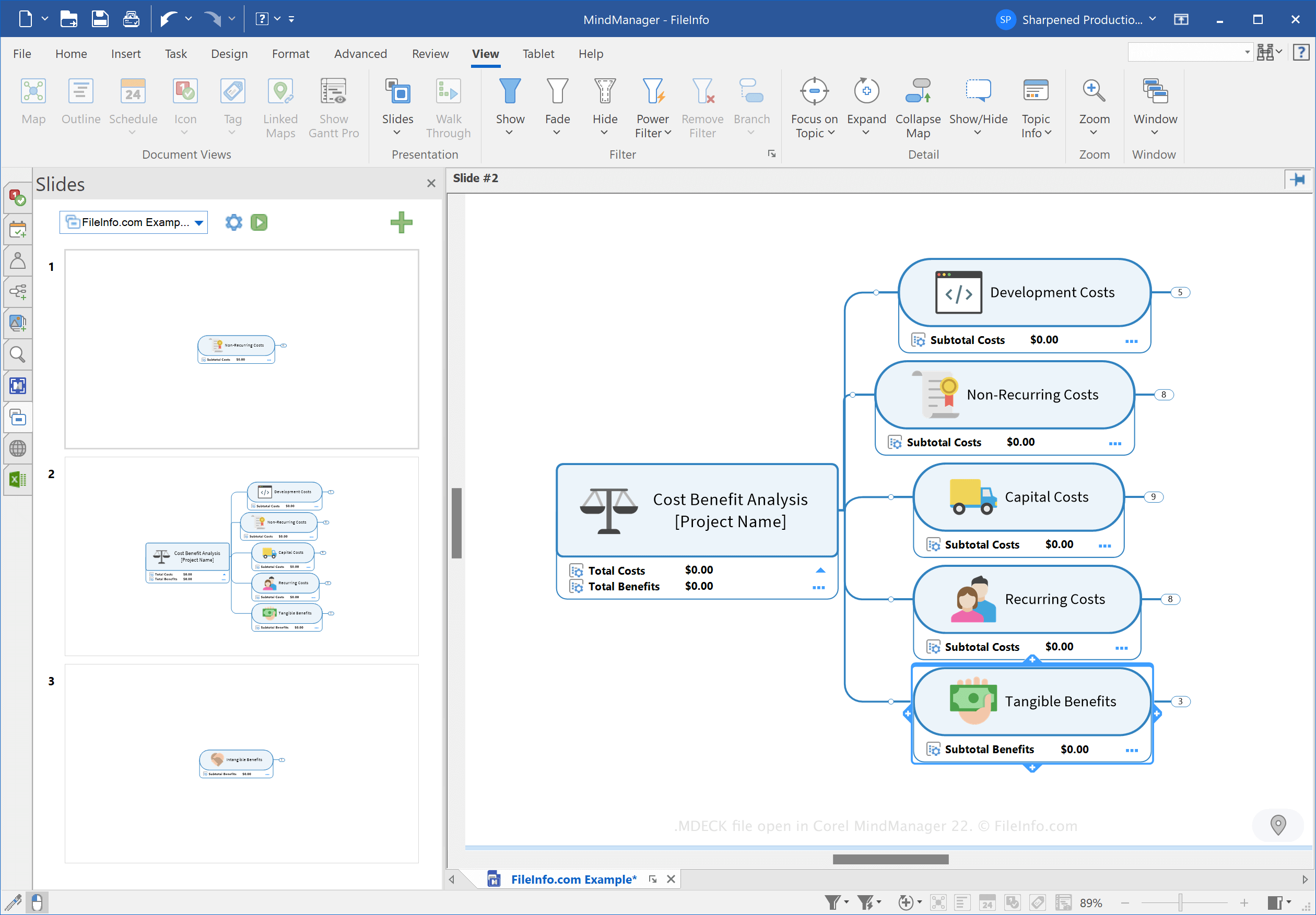
MindManager è un'app che ti consente di creare vari tipi di mappe mentali, come diagrammi di flusso e diagrammi, per aiutarti a pianificare, organizzare e condividere idee e processi complessi. Ad esempio, puoi usare MindManager per mappare un progetto di costruzione complesso e condividerlo con altri utenti.
Corel ha introdotto il tipo di file MDECK quando ha rilasciato MindManager 21 a marzo 2021. Puoi creare presentazioni per organizzare diapositive basate su mappe mentali a scopo di presentazione.
Come creare un file MDECK
Puoi creare una presentazione con MindManager usando uno dei tre metodi seguenti:
- Fai clic sul pulsante Impostazioni diapositiva (icona a forma di ingranaggio) nel riquadro Diapositive, quindi scegli . Seleziona .Seleziona la scheda , fai clic su nella barra multifunzione, quindi scegli .
In Windows, MindManager salva i file MDECK nella seguente directory per impostazione predefinita:
C:\Users\[username]\Documents\My Maps\My Slide Decks
Come aprire un file MDECK
Puoi aprire un file MDECK con Corel MindManager in Windows e macOS. Per aprire il file, seleziona .
Come convertire un file MDECK
Corel MindManager può convertire i file MDECK nei seguenti formati immagine:
- .JPG - immagine JPEG
- .PNG - Portable Network Graphic
- .GIF - Graphical Interchange Format
- .BMP - immagine bitmap
- .EMF - Enhanced Windows Metafile
- .WMF - Windows Metafile
Per convertire un file MDECK, fai clic sul pulsante Impostazioni diapositiva (icona a forma di ingranaggio) nel riquadro Diapositive, quindi scegli .