

.MDECK Extension de fichier
Présentation de diapositives MindManager
| Développeur | Corel |
| Popularité |
1,5 | 2 Votes |
Qu'est-ce qu'un fichier MDECK ?
Un fichier MDECK est une collection d’une ou plusieurs diapositives créées par Corel MindManager, une application de création de diagrammes visuels. Il contient des diapositives composées d’objets et de sujets de branche ou de sous-branche. Les utilisateurs peuvent créer des diapositives de toutes pièces ou cartographier des sujets dans une carte MindManager existante (fichier .MMAP).
Plus d'informations
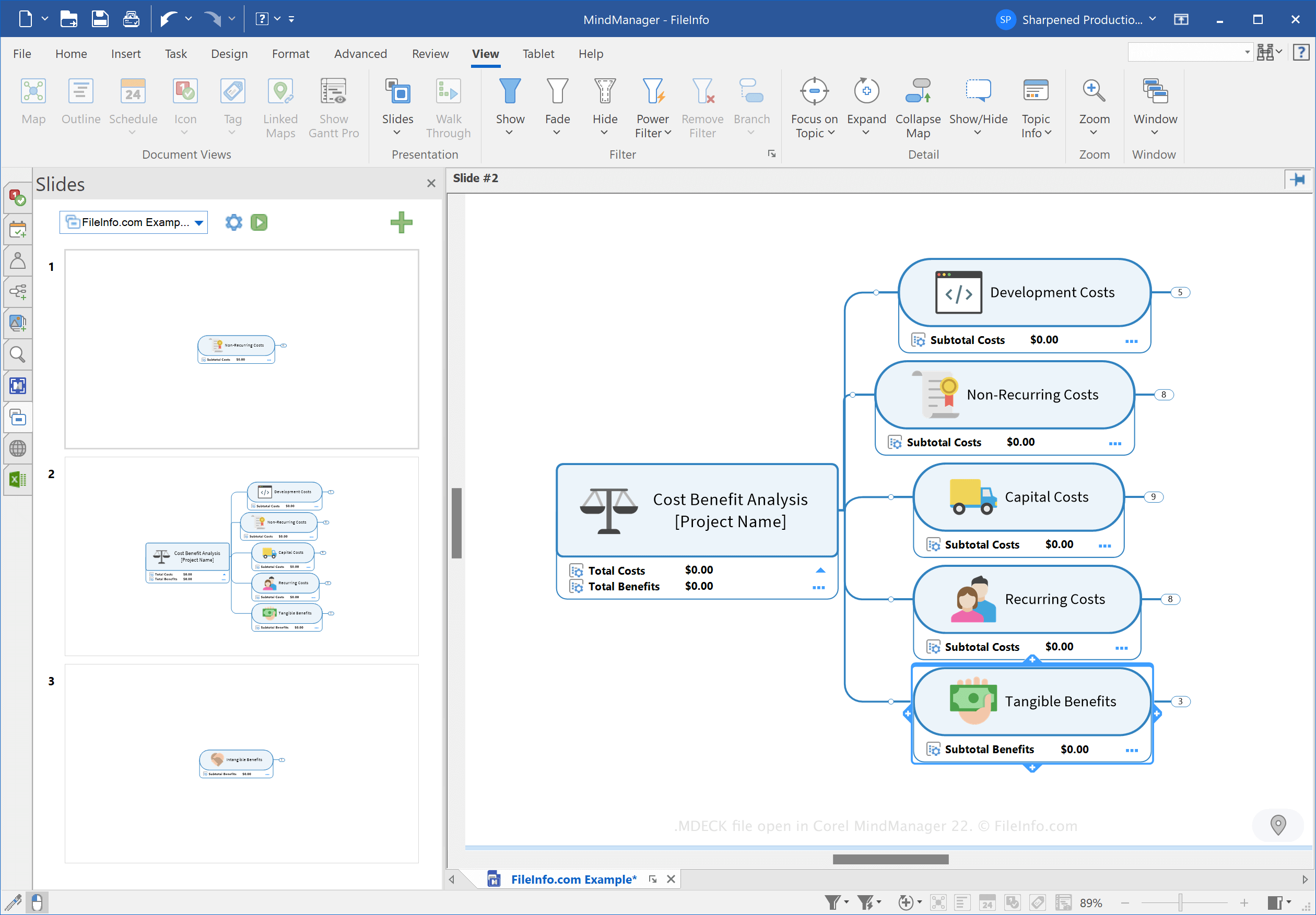
MindManager est une application qui vous permet de créer différents types de cartes heuristiques, comme des organigrammes et des diagrammes, afin de vous aider à planifier, organiser et partager des idées ainsi que des processus complexes. Par exemple, vous pouvez utiliser MindManager pour cartographier un projet de construction complexe et le partager avec d’autres utilisateurs.
Corel a introduit le type de fichier MDECK lors de la sortie de MindManager 21 en mars 2021. Vous pouvez créer des présentations de diapositives pour organiser des diapositives basées sur des cartes heuristiques à des fins de présentation.
Comment créer un fichier MDECK
Vous pouvez créer une présentation de diapositives avec MindManager en suivant l’une des trois méthodes suivantes :
- Cliquez sur le bouton Slide Settings (icône représentant une roue dentée) dans le volet Slides, puis choisissez . Select .Select the tab, click in the ribbon, then choose .
Sous Windows, MindManager enregistre par défaut les fichiers MDECK dans le répertoire suivant :
C:\Users\[username]\Documents\My Maps\My Slide Decks
Comment ouvrir un fichier MDECK
Vous pouvez ouvrir un fichier MDECK avec Corel MindManager sous Windows et macOS. Pour ouvrir le fichier, sélectionnez .
Comment convertir un fichier MDECK
Corel MindManager peut convertir les fichiers MDECK dans les formats d’image suivants :
- .JPG - Image JPEG
- .PNG - Graphique réseau portable
- .GIF - Format d’échange graphique
- .BMP - Image bitmap
- .EMF - Métafichier Windows amélioré
- .WMF - Métafichier Windows
Pour convertir un fichier MDECK, cliquez sur le bouton Slide Settings (icône représentant une roue dentée) dans le volet Slides, puis choisissez .