

.MDECK Přípona souboru
Sada snímků MindManager
| Vývojář | Corel |
| Popularita |
1,5 | 2 hlasy |
Co je soubor MDECK?
Soubor MDECK je kolekce jednoho nebo více snímků vytvořených aplikací Corel MindManager pro vizuální tvorbu diagramů. Obsahuje snímky složené z objektů a témat větví nebo podvětví. Uživatelé mohou snímky vytvořit od začátku nebo do nich zmapovat témata z existující mapy MindManageru (soubor .MMAP).
Další informace
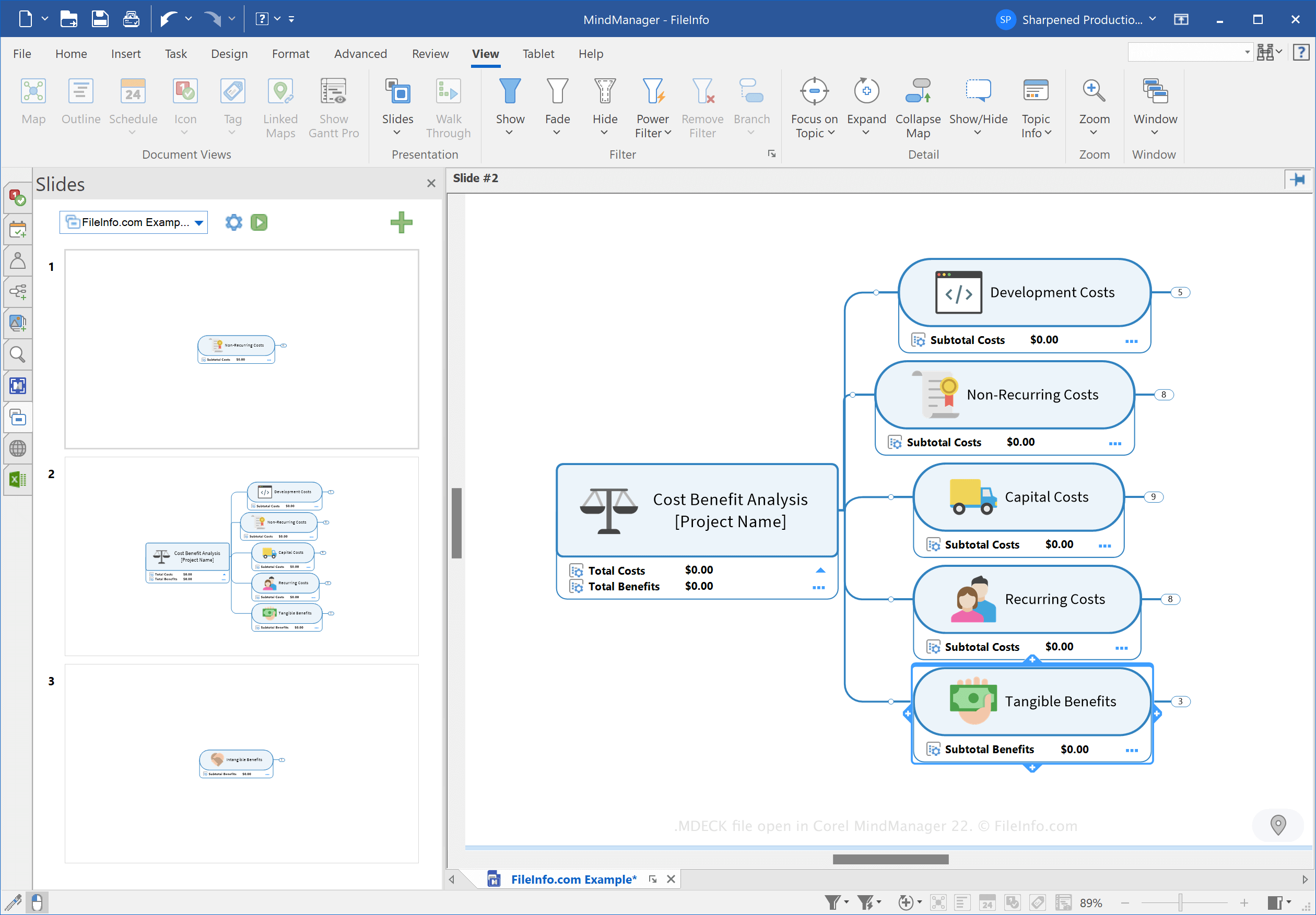
MindManager je aplikace, která umožňuje vytvářet různé typy myšlenkových map, například vývojové diagramy a diagramy, a pomáhá tak plánovat, organizovat a sdílet nápady a složité procesy. MindManager můžete například použít k vytvoření mapy složitého stavebního projektu a sdílet ji s ostatními uživateli.
Společnost Corel představila typ souboru MDECK v březnu 2021 při vydání aplikace MindManager 21. Můžete vytvářet sady snímků a uspořádat v nich snímky na základě myšlenkových map pro účely prezentace.
Jak vytvořit soubor MDECK
Sadu snímků můžete v aplikaci MindManager vytvořit jedním z následujících tří způsobů:
- Klikněte na tlačítko Nastavení snímku (ikona ozubeného kola) v podokně Snímky a vyberte . Select .Vyberte kartu , klikněte na položku na pásu karet a vyberte .
V systému Windows MindManager ve výchozím nastavení ukládá soubory MDECK do následujícího adresáře:
C:\Users\[username]\Documents\My Maps\My Slide Decks
Jak otevřít soubor MDECK
Soubor MDECK můžete otevřít v aplikaci Corel MindManager v systému Windows a macOS. Soubor otevřete výběrem možnosti .
Jak převést soubor MDECK
Corel MindManager dokáže převést soubory MDECK do následujících obrazových formátů:
- .JPG - obrázek JPEG
- .PNG - obrázek ve formátu Portable Network Graphic
- .GIF - formát Graphical Interchange Format
- .BMP - bitmapový obrázek
- .EMF - rozšířený metasoubor Windows
- .WMF - metasoubor Windows
Soubor MDECK převedete tak, že kliknete na tlačítko Nastavení snímku (ikona ozubeného kola) v podokně Snímky a vyberete možnost .