

.PVMP Bestandsextensie
Ingepakte virtuele machine van Parallels
| Ontwikkelaar | Parallels |
| Populariteit |
3,2 | 5 stemmen |
Wat is een PVMP-bestand?
Een PVMP-bestand is een Parallels Virtual Machine (.PVM-bestand) dat een gebruiker met de emulatiesoftware Parallels Desktop heeft "ingepakt" om het naar een andere computer over te zetten. Het bevat een virtuele machine (VM) die is opgeslagen in de eigen PVMP-indeling, waarin een uniek compressiealgoritme wordt gebruikt. PVMP-bestanden lijken op .PVMZ-bestanden, maar Parallels Desktop voor Mac comprimeert ze met PVMP-compressie in plaats van met Zip-compressie.
Meer informatie
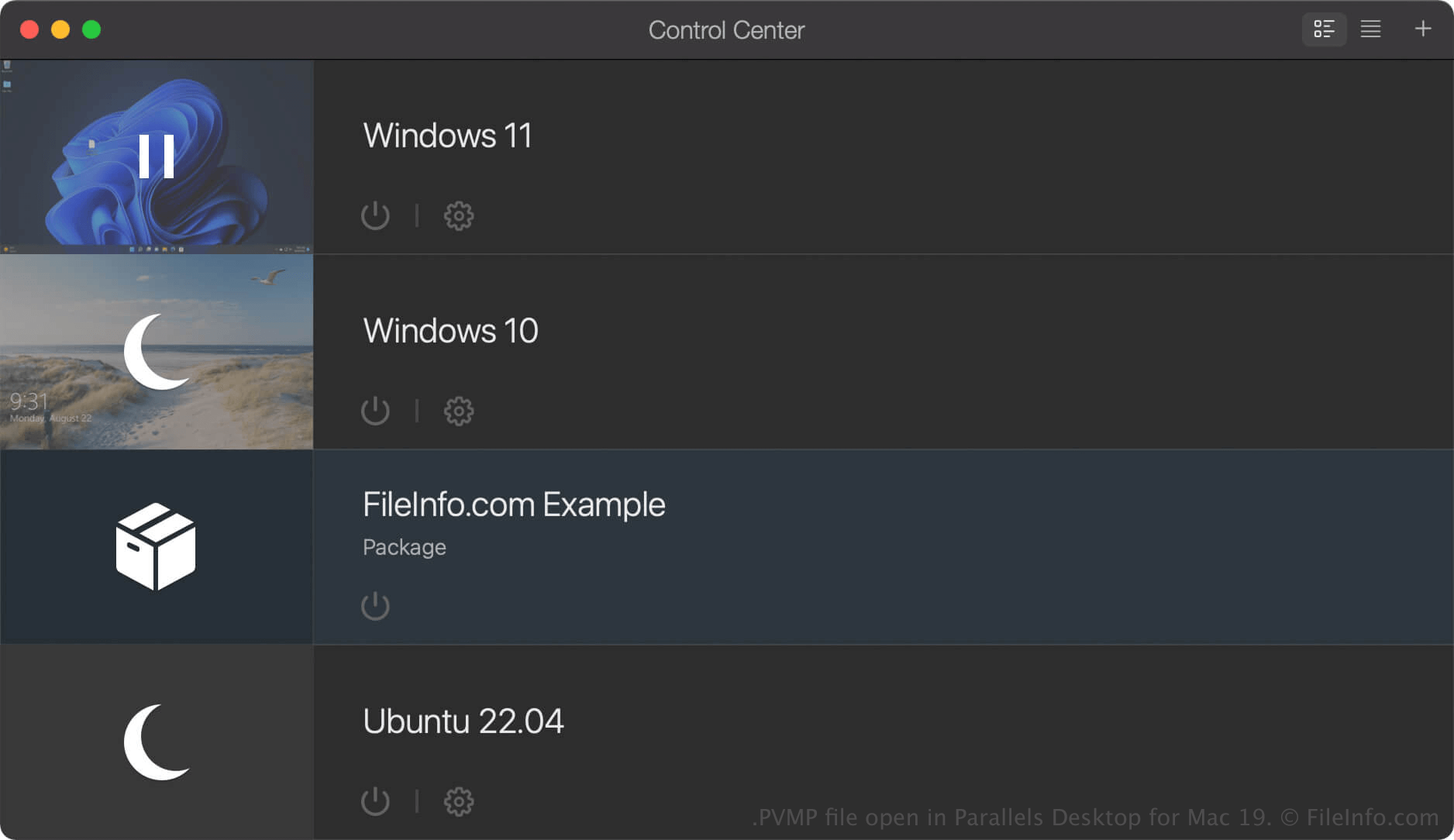
Parallels Desktop voor Mac is virtualisatiesoftware waarmee Mac-gebruikers andere besturingssystemen kunnen uitvoeren, waaronder Windows, Linux, Android en aanvullende versies van macOS. Wanneer je een virtuele machine (VM) maakt in Parallels Desktop, slaat het programma deze op als een PVM-bestand. Dit is een macOS-pakket dat de bestanden en instellingen van de VM bevat.
Als je een VM naar een andere computer wilt verplaatsen, kun je deze comprimeren tot een PVMP-bestand. Een PVMP-bestand is een ingepakte versie van een PVM-bestand die de bestandsgrootte verkleint, zodat het bestand gemakkelijker kan worden overgezet. Deze functie is alleen beschikbaar in de Pro- en Business-edities van Parallels Desktop voor Mac.
Een PVMP-bestand maken met Parallels Desktop voor Mac
Om een PVMP-bestand te maken, sluit je eerst je VM af. Klik vervolgens in Control Center met de rechtermuisknop op de VM en selecteer . Parallels Desktop comprimeert de VM en het resulterende PVMP-bestand wordt opgeslagen op dezelfde locatie als het oorspronkelijke PVM-bestand.
Een PVMP-bestand openen
Je kunt een PVMP-bestand openen met Parallels Desktop for Mac in macOS. Als je een PVMP-bestand wilt openen in de map die je hebt ingesteld als de standaardlocatie voor het opslaan van virtuele machines (de standaardlocatie van Parallels is Macintosh HD/Users/[username]/Documents/Parallels/), selecteer je in Parallels Desktop for Mac en selecteer je het PVMP-bestand.
Als de virtuele machine (VM) in het Control Center van Parallels Desktop for Mac wordt vermeld als "Package", kun je erop dubbelklikken om het pakket uit te pakken, of met de rechtermuisknop op de VM klikken en selecteren.