

.PVMP Extensão de arquivo
Máquina virtual compactada do Parallels
| Desenvolvedor | Parallels |
| Popularidade |
3,2 | 5 Votos |
O que é um arquivo PVMP?
Um arquivo PVMP é uma Máquina Virtual Parallels (arquivo .PVM) que um usuário "compactou" com o software de emulação Parallels Desktop para transferi-la para outro computador. Ele contém uma máquina virtual (VM) salva no formato proprietário PVMP, que utiliza um algoritmo de compactação exclusivo. Os arquivos PVMP são semelhantes aos arquivos .PVMZ, mas o Parallels Desktop para Mac os compacta com a compactação PVMP em vez da compactação ZIP.
Mais informações
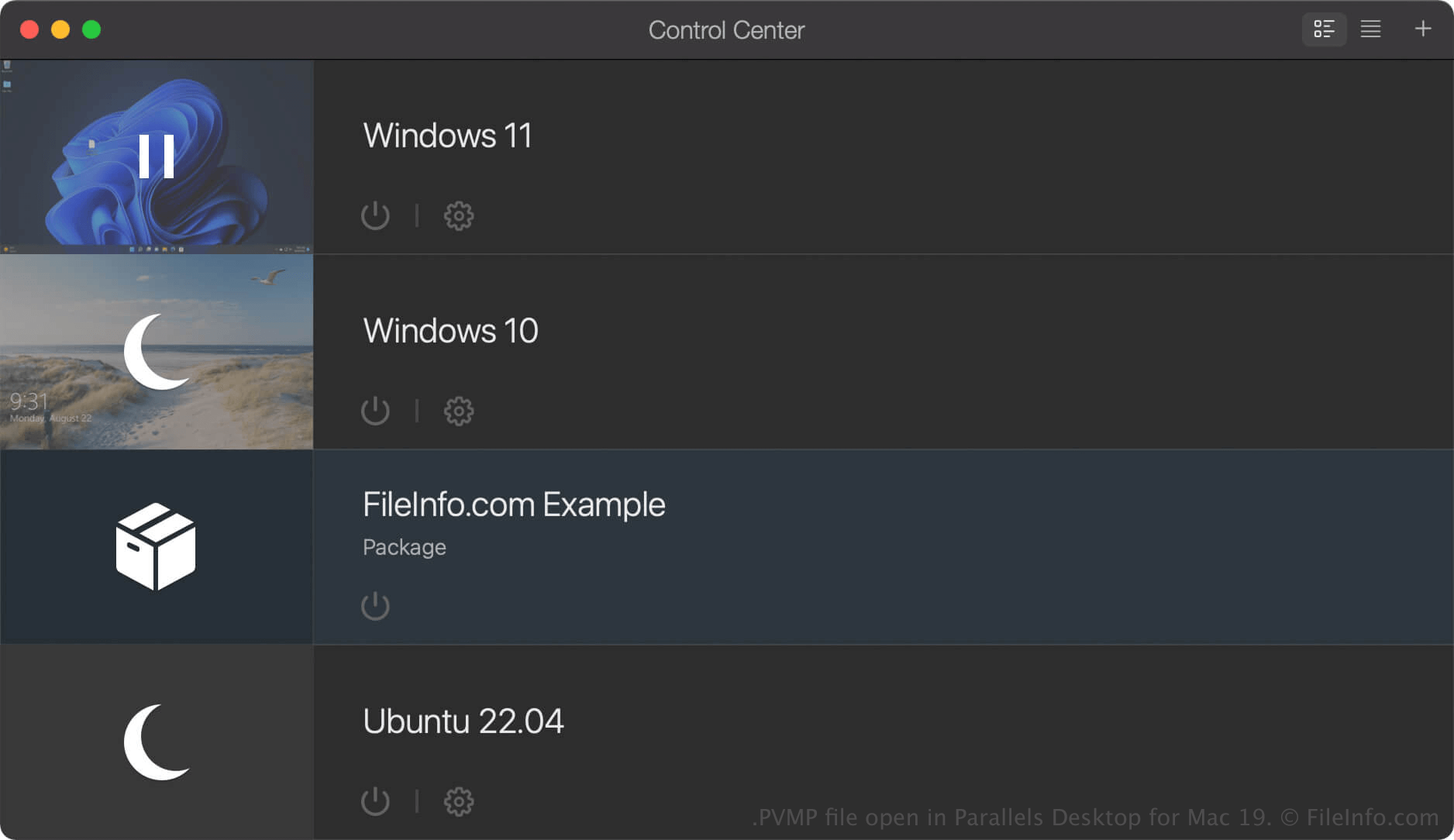
O Parallels Desktop para Mac é um software de virtualização que permite aos usuários de Mac executar outros sistemas operacionais, incluindo Windows, Linux, Android e versões adicionais do macOS. Quando você cria uma máquina virtual (VM) no Parallels Desktop, o programa a salva como um arquivo PVM, que é um pacote do macOS que contém os arquivos e as configurações da VM.
Se quiser mover uma VM para outro computador, você pode compactá-la em um arquivo PVMP. Um arquivo PVMP é uma versão compactada de um arquivo PVM que reduz seu tamanho, facilitando a transferência. Esse recurso está disponível apenas nas edições Pro e Business do Parallels Desktop para Mac.
Como criar um arquivo PVMP com o Parallels Desktop para Mac
Para criar um arquivo PVMP, primeiro desligue a VM. Em seguida, no Control Center, clique com o botão direito do mouse na VM e selecione . O Parallels Desktop compactará a VM, e o arquivo PVMP resultante será salvo no mesmo local que o arquivo PVM original.
Como abrir um arquivo PVMP
Você pode abrir um arquivo PVMP com o Parallels Desktop for Mac no macOS. Para abrir um arquivo PVMP na pasta definida como local padrão para armazenar máquinas virtuais (o local padrão do Parallels é Macintosh HD/Users/[username]/Documents/Parallels/), selecione no Parallels Desktop for Mac e selecione o arquivo PVMP.
Se a máquina virtual (VM) estiver listada como "Package" no Control Center do Parallels Desktop for Mac, você poderá clicar duas vezes nela para descompactá-la ou clicar com o botão direito do mouse na VM e selecionar .