

.PVMP Přípona souboru
Zabalený virtuální počítač Parallels
| Vývojář | Parallels |
| Popularita |
3,2 | 5 hlasů |
Co je soubor PVMP?
Soubor PVMP je virtuální počítač Parallels (soubor .PVM), který uživatel „zabalil“ pomocí emulačního softwaru Parallels Desktop, aby ho mohl přenést do jiného počítače. Obsahuje virtuální počítač (VM) uložený v proprietárním formátu PVMP, který využívá jedinečný kompresní algoritmus. Soubory PVMP jsou podobné souborům .PVMZ, ale Parallels Desktop pro Mac je komprimuje pomocí komprese PVMP namísto komprese Zip.
Další informace
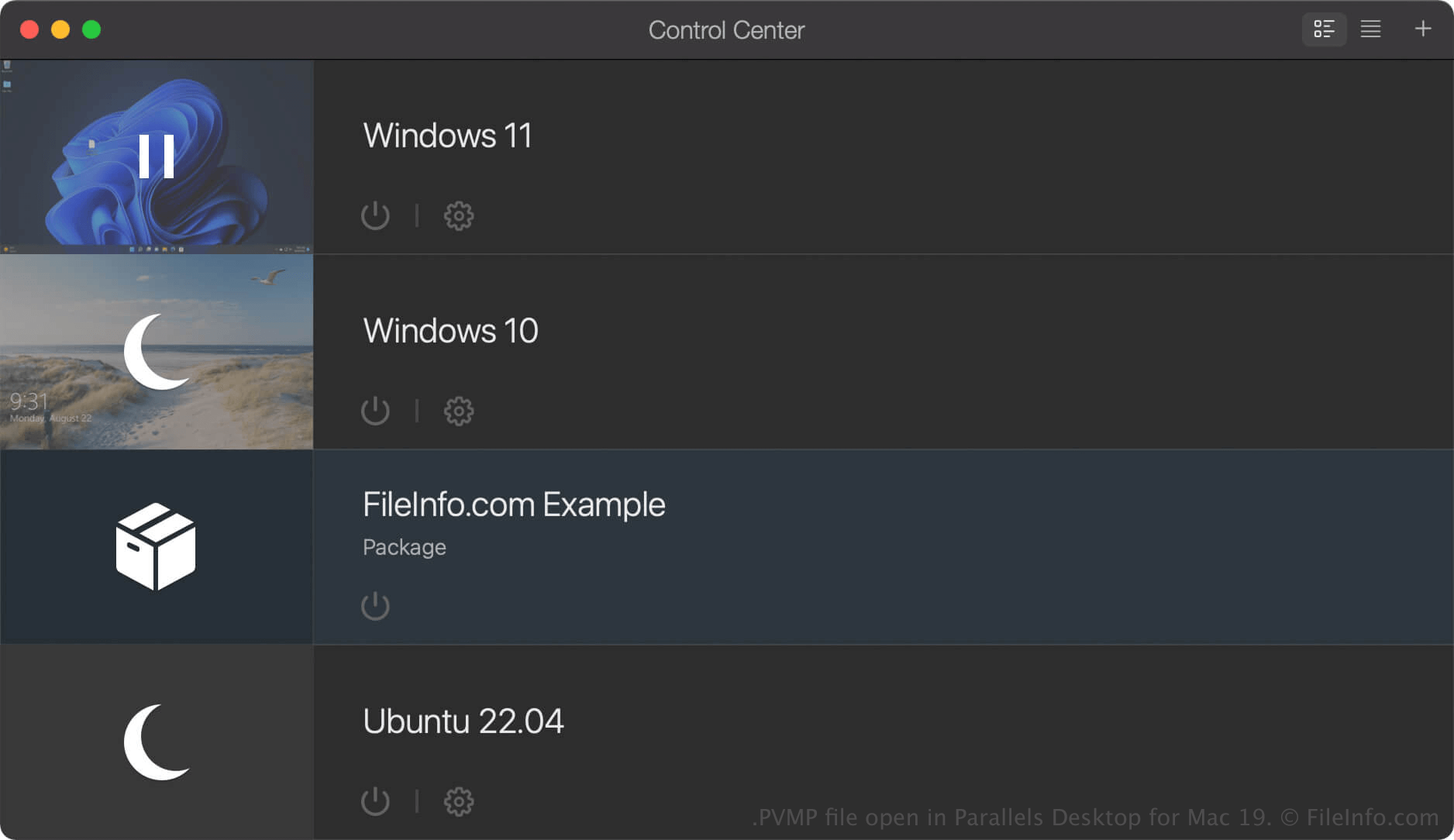
Parallels Desktop pro Mac je virtualizační software, který uživatelům Macu umožňuje spouštět jiné operační systémy včetně Windows, Linuxu, Androidu a dalších verzí macOS. Když v Parallels Desktop vytvoříte virtuální počítač (VM), program ho uloží jako soubor PVM, což je balíček macOS obsahující soubory a nastavení virtuálního počítače.
Pokud chcete virtuální počítač přesunout do jiného počítače, můžete ho zkomprimovat do souboru PVMP. Soubor PVMP je zabalená verze souboru PVM, která zmenšuje jeho velikost a usnadňuje tak jeho přenos. Tato funkce je dostupná pouze v edicích Pro a Business softwaru Parallels Desktop pro Mac.
Jak vytvořit soubor PVMP pomocí Parallels Desktop pro Mac
Chcete-li vytvořit soubor PVMP, nejprve vypněte virtuální počítač. Poté v Ovládacím centru klikněte na virtuální počítač pravým tlačítkem a vyberte možnost . Parallels Desktop virtuální počítač zkomprimuje a výsledný soubor PVMP uloží na stejné místo jako původní soubor PVM.
Jak otevřít soubor PVMP
Soubor PVMP můžete v macOS otevřít pomocí Parallels Desktop for Mac. Chcete-li otevřít soubor PVMP ve složce, kterou jste nastavili jako výchozí umístění pro ukládání virtuálních počítačů (výchozí umístění Parallels je Macintosh HD/Users/[username]/Documents/Parallels/), vyberte v Parallels Desktop pro Mac možnost a vyberte soubor PVMP.
Pokud je virtuální počítač (VM) v Ovládacím centru Parallels Desktop pro Mac uveden jako „Package“, můžete na něj dvakrát kliknout a rozbalit ho, nebo na něj kliknout pravým tlačítkem a vybrat možnost .