

.PVMP Estensione file
Macchina virtuale Parallels impacchettata
| Sviluppatore | Parallels |
| Popolarità |
3,2 | 5 Voti |
Che cos'è un file PVMP?
Un file PVMP è una macchina virtuale Parallels (file .PVM) che un utente ha "impacchettato" con il software di emulazione Parallels Desktop per trasferirla su un altro computer. Contiene una macchina virtuale (VM) salvata nel formato proprietario PVMP, che utilizza un algoritmo di compressione esclusivo. I file PVMP sono simili ai file .PVMZ, ma Parallels Desktop per Mac li comprime con la compressione PVMP invece che con la compressione Zip.
Maggiori informazioni
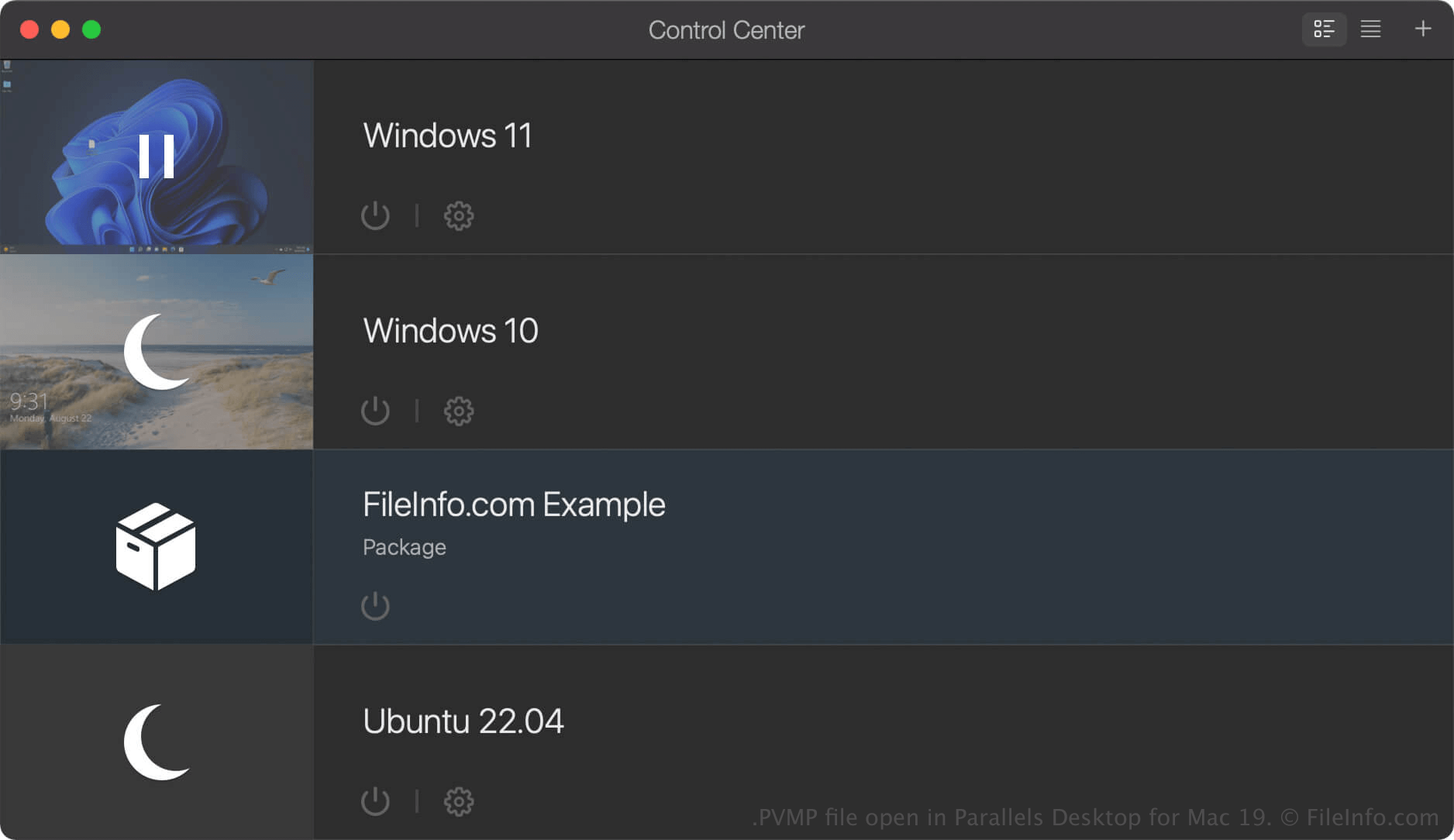
Parallels Desktop per Mac è un software di virtualizzazione che consente agli utenti Mac di eseguire altri sistemi operativi, tra cui Windows, Linux, Android e versioni aggiuntive di macOS. Quando crei una macchina virtuale (VM) in Parallels Desktop, il programma la salva come file PVM, ovvero un pacchetto macOS che contiene i file e le impostazioni della VM.
Se vuoi spostare una VM su un altro computer, puoi comprimerla in un file PVMP. Un file PVMP è una versione impacchettata di un file PVM che ne riduce le dimensioni, rendendone più semplice il trasferimento. Questa funzionalità è disponibile solo nelle edizioni Pro e Business di Parallels Desktop per Mac.
Come creare un file PVMP con Parallels Desktop per Mac
Per creare un file PVMP, prima spegni la VM. Quindi, nel Centro di controllo, fai clic con il pulsante destro del mouse sulla VM e seleziona . Parallels Desktop comprimerà la VM e il file PVMP risultante verrà salvato nella stessa posizione del file PVM originale.
Come aprire un file PVMP
Puoi aprire un file PVMP con Parallels Desktop for Mac in macOS. Per aprire un file PVMP nella cartella che hai impostato come posizione predefinita per l'archiviazione delle macchine virtuali (la posizione predefinita di Parallels è Macintosh HD/Users/[username]/Documents/Parallels/), seleziona in Parallels Desktop for Mac e seleziona il file PVMP.
Se la macchina virtuale (VM) è elencata come "Package" nel Centro di controllo di Parallels Desktop for Mac, puoi fare doppio clic su di essa per decomprimerla oppure fare clic con il pulsante destro del mouse sulla VM e selezionare .