

.PVMP Dateiendung
Gepackte virtuelle Maschine von Parallels
| Entwickler | Parallels |
| Beliebtheit |
3,2 | 5 Stimmen |
Was ist eine PVMP-Datei?
Eine PVMP-Datei ist eine Parallels Virtual Machine (.PVM-Datei), die ein Benutzer mit der Emulationssoftware Parallels Desktop „gepackt“ hat, um sie auf einen anderen Computer zu übertragen. Sie enthält eine virtuelle Maschine (VM), die im proprietären PVMP-Format gespeichert ist und einen einzigartigen Komprimierungsalgorithmus verwendet. PVMP-Dateien ähneln .PVMZ-Dateien, aber Parallels Desktop für Mac komprimiert sie mit der PVMP-Komprimierung anstelle der ZIP-Komprimierung.
Weitere Informationen
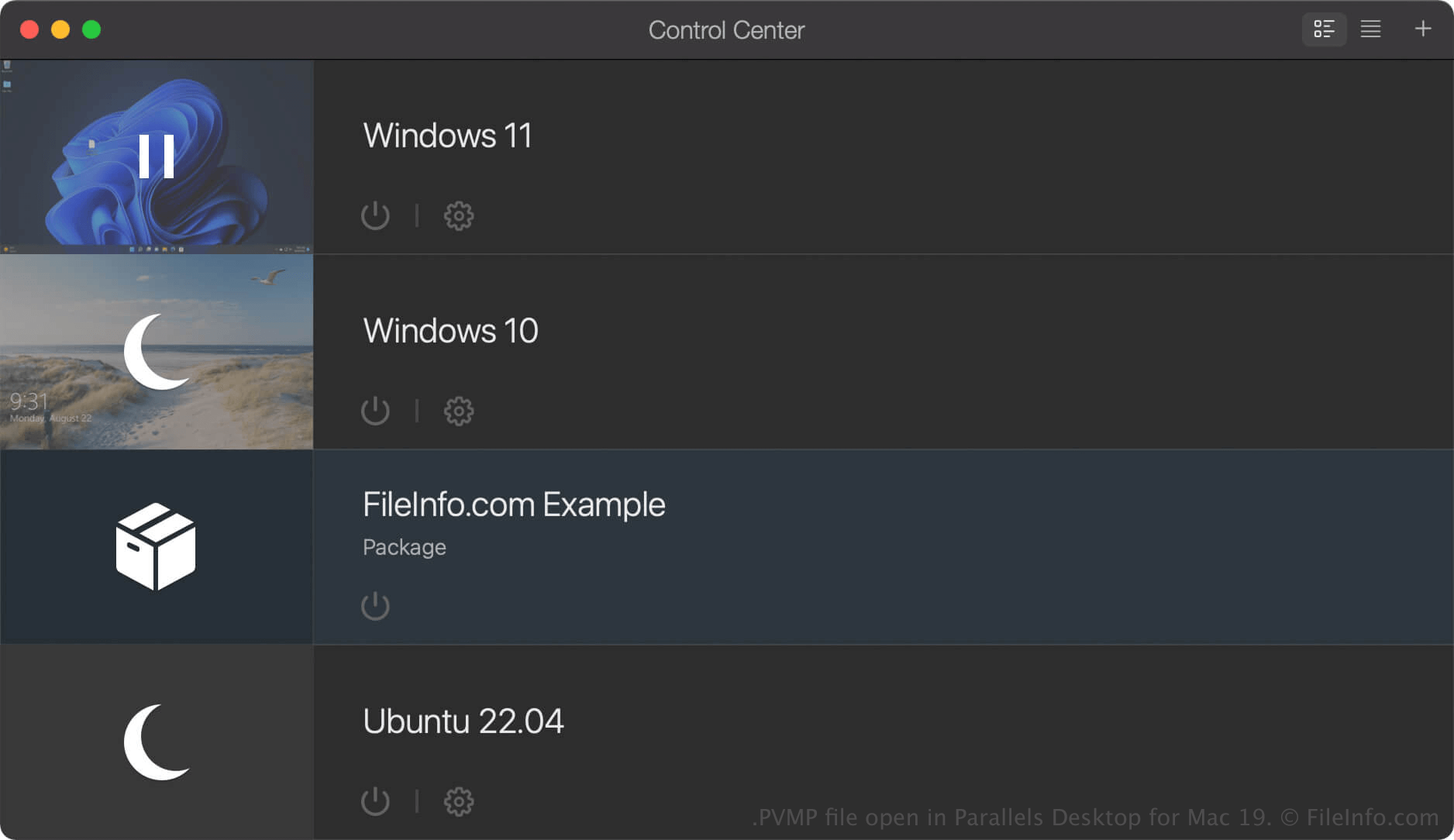
Parallels Desktop für Mac ist eine Virtualisierungssoftware, mit der Mac-Benutzer andere Betriebssysteme ausführen können, darunter Windows, Linux, Android und zusätzliche Versionen von macOS. Wenn Sie in Parallels Desktop eine virtuelle Maschine (VM) erstellen, speichert das Programm sie als PVM-Datei. Dabei handelt es sich um ein macOS-Paket, das die Dateien und Einstellungen der VM enthält.
Wenn Sie eine VM auf einen anderen Computer übertragen möchten, können Sie sie in eine PVMP-Datei komprimieren. Eine PVMP-Datei ist eine gepackte Version einer PVM-Datei, die deren Größe verringert und dadurch die Übertragung erleichtert. Diese Funktion ist nur in den Pro- und Business-Editionen von Parallels Desktop für Mac verfügbar.
So erstellen Sie eine PVMP-Datei mit Parallels Desktop für Mac
Um eine PVMP-Datei zu erstellen, fahren Sie zunächst Ihre VM herunter. Klicken Sie dann im Kontrollzentrum mit der rechten Maustaste auf die VM und wählen Sie . Parallels Desktop komprimiert die VM, und die daraus entstehende PVMP-Datei wird am selben Speicherort wie die ursprüngliche PVM-Datei gespeichert.
So öffnen Sie eine PVMP-Datei
Sie können eine PVMP-Datei unter macOS mit Parallels Desktop for Mac öffnen. Um eine PVMP-Datei in dem Ordner zu öffnen, den Sie als Standardspeicherort für virtuelle Maschinen festgelegt haben (der Standardspeicherort von Parallels ist Macintosh HD/Users/[username]/Documents/Parallels/), wählen Sie in Parallels Desktop for Mac und wählen Sie die PVMP-Datei aus.
Wenn die virtuelle Maschine (VM) im Kontrollzentrum von Parallels Desktop for Mac als „Package“ aufgeführt ist, können Sie sie doppelklicken, um sie zu entpacken, oder mit der rechten Maustaste auf die VM klicken und auswählen.