

.PVMP Extension de fichier
Machine virtuelle Parallels empaquetée
| Développeur | Parallels |
| Popularité |
3,2 | 5 Votes |
Qu'est-ce qu'un fichier PVMP ?
Un fichier PVMP est une machine virtuelle Parallels (fichier .PVM) qu'un utilisateur a « empaquetée » avec le logiciel d'émulation Parallels Desktop afin de la transférer vers un autre ordinateur. Il contient une machine virtuelle (VM) enregistrée au format propriétaire PVMP, qui utilise un algorithme de compression unique. Les fichiers PVMP sont similaires aux fichiers .PVMZ, mais Parallels Desktop for Mac les compresse avec la compression PVMP plutôt qu'avec la compression Zip.
Plus d'informations
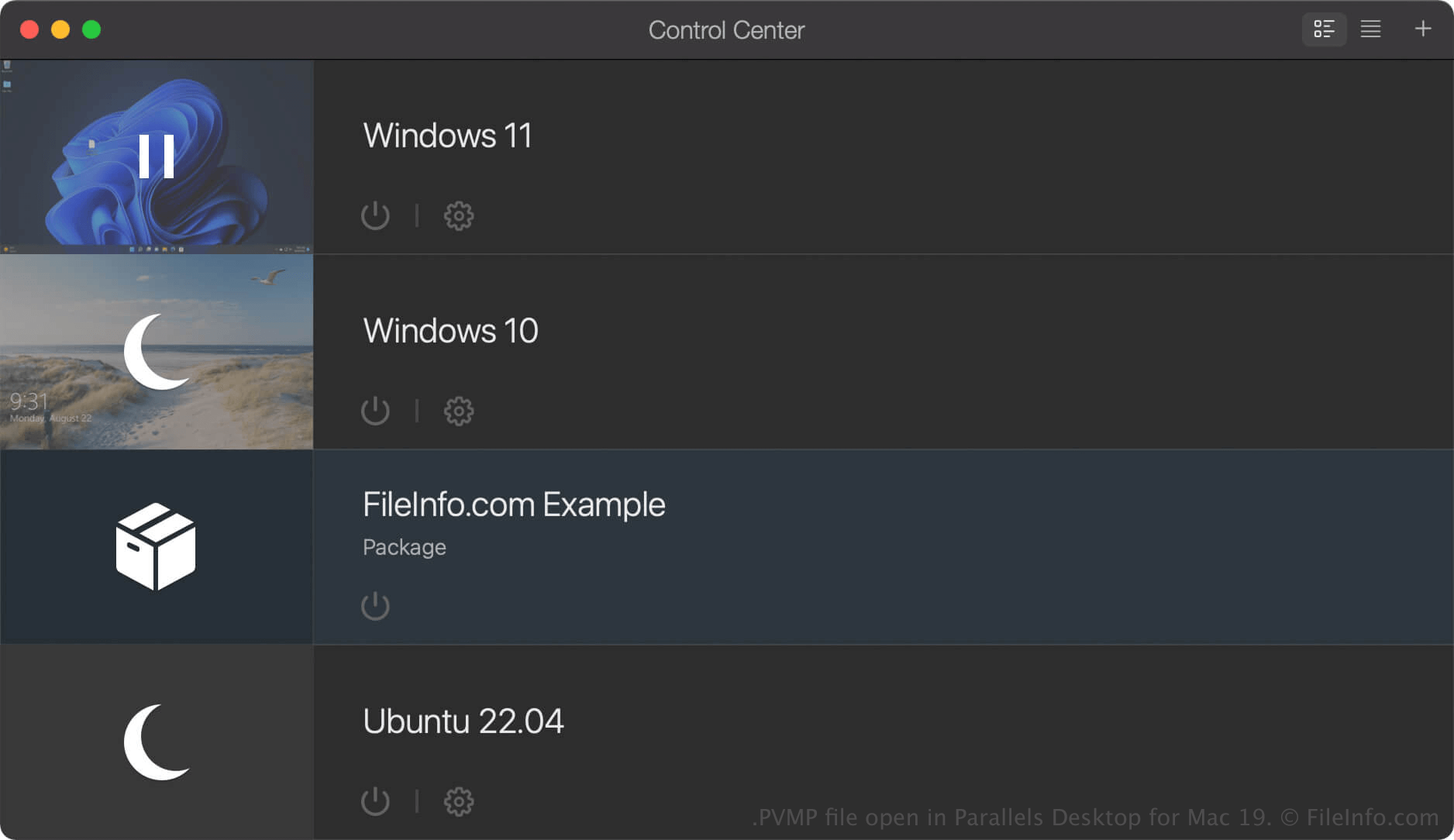
Parallels Desktop for Mac est un logiciel de virtualisation qui permet aux utilisateurs de Mac d'exécuter d'autres systèmes d'exploitation, notamment Windows, Linux, Android et d'autres versions de macOS. Lorsque vous créez une machine virtuelle (VM) dans Parallels Desktop, le programme l'enregistre sous forme de fichier PVM, qui est un paquet macOS contenant les fichiers et les paramètres de la VM.
Si vous souhaitez déplacer une VM vers un autre ordinateur, vous pouvez la compresser dans un fichier PVMP. Un fichier PVMP est une version empaquetée d'un fichier PVM qui réduit sa taille, ce qui facilite son transfert. Cette fonctionnalité est disponible uniquement dans les éditions Pro et Business de Parallels Desktop for Mac.
Comment créer un fichier PVMP avec Parallels Desktop for Mac
Pour créer un fichier PVMP, commencez par arrêter votre VM. Ensuite, dans le Centre de contrôle, cliquez avec le bouton droit de la souris sur la VM et sélectionnez . Parallels Desktop compresse la VM, puis le fichier PVMP obtenu est enregistré au même emplacement que le fichier PVM d'origine.
Comment ouvrir un fichier PVMP
Vous pouvez ouvrir un fichier PVMP avec Parallels Desktop for Mac dans macOS. Pour ouvrir un fichier PVMP dans le dossier que vous avez défini comme emplacement par défaut pour le stockage des machines virtuelles (l'emplacement par défaut de Parallels est Macintosh HD/Users/[username]/Documents/Parallels/), sélectionnez dans Parallels Desktop for Mac, puis sélectionnez le fichier PVMP.
Si la machine virtuelle (VM) est répertoriée comme « Package » dans le Centre de contrôle de Parallels Desktop for Mac, vous pouvez double-cliquer dessus pour la dés-empaqueter, ou cliquer avec le bouton droit de la souris sur la VM et sélectionner .