

.PVMP Rozszerzenie pliku
Spakowana maszyna wirtualna Parallels
| Deweloper | Parallels |
| Popularność |
3,2 | 5 Głosów |
Czym jest plik PVMP?
Plik PVMP to maszyna wirtualna Parallels (.PVM), którą użytkownik „spakował” za pomocą oprogramowania do emulacji Parallels Desktop, aby przenieść ją na inny komputer. Zawiera maszynę wirtualną (VM) zapisaną w zastrzeżonym formacie PVMP, który wykorzystuje unikalny algorytm kompresji. Pliki PVMP są podobne do plików .PVMZ, ale Parallels Desktop for Mac kompresuje je za pomocą kompresji PVMP zamiast kompresji Zip.
Więcej informacji
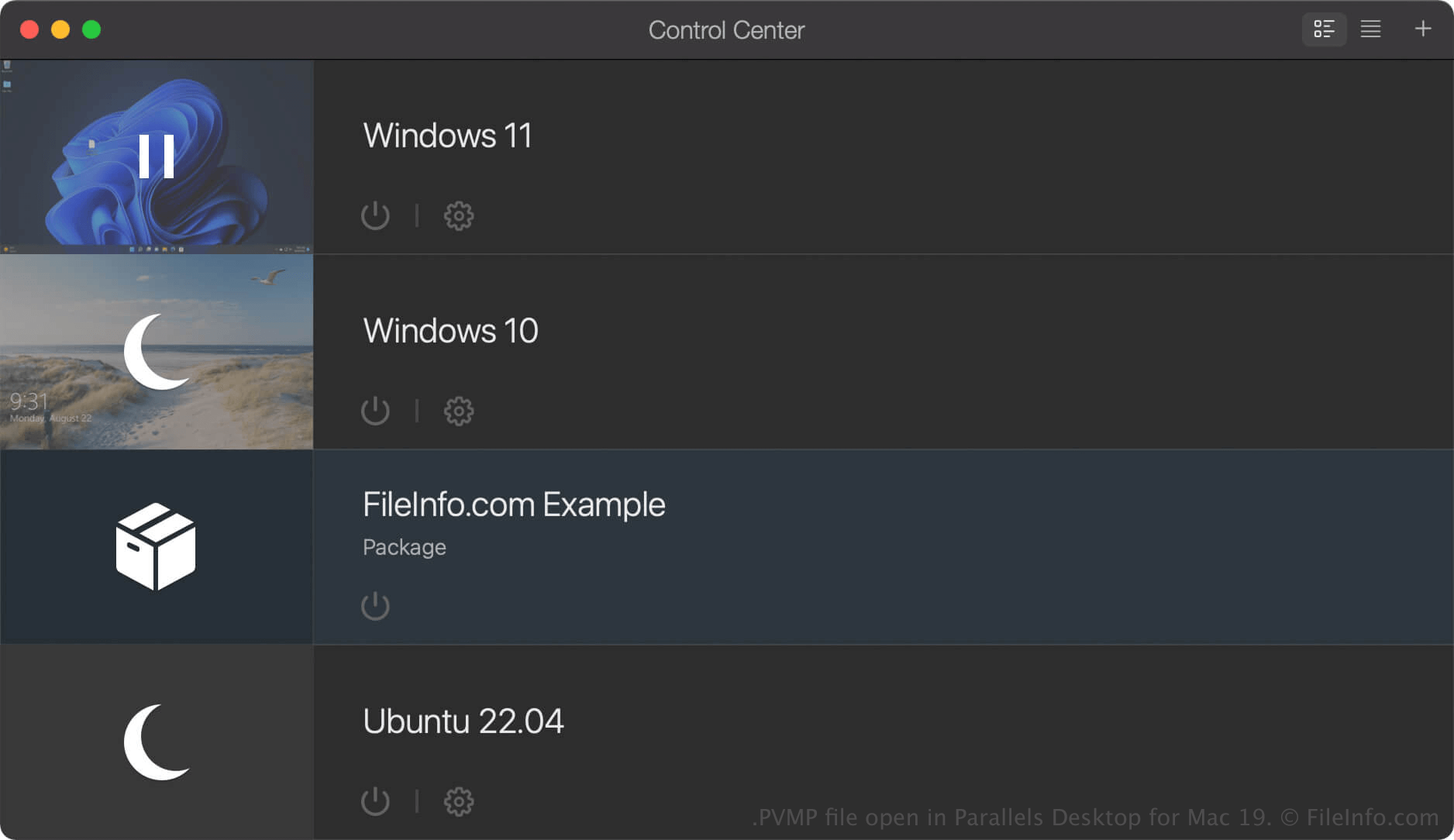
Parallels Desktop for Mac to oprogramowanie do wirtualizacji, które pozwala użytkownikom komputerów Mac uruchamiać inne systemy operacyjne, w tym Windows, Linux, Android i dodatkowe wersje systemu macOS. Gdy tworzysz maszynę wirtualną (VM) w programie Parallels Desktop, program zapisuje ją jako plik PVM, czyli pakiet macOS zawierający pliki i ustawienia maszyny wirtualnej.
Jeśli chcesz przenieść maszynę wirtualną na inny komputer, możesz skompresować ją do pliku PVMP. Plik PVMP to spakowana wersja pliku PVM, która zmniejsza jego rozmiar, ułatwiając przenoszenie. Ta funkcja jest dostępna tylko w wersjach Pro i Business programu Parallels Desktop for Mac.
Jak utworzyć plik PVMP za pomocą programu Parallels Desktop for Mac
Aby utworzyć plik PVMP, najpierw wyłącz maszynę wirtualną. Następnie w Centrum sterowania kliknij maszynę wirtualną prawym przyciskiem myszy i wybierz . Parallels Desktop skompresuje maszynę wirtualną, a wynikowy plik PVMP zostanie zapisany w tej samej lokalizacji co oryginalny plik PVM.
Jak otworzyć plik PVMP
Plik PVMP można otworzyć za pomocą programu Parallels Desktop for Mac w systemie macOS. Aby otworzyć plik PVMP w folderze ustawionym jako domyślna lokalizacja przechowywania maszyn wirtualnych (domyślna lokalizacja Parallels to Macintosh HD/Users/[username]/Documents/Parallels/), wybierz w programie Parallels Desktop for Mac polecenie , a następnie wybierz plik PVMP.
Jeśli maszyna wirtualna (VM) jest wyświetlana jako „Package” w Centrum sterowania programu Parallels Desktop for Mac, możesz kliknąć ją dwukrotnie, aby ją rozpakować, albo kliknąć ją prawym przyciskiem myszy i wybrać .