

.PVM Bestandsextensie
Parallels virtuele machine
| Ontwikkelaar | Parallels |
| Populariteit |
3,6 | 32 stemmen |
Wat is een PVM-bestand?
Een PVM-bestand is een virtuele machine die is gemaakt door Parallels Desktop for Mac, een virtualisatie-programma waarmee Mac-gebruikers andere besturingssystemen naast macOS kunnen uitvoeren. Een PVM-bestand wordt opgeslagen als een macOS-pakket, dat in Finder als één bestand wordt weergegeven, maar in werkelijkheid een map is die alle onderdelen bevat die nodig zijn om een virtuele machine (VM) uit te voeren. Met PVM-bestanden kunnen gebruikers besturingssystemen, zoals Windows, Linux of een andere versie van macOS, op hun Mac uitvoeren.
Meer informatie

Wanneer je een nieuwe VM maakt in Parallels Desktop, genereert het programma een PVM-bestand om de inhoud ervan op te slaan. Je kunt er een maken door te selecteren of door op de knop + in het Control Center te klikken. Elk PVM-bestand is zelfstandig, wat betekent dat het de virtuele harde schijf, configuratiegegevens en andere bronnen bevat die de VM nodig heeft om te functioneren. Hierdoor kun je eenvoudig een back-up van een VM maken of deze overzetten door simpelweg het PVM-bestand te kopiëren.
In het pakket slaat Parallels verschillende essentiële bestanden op. Het .HDD-bestand fungeert als de virtuele harde schijf van de VM en bevat het besturingssysteem, toepassingen en gebruikersbestanden. Het .PVS-bestand bevat de configuratie-instellingen van de VM, zoals toegewezen geheugen en hardwarevoorkeuren. Samen zorgen deze bestanden ervoor dat Parallels Desktop de VM kan uitvoeren alsof deze een afzonderlijke computer binnen macOS is.
Een PVM-bestand openen
Je kunt een PVM-bestand op je Mac openen met Parallels Desktop for Mac. Als je een PVM-bestand wilt openen, plaats je het bestand in de map die je hebt ingesteld als de standaardlocatie voor het opslaan van virtuele machines (de standaardlocatie van Parallels is Macintosh HD/Users/[username]/Documents/Parallels/), selecteer je in Parallels Desktop for Mac en kies je je PVM-bestand.
Een PVM-bestand openen als macOS-pakket
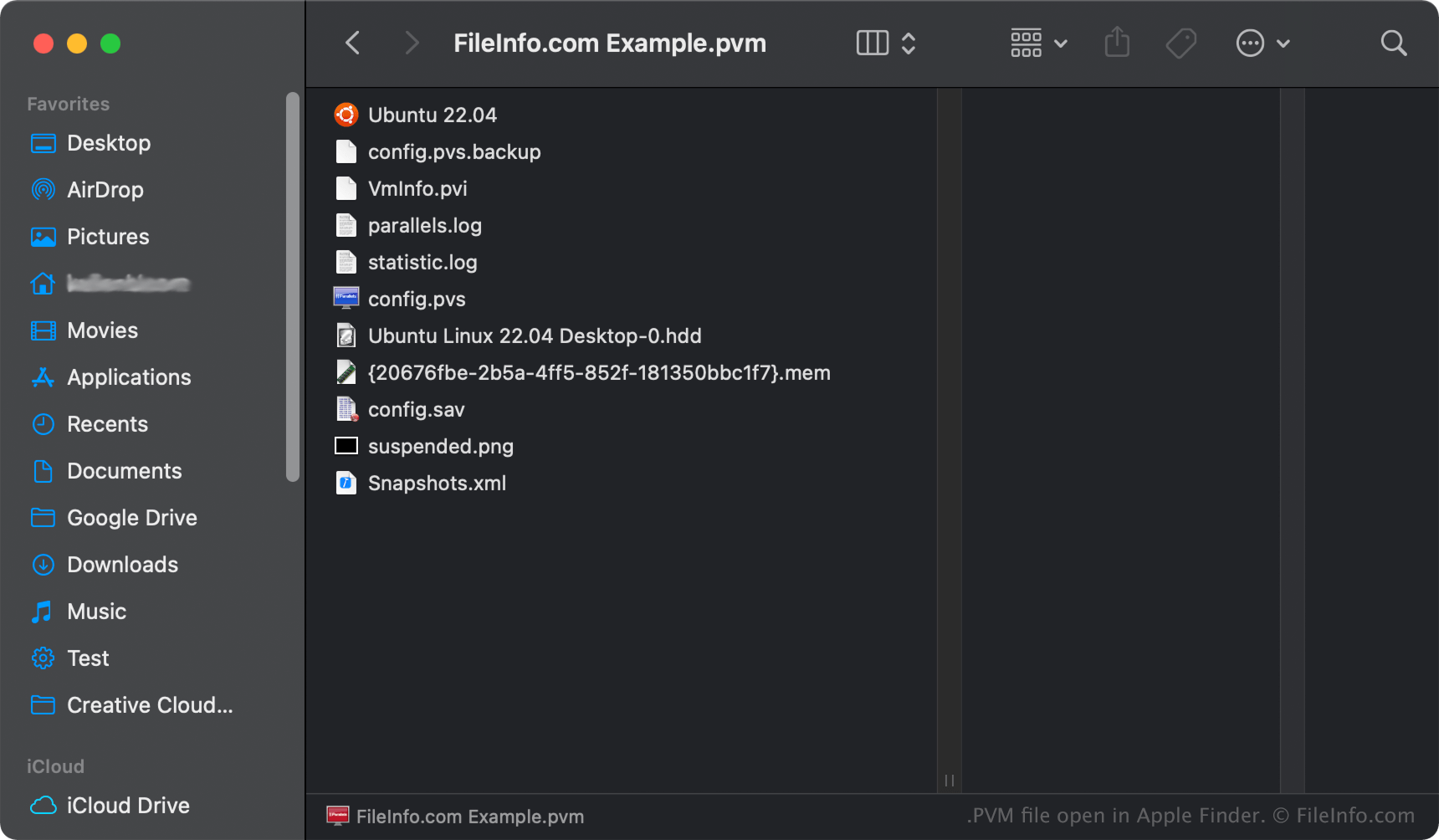
In macOS kun je met de rechtermuisknop op een PVM-bestand klikken en selecteren om de mappen en bestanden van het pakket met Apple Finder te bekijken. Bestanden die je in een PVM-bestand kunt aantreffen, zijn PVS-, HDD-, .LOG-, .ISO- en .DAT-bestanden.
OPMERKING: Als je de inhoud van een PVM-bestand wijzigt, kan de virtuele machine beschadigd raken.