

.DICTIONARY Bestandsextensie
Apple Dictionary
| Ontwikkelaar | Apple |
| Populariteit |
1,5 | 2 stemmen |
Wat is een DICTIONARY-bestand?
Een DICTIONARY-bestand is een woordenboek dat wordt gebruikt door Apple Dictionary, een app die met macOS wordt meegeleverd. Het is een macOS-pakket dat meerdere bestanden bevat waarin woordenboekinformatie wordt opgeslagen, zoals woorden en uitdrukkingen met hun definities en afbeeldingen.
Meer informatie
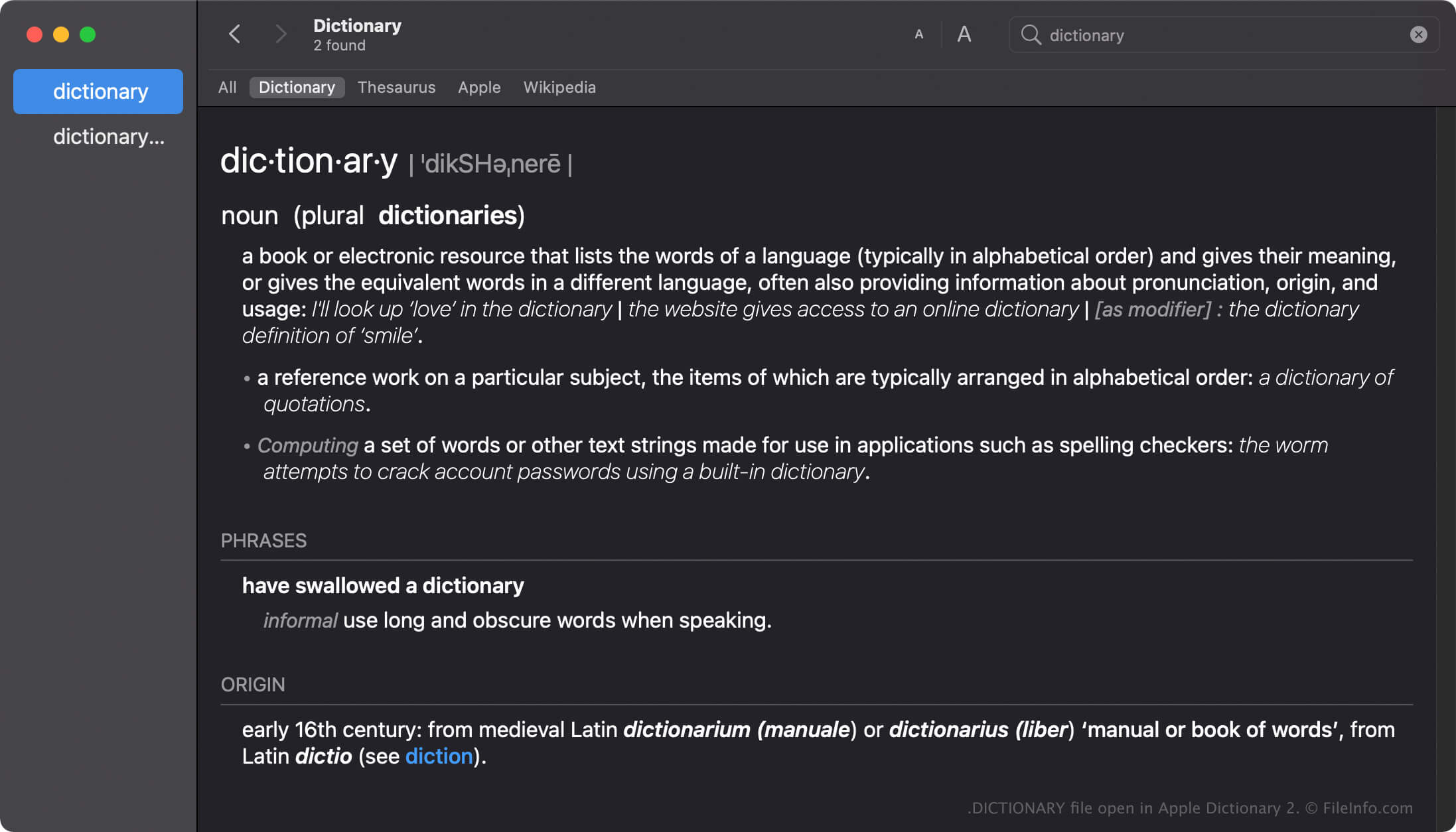
Apple Dictionary is een hulpmiddel voor macOS-gebruikers om snel definities van woorden en uitdrukkingen op te zoeken. De app wordt geleverd met meerdere woordenboeken, zoals New Oxford American Dictionary en Wikipedia, die je naar wens kunt inschakelen, uitschakelen of rangschikken.
De Dictionary-app wordt geleverd met veel woordenboeken, die elk een DICTIONARY-bestand hebben dat naar het woordenboek is genoemd. De naam van het DICTIONARY-bestand van Apple Dictionary is bijvoorbeeld Apple Dictionary.dictionary.
DICTIONARY-bestanden maken in macOS
Hoewel de Dictionary-app met veel woordenboeken wordt geleverd, kunnen ontwikkelaars aangepaste woordenboeken maken met de Dictionary Development Kit. Om een DICTIONARY-bestand te maken, moeten ontwikkelaars een woordenboekbronbestand maken, een stylesheet voorbereiden, het eigenschappenlijstbestand (.PLIST) bewerken en alle bronnen toevoegen die voor hun woordenboek nodig zijn.
Locatie van DICTIONARY-bestanden in macOS
Verschillende Mac-besturingssystemen slaan DICTIONARY-bestanden op verschillende locaties op. macOS Monterrey slaat DICTIONARY-bestanden bijvoorbeeld op de volgende locatie op:
/System/Library/AssetsV2/com_apple_MobileAsset_DictionaryServices_dictionaryOSX
Eerdere versies van macOS slaan DICTIONARY-bestanden echter op in de locatie /System/Library/Dictionary.
Veelvoorkomende .DICTIONARY-bestandsnamen
Apple Dictionary.dictionary - Naam van het standaardwoordenboek dat bij Apple Dictionary wordt meegeleverd.
Een DICTIONARY-bestand openen
Je moet niet proberen DICTIONARY-bestanden handmatig te openen. In plaats daarvan laadt de Apple Dictionary-app automatisch de informatie in het DICTIONARY-bestand.
Een DICTIONARY-bestand openen als macOS-pakket
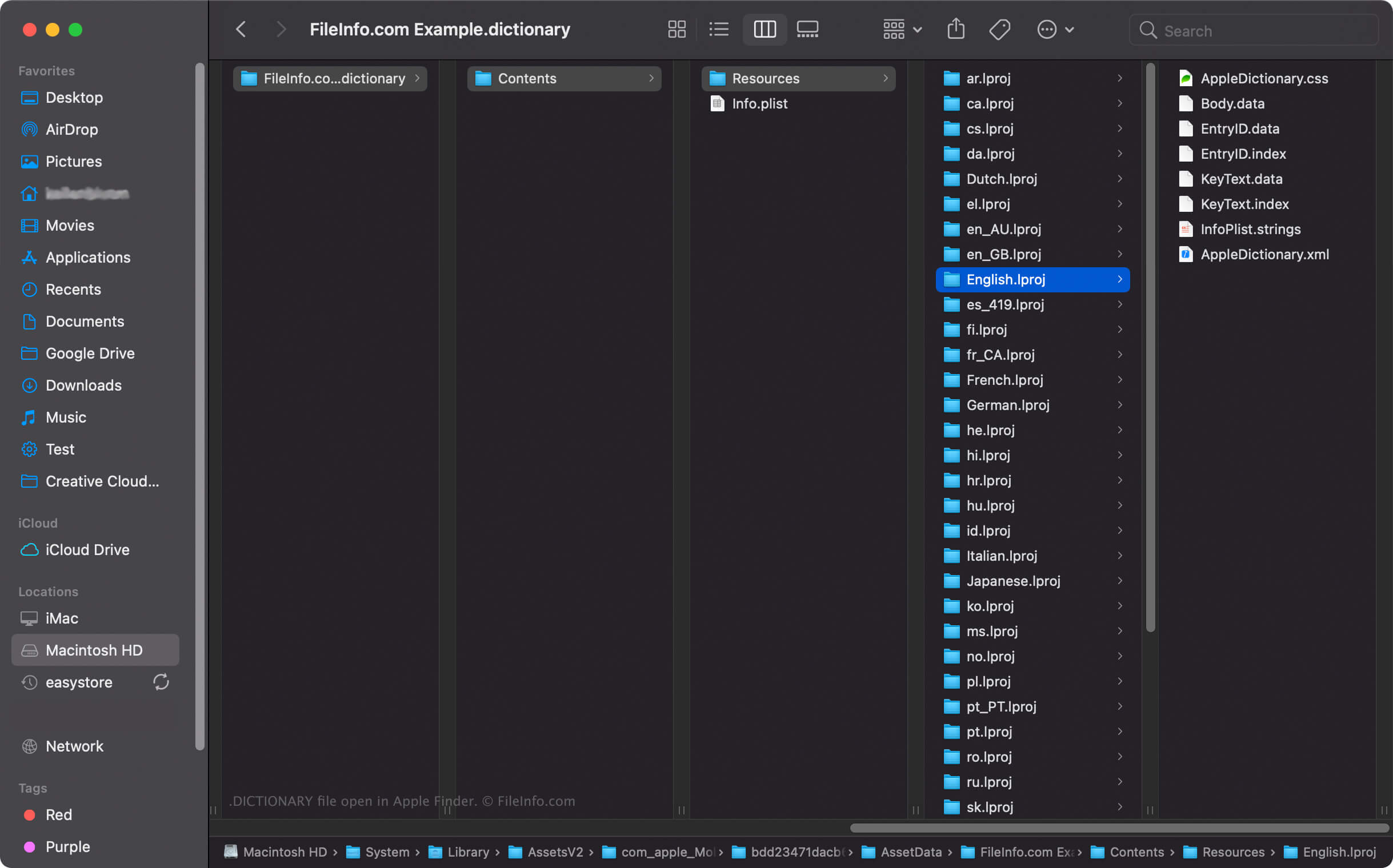
In macOS kun je met de rechtermuisknop op een DICTIONARY-bestand klikken en selecteren om de mappen en bestanden van het pakket met Apple Finder te bekijken. Elk DICTIONARY-bestand bevat bijvoorbeeld een binair bestand Body.data in de map Dictionary Contents/Resources/ waarin de lijst met woorden in het woordenboek wordt opgeslagen.
OPMERKING: Als je de inhoud van een DICTIONARY-bestand wijzigt, werkt het woordenboek mogelijk niet meer.