

.DICTIONARY Přípona souboru
Apple Dictionary
| Vývojář | Apple |
| Popularita |
1,5 | 2 hlasy |
Co je soubor DICTIONARY?
Soubor DICTIONARY je slovník používaný aplikací Apple Dictionary, která je součástí systému macOS. Jedná se o balíček macOS, který obsahuje více souborů ukládajících informace ze slovníku, například slova, fráze, jejich definice a obrázky.
Další informace
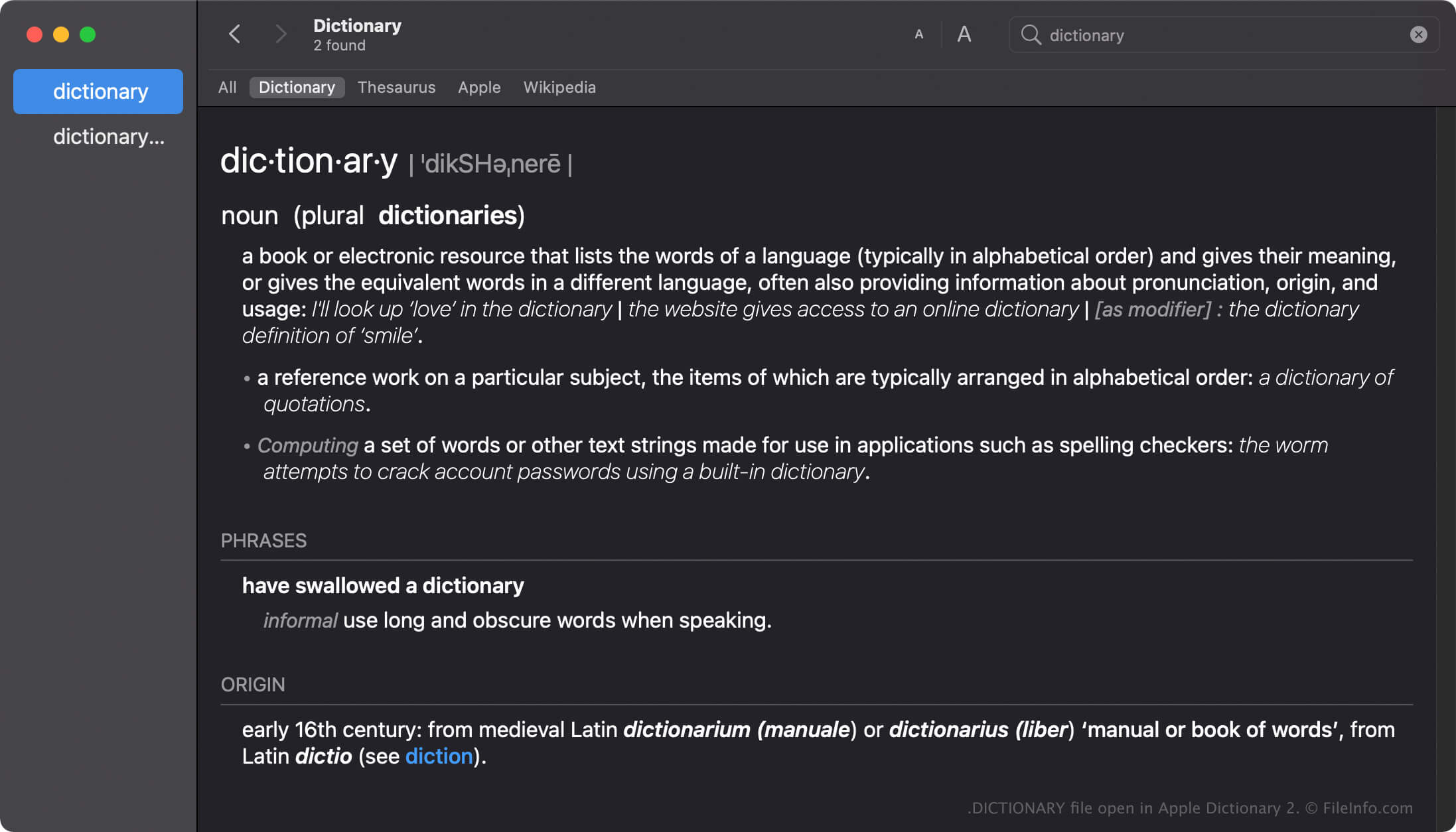
Apple Dictionary je nástroj pro uživatele macOS, kteří si chtějí rychle vyhledat definice slov a frází. Aplikace obsahuje několik slovníků, například New Oxford American Dictionary a Wikipedia, které můžete podle svých preferencí povolit, zakázat nebo seřadit.
Aplikace Dictionary se dodává s mnoha slovníky, přičemž každý z nich obsahuje soubor DICTIONARY pojmenovaný podle daného slovníku. Například soubor DICTIONARY aplikace Apple Dictionary se jmenuje Apple Dictionary.dictionary.
Vytváření souborů DICTIONARY v systému macOS
Aplikace Dictionary se sice dodává s mnoha slovníky, ale vývojáři mohou pomocí sady Dictionary Development Kit vytvářet vlastní slovníky. K vytvoření souboru DICTIONARY musí vývojáři vytvořit zdrojový soubor slovníku, připravit šablonu stylů, upravit soubor seznamu vlastností (.PLIST) a přidat všechny prostředky potřebné pro svůj slovník.
Umístění souborů DICTIONARY v systému macOS
Různé operační systémy Mac ukládají soubory DICTIONARY na různá místa. Například macOS Monterrey ukládá soubory DICTIONARY do následujícího umístění:
/System/Library/AssetsV2/com_apple_MobileAsset_DictionaryServices_dictionaryOSX
Starší verze systému macOS však ukládají soubory DICTIONARY do umístění /System/Library/Dictionary.
Běžné názvy souborů .DICTIONARY
Apple Dictionary.dictionary - Název výchozího slovníku obsaženého v aplikaci Apple Dictionary.
Jak otevřít soubor DICTIONARY
Nepokoušejte se soubory DICTIONARY otevírat ručně. Aplikace Apple Dictionary místo toho informace v souboru DICTIONARY načte automaticky.
Otevření souboru DICTIONARY jako balíčku macOS
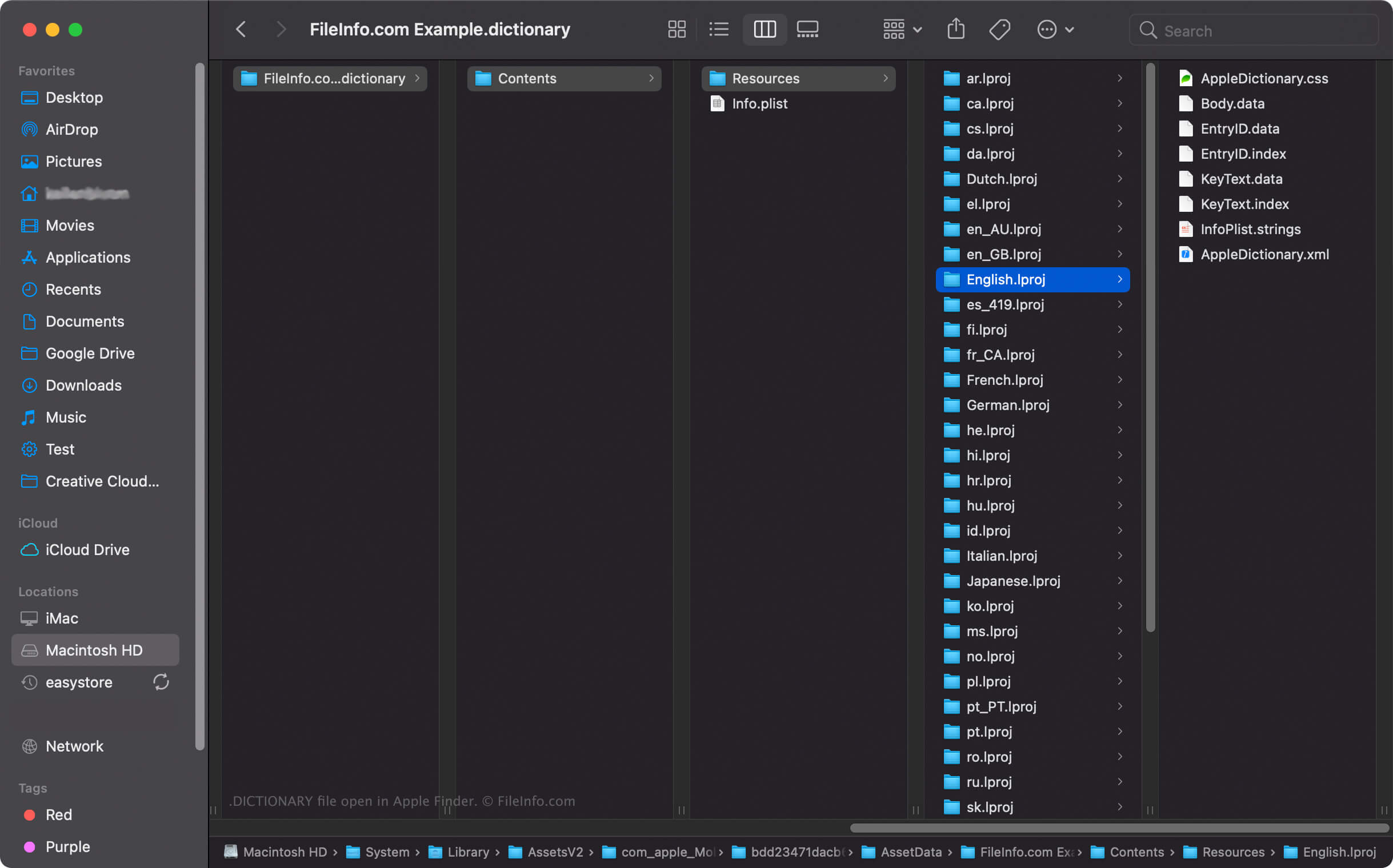
V systému macOS můžete na soubor DICTIONARY kliknout pravým tlačítkem a v aplikaci Apple Finder vybrat , abyste zobrazili adresáře a soubory balíčku. Každý soubor DICTIONARY například obsahuje binární soubor Body.data v adresáři Dictionary Contents/Resources/, který ukládá seznam slov ve slovníku.
POZNÁMKA: Úprava obsahu souboru DICTIONARY může slovník poškodit.