

.PLIST Přípona souboru
Seznam vlastností
| Vývojář | Apple |
| Popularita |
3,7 | 218 hlasů |
Co je soubor PLIST?
Soubor PLIST je seznam vlastností používaný aplikací pro macOS nebo iOS. Definuje mnoho výchozích nastavení aplikace a může ukládat uživatelská nastavení. Soubory PLIST se nejčastěji ukládají jako binární soubory nebo soubory XML. V obou případech soubory PLIST obvykle nejsou určeny k otevírání nebo úpravám uživateli.
Další informace
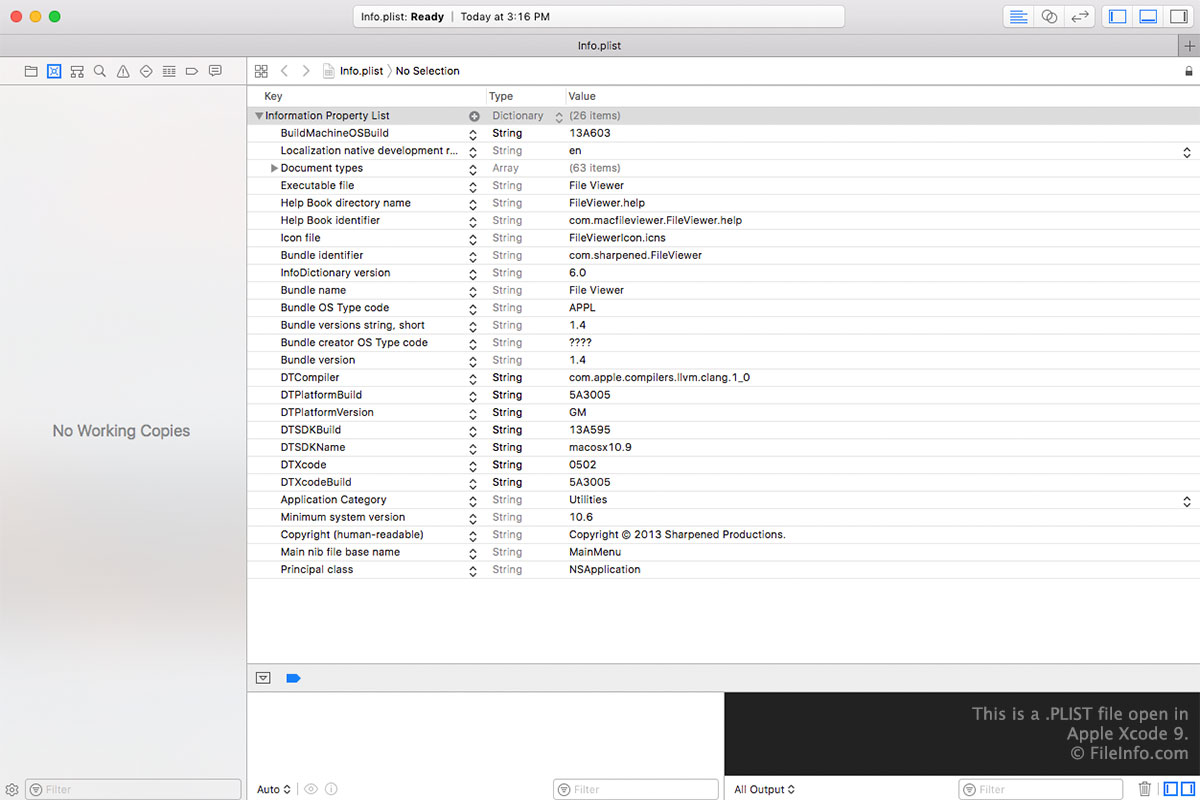
Při vývoji aplikace pro macOS nebo iOS vytvářejí vývojáři soubory PLIST, které definují několik důležitých částí konfiguračních informací a metadat aplikace. Tyto soubory PLIST jsou obvykle soubory XML, které ukládají seznam klíčů (názvů nastavení) a hodnot (nastavení).
Když vývojář dokončuje aplikaci pro distribuci koncovým uživatelům, často převádí některé nebo všechny její soubory PLIST do binárního formátu. Vývojáři například často převádějí do binární podoby soubory PLIST, které sledují uživatelské předvolby. Soubory PLIST přibalené k aplikaci nebo nainstalované aplikací proto mohou být prosté textové nebo binární soubory.
POZNÁMKA: Některé aplikace společnosti Apple pro Windows, například iTunes a Safari, také používají soubory PLIST. V některých vzácných případech mohou soubory PLIST používat také formátování JSON.
Běžné názvy souborů .PLIST
Info.plist - Primární seznam vlastností pro aplikace macOS, který se nachází v adresáři /Contents/ balíčku .APP. Chcete-li tento soubor zobrazit, klikněte pravým tlačítkem na soubor aplikace, vyberte a otevřete složku Contents.
Jak otevřít soubor PLIST
Ve většině případů byste soubor PLIST neměli otevírat ani upravovat. Aplikace, která tento soubor PLIST používá, by kvůli tomu nemusela správně fungovat.
Pokud však chcete soubor PLIST otevřít a zobrazit nebo upravit nastavení, která obsahuje, můžete to provést pomocí nástroje Apple Property List Editor (dodávaného s Apple Xcode). Tento program dokáže otevřít prosté textové i binární soubory PLIST.
Jak převést soubor PLIST
V systému macOS můžete pomocí příkazu plutil převádět soubory PLIST mezi formáty XML PLIST a binárními formáty PLIST:
- Binární na XML: plutil -convert xml1 file.plist
- XML na binární: plutil -convert binary1 file.plist
V systému Linux můžete pomocí nástroje Withgraphite Plutil převádět soubory PLIST mezi formáty XML PLIST a binárními formáty PLIST.