

.PLIST Bestandsextensie
Property list
| Ontwikkelaar | Apple |
| Populariteit |
3,7 | 218 stemmen |
Wat is een PLIST-bestand?
Een PLIST-bestand is een property list die wordt gebruikt door een macOS- of iOS-app. Het definieert veel van de standaardinstellingen van de app en kan gebruikersinstellingen opslaan. PLIST-bestanden worden meestal opgeslagen als binaire bestanden of als XML-bestanden. In beide gevallen zijn PLIST-bestanden doorgaans niet bedoeld om door gebruikers te worden geopend of bewerkt.
Meer informatie
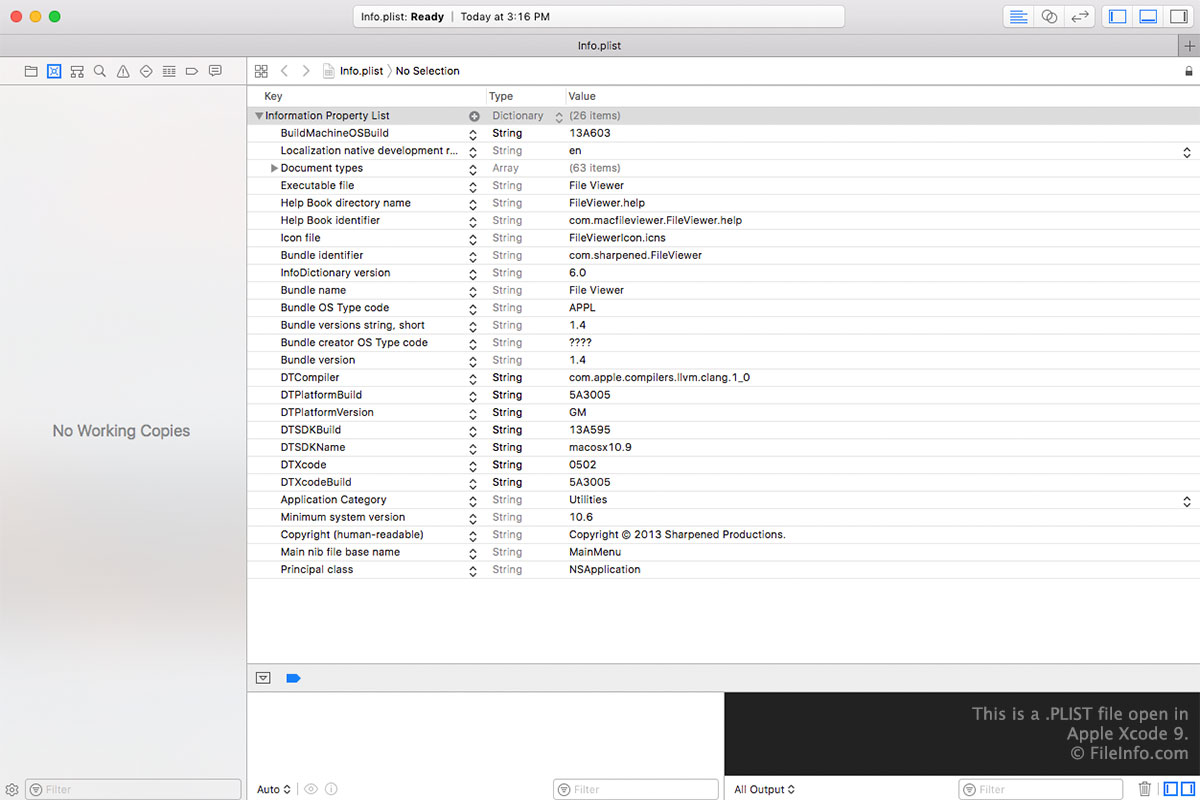
Tijdens de ontwikkeling van een macOS- of iOS-app maken ontwikkelaars PLIST-bestanden die verschillende belangrijke onderdelen van de configuratiegegevens en metagegevens van de app definiëren. Deze PLIST-bestanden zijn meestal XML-bestanden, waarin een lijst met sleutels (namen van instellingen) en waarden (instellingen) wordt opgeslagen.
Wanneer een ontwikkelaar de app klaarmaakt voor levering aan eindgebruikers, zetten zij vaak sommige of alle PLIST-bestanden om naar een binaire indeling. Ontwikkelaars zetten PLIST-bestanden waarin bijvoorbeeld de voorkeuren van een gebruiker worden bijgehouden vaak om naar binair. PLIST-bestanden die met een app worden meegeleverd of door een app worden geïnstalleerd, kunnen dus tekstbestanden of binaire bestanden zijn.
OPMERKING: Sommige Apple-apps voor Windows, zoals iTunes en Safari, gebruiken ook PLIST-bestanden. Daarnaast kunnen PLIST-bestanden in zeldzame gevallen de JSON-indeling gebruiken.
Veelvoorkomende .PLIST-bestandsnamen
Info.plist - De belangrijkste property list voor macOS-apps, die zich in de map /Contents/ van een .APP-bundel bevindt. Als je dit bestand wilt bekijken, klik je met de rechtermuisknop op een programmabestand, selecteer je en open je de map Contents.
Een PLIST-bestand openen
In de meeste gevallen moet je een PLIST-bestand niet openen of bewerken. Hierdoor kan de app die dat PLIST-bestand gebruikt mogelijk niet goed meer werken.
Als je echter een PLIST-bestand wilt openen om de instellingen die het bevat te bekijken of te bewerken, kun je dit doen met Apple's Property List Editor (meegeleverd met Apple Xcode). Het programma kan zowel tekstbestanden als binaire PLIST-bestanden openen.
Een PLIST-bestand converteren
In macOS kun je de opdracht plutil gebruiken om PLIST-bestanden tussen de XML- en binaire PLIST-indeling om te zetten:
- Binair naar XML: plutil -convert xml1 file.plist
- XML naar binair: plutil -convert binary1 file.plist
In Linux kun je het hulpprogramma Withgraphite Plutil gebruiken om PLIST-bestanden tussen de XML- en binaire PLIST-indeling om te zetten.