

.DICTIONARY Estensione file
Apple Dictionary
| Sviluppatore | Apple |
| Popolarità |
1,5 | 2 Voti |
Che cos'è un file DICTIONARY?
Un file DICTIONARY è un dizionario utilizzato da Apple Dictionary, un'app inclusa in macOS. È un pacchetto macOS che contiene più file, i quali memorizzano informazioni del dizionario, come parole e frasi con le relative definizioni e immagini.
Maggiori informazioni
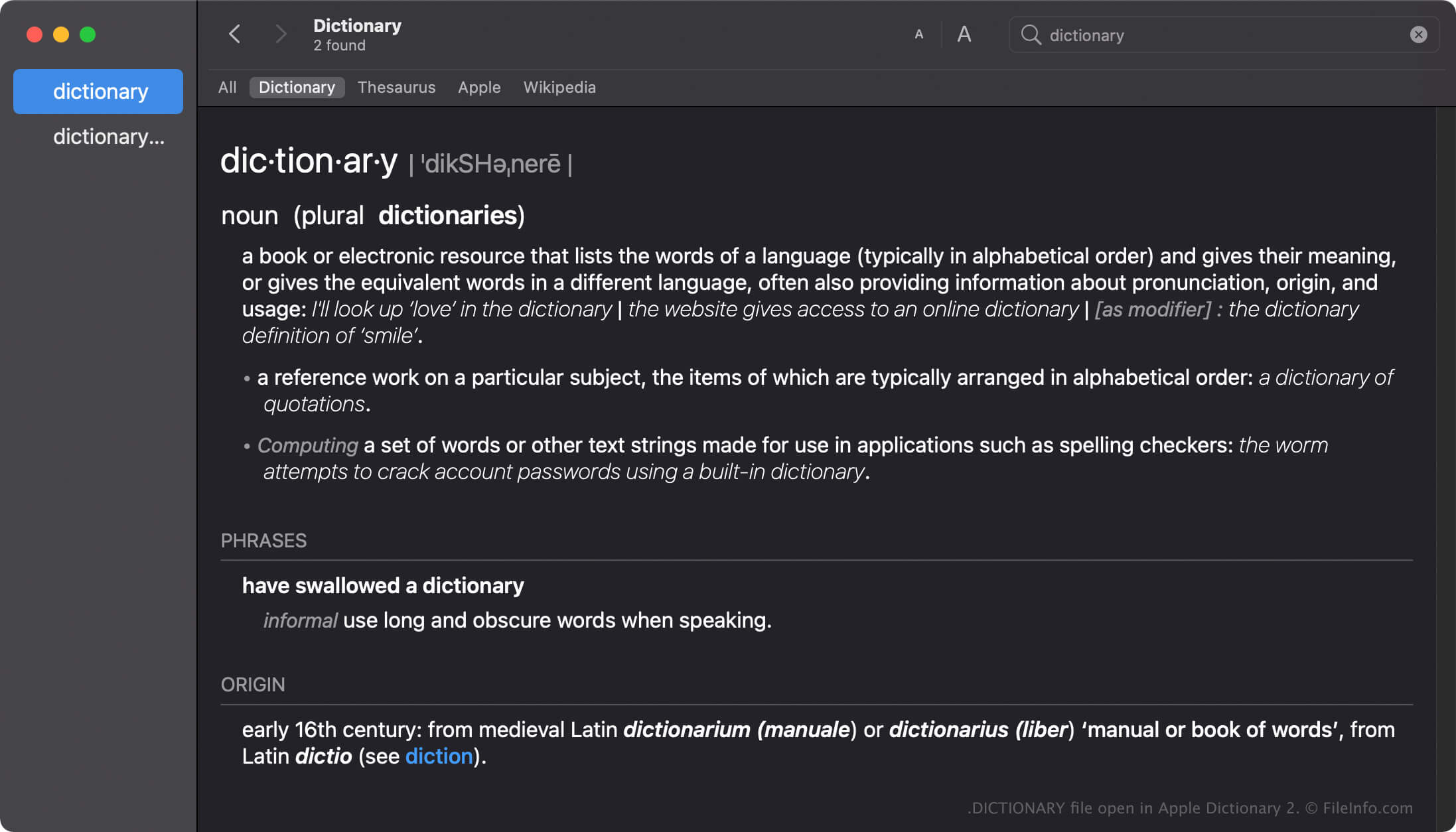
Apple Dictionary è uno strumento per gli utenti macOS che consente di cercare rapidamente le definizioni di parole e frasi. L'app include più dizionari, come New Oxford American Dictionary e Wikipedia, che puoi attivare, disattivare o ordinare in base alle tue preferenze.
L'app Dictionary viene fornita con molti dizionari, ognuno con un file DICTIONARY denominato come il dizionario. Ad esempio, il nome del file DICTIONARY di Apple Dictionary è Apple Dictionary.dictionary.
Creazione di file DICTIONARY in macOS
Sebbene l'app Dictionary venga fornita con molti dizionari, gli sviluppatori possono creare dizionari personalizzati con Dictionary Development Kit. Per creare un file DICTIONARY, gli sviluppatori devono creare un file sorgente del dizionario, preparare un foglio di stile, modificare il file dell'elenco delle proprietà (.PLIST) e aggiungere tutte le risorse richieste dal dizionario.
Posizione dei file DICTIONARY in macOS
I diversi sistemi operativi Mac memorizzano i file DICTIONARY in posizioni diverse. Ad esempio, macOS Monterrey memorizza i file DICTIONARY nella seguente posizione:
/System/Library/AssetsV2/com_apple_MobileAsset_DictionaryServices_dictionaryOSX
Tuttavia, le versioni precedenti di macOS memorizzano i file DICTIONARY nella posizione /System/Library/Dictionary.
Nomi file .DICTIONARY comuni
Apple Dictionary.dictionary - Nome del dizionario predefinito incluso con Apple Dictionary.
Come aprire un file DICTIONARY
Non dovresti tentare di aprire manualmente i file DICTIONARY. L'app Apple Dictionary carica automaticamente le informazioni contenute nel file DICTIONARY.
Apertura di un file DICTIONARY come pacchetto macOS
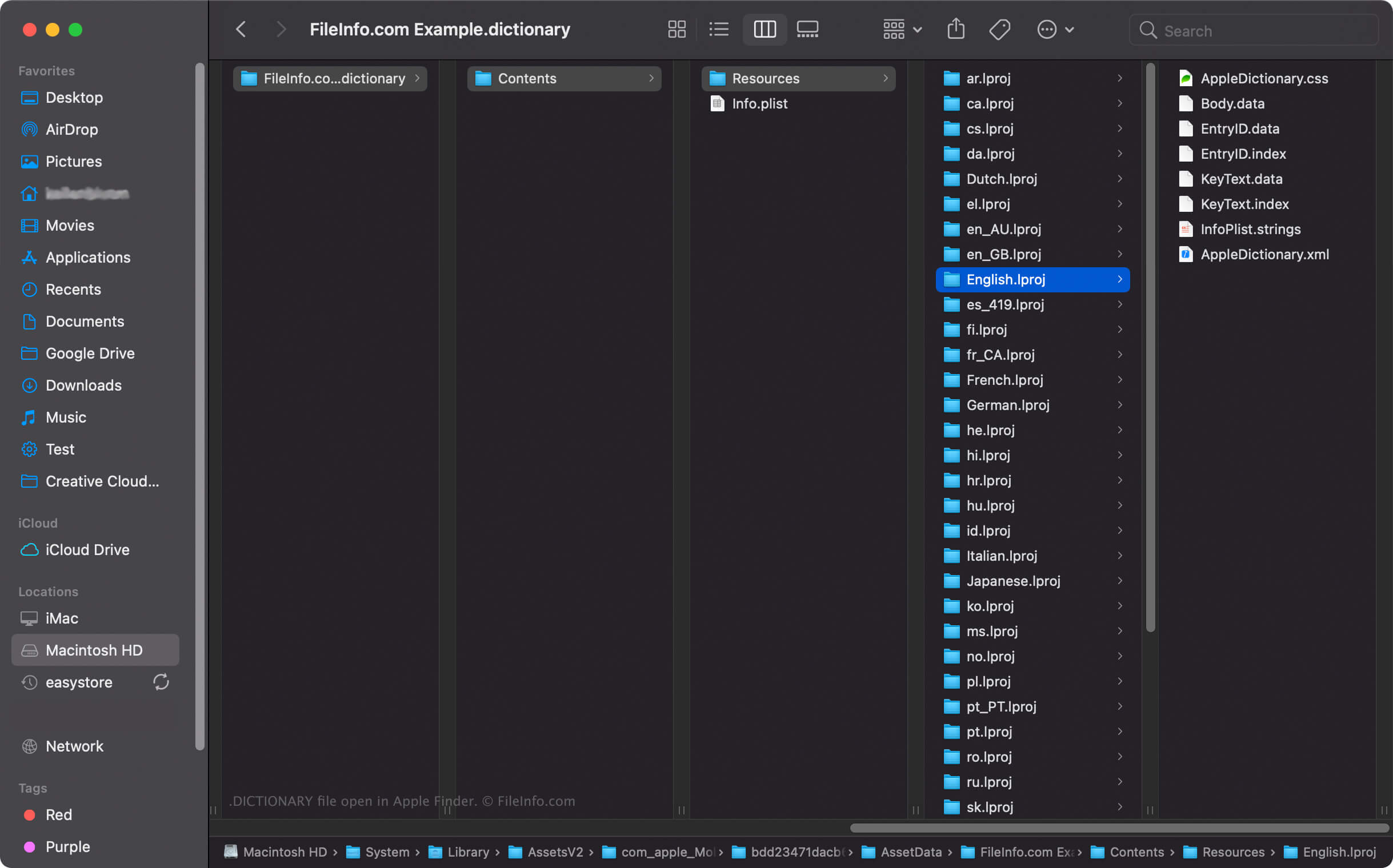
In macOS, puoi fare clic con il pulsante destro del mouse su un file DICTIONARY e selezionare per visualizzare le directory e i file del pacchetto con Apple Finder. Ad esempio, ogni file DICTIONARY contiene un file binario Body.data nella directory Dictionary Contents/Resources/ che memorizza l'elenco delle parole del dizionario.
NOTA: La modifica dei contenuti di un file DICTIONARY potrebbe danneggiare il dizionario.