

.DICTIONARY Dateiendung
Apple Dictionary
| Entwickler | Apple |
| Beliebtheit |
1,5 | 2 Stimmen |
Was ist eine DICTIONARY-Datei?
Eine DICTIONARY-Datei ist ein Wörterbuch, das von Apple Dictionary verwendet wird, einer mit macOS gebündelten App. Sie ist ein macOS-Paket, das mehrere Dateien enthält, in denen Wörterbuchinformationen wie Wörter und Ausdrücke sowie deren Definitionen und Bilder gespeichert sind.
Weitere Informationen
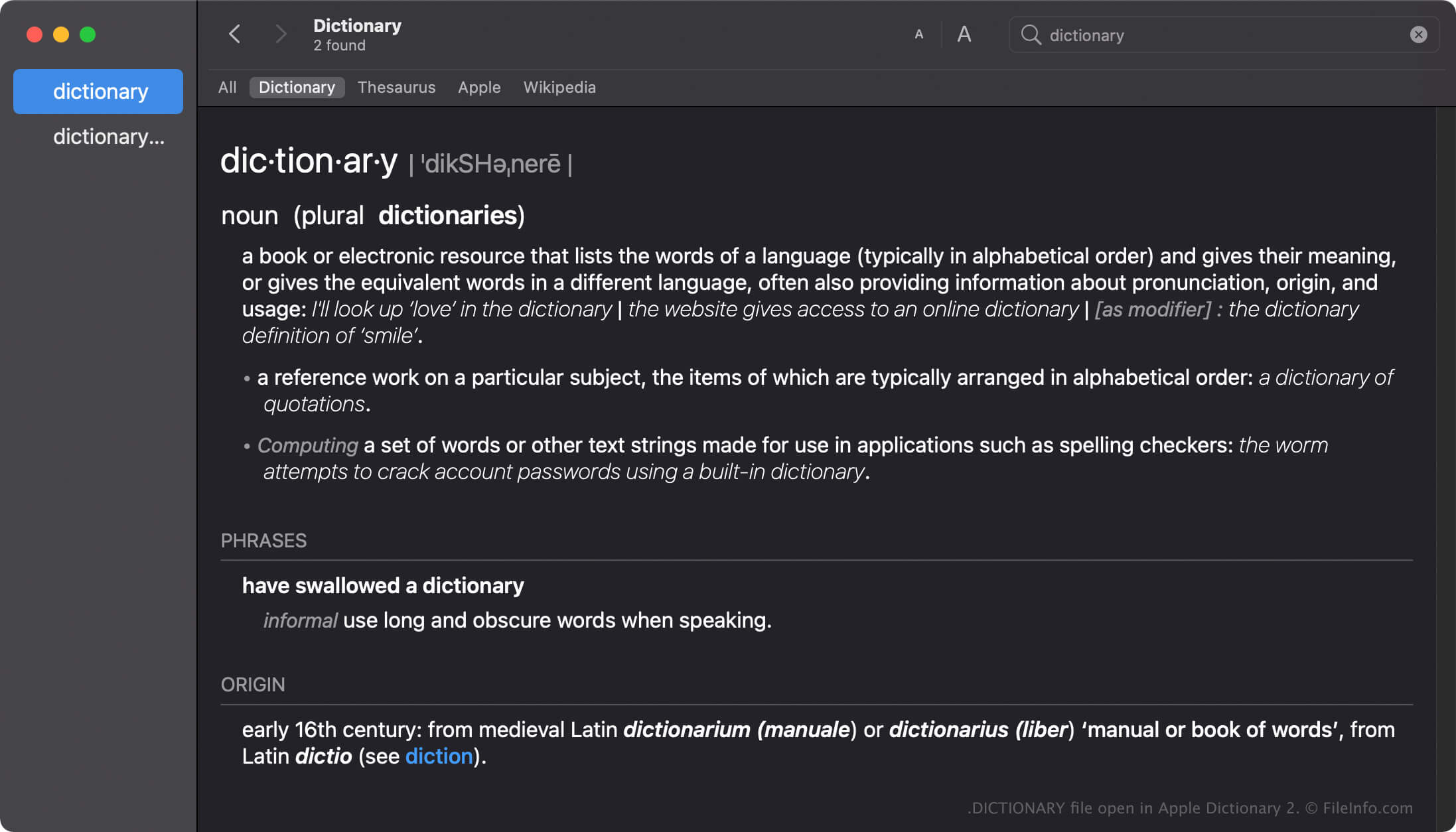
Apple Dictionary ist ein Werkzeug für macOS-Benutzer, mit dem sie schnell Definitionen von Wörtern und Ausdrücken nachschlagen können. Die App enthält mehrere Wörterbücher wie New Oxford American Dictionary und Wikipedia, die Sie je nach Ihren Vorlieben aktivieren, deaktivieren oder anordnen können.
Die Dictionary-App wird mit vielen Wörterbüchern geliefert, die jeweils eine nach dem Wörterbuch benannte DICTIONARY-Datei enthalten. Der Name der Apple Dictionary-DICTIONARY-Datei lautet beispielsweise Apple Dictionary.dictionary.
Erstellen von DICTIONARY-Dateien in macOS
Die Dictionary-App wird zwar mit vielen Wörterbüchern gebündelt, Entwickler können jedoch mit dem Dictionary Development Kit eigene Wörterbücher erstellen. Um eine DICTIONARY-Datei zu erstellen, müssen Entwickler eine Wörterbuch-Quelldatei erstellen, ein Stylesheet vorbereiten, die Eigenschaftslistendatei (.PLIST) bearbeiten und alle für ihr Wörterbuch erforderlichen Ressourcen hinzufügen.
Speicherort von DICTIONARY-Dateien in macOS
Verschiedene Mac-Betriebssysteme speichern DICTIONARY-Dateien an unterschiedlichen Speicherorten. macOS Monterrey speichert DICTIONARY-Dateien beispielsweise am folgenden Speicherort:
/System/Library/AssetsV2/com_apple_MobileAsset_DictionaryServices_dictionaryOSX
Frühere Versionen von macOS speichern DICTIONARY-Dateien jedoch am Speicherort /System/Library/Dictionary.
Häufige .DICTIONARY-Dateinamen
Apple Dictionary.dictionary - Name des in Apple Dictionary enthaltenen Standardwörterbuchs.
So öffnen Sie eine DICTIONARY-Datei
Sie sollten nicht versuchen, DICTIONARY-Dateien manuell zu öffnen. Stattdessen lädt die Apple Dictionary-App die Informationen in der DICTIONARY-Datei automatisch.
Eine DICTIONARY-Datei als macOS-Paket öffnen
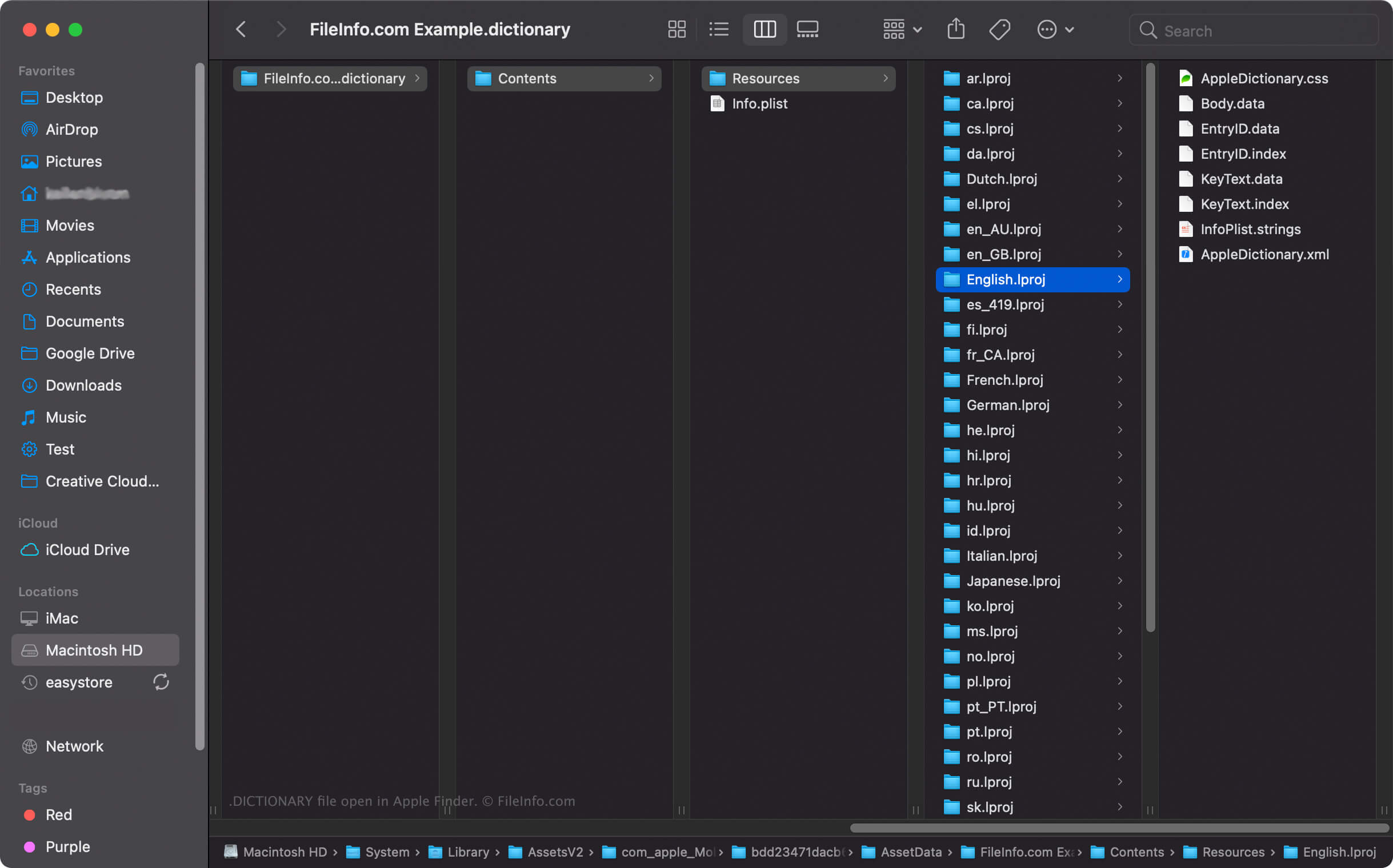
In macOS können Sie mit der rechten Maustaste auf eine DICTIONARY-Datei klicken und auswählen, um die Verzeichnisse und Dateien des Pakets mit Apple Finder anzuzeigen. Jede DICTIONARY-Datei enthält beispielsweise eine binäre Datei Body.data im Verzeichnis Contents/Resources/ des Dictionary-Pakets, in der die Liste der Wörter im Wörterbuch gespeichert ist.
HINWEIS: Das Ändern des Inhalts einer DICTIONARY-Datei kann das Wörterbuch beschädigen.