

.DICTIONARY Rozszerzenie pliku
Apple Dictionary
| Deweloper | Apple |
| Popularność |
1,5 | 2 Głosy |
Czym jest plik DICTIONARY?
Plik DICTIONARY to słownik używany przez Apple Dictionary, aplikację dołączoną do systemu macOS. Jest to pakiet macOS zawierający wiele plików, w których przechowywane są informacje słownikowe, takie jak słowa i wyrażenia wraz z ich definicjami oraz obrazami.
Więcej informacji
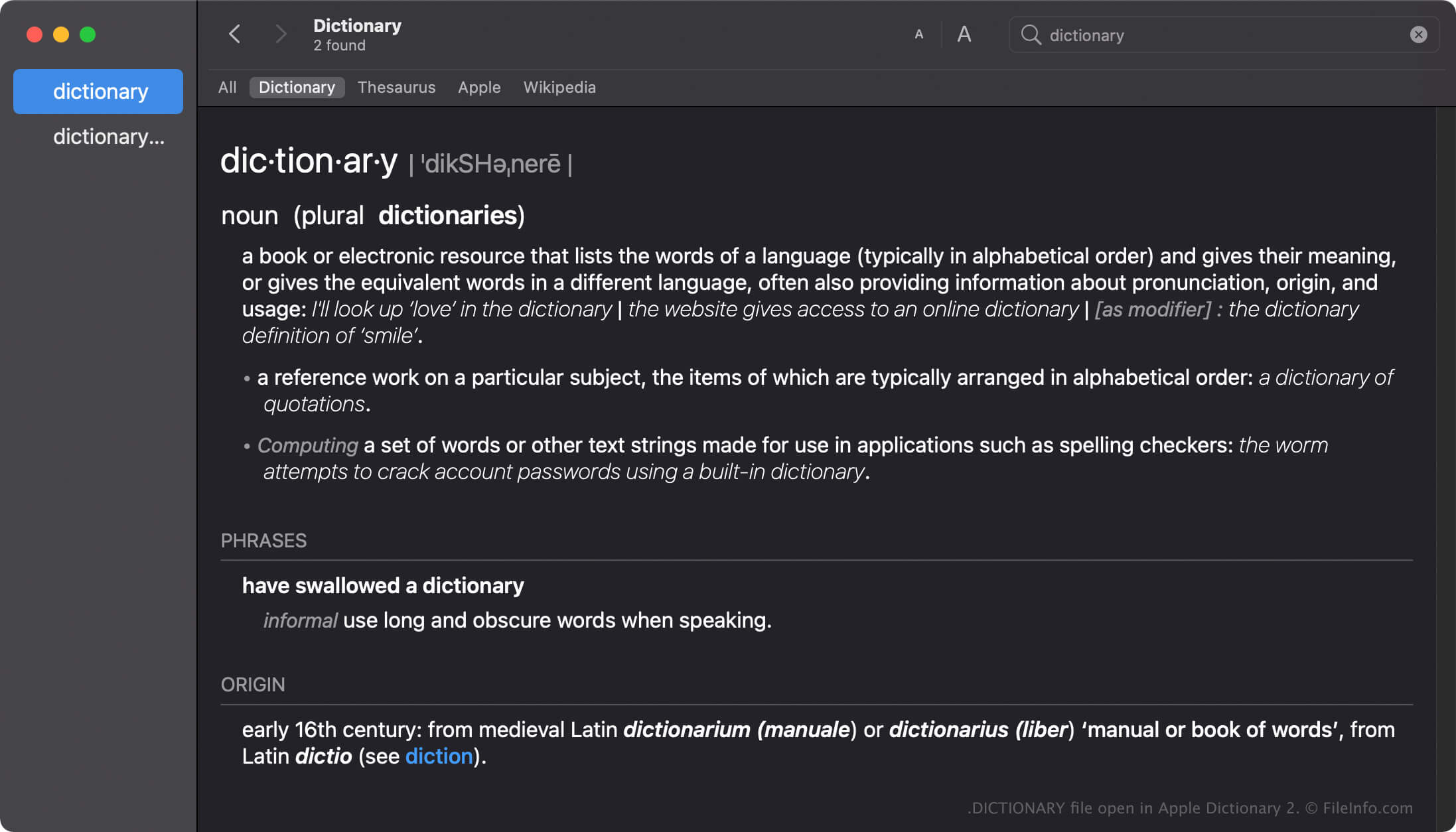
Apple Dictionary to narzędzie dla użytkowników systemu macOS, które umożliwia szybkie sprawdzanie definicji słów i wyrażeń. Aplikacja zawiera wiele słowników, takich jak New Oxford American Dictionary i Wikipedia, które można włączać, wyłączać lub porządkować zgodnie ze swoimi preferencjami.
Aplikacja Dictionary jest dostarczana z wieloma słownikami, z których każdy zawiera plik DICTIONARY nazwany tak samo jak słownik. Na przykład nazwa pliku DICTIONARY aplikacji Apple Dictionary to Apple Dictionary.dictionary.
Tworzenie plików DICTIONARY w systemie macOS
Mimo że aplikacja Dictionary jest dostarczana z wieloma słownikami, deweloperzy mogą tworzyć niestandardowe słowniki za pomocą Dictionary Development Kit. Aby utworzyć plik DICTIONARY, deweloperzy muszą utworzyć plik źródłowy słownika, przygotować arkusz stylów, edytować plik listy właściwości (.PLIST) i dodać wszelkie zasoby wymagane przez słownik.
Lokalizacja plików DICTIONARY w systemie macOS
Różne systemy operacyjne Mac przechowują pliki DICTIONARY w różnych lokalizacjach. Na przykład system macOS Monterrey przechowuje pliki DICTIONARY w następującej lokalizacji:
/System/Library/AssetsV2/com_apple_MobileAsset_DictionaryServices_dictionaryOSX
Jednak wcześniejsze wersje systemu macOS przechowują pliki DICTIONARY w lokalizacji /System/Library/Dictionary.
Popularne nazwy plików .DICTIONARY
Apple Dictionary.dictionary - Nazwa domyślnego słownika dołączonego do aplikacji Apple Dictionary.
Jak otworzyć plik DICTIONARY
Nie należy próbować otwierać plików DICTIONARY ręcznie. Zamiast tego aplikacja Apple Dictionary automatycznie wczytuje informacje z pliku DICTIONARY.
Otwieranie pliku DICTIONARY jako pakietu macOS
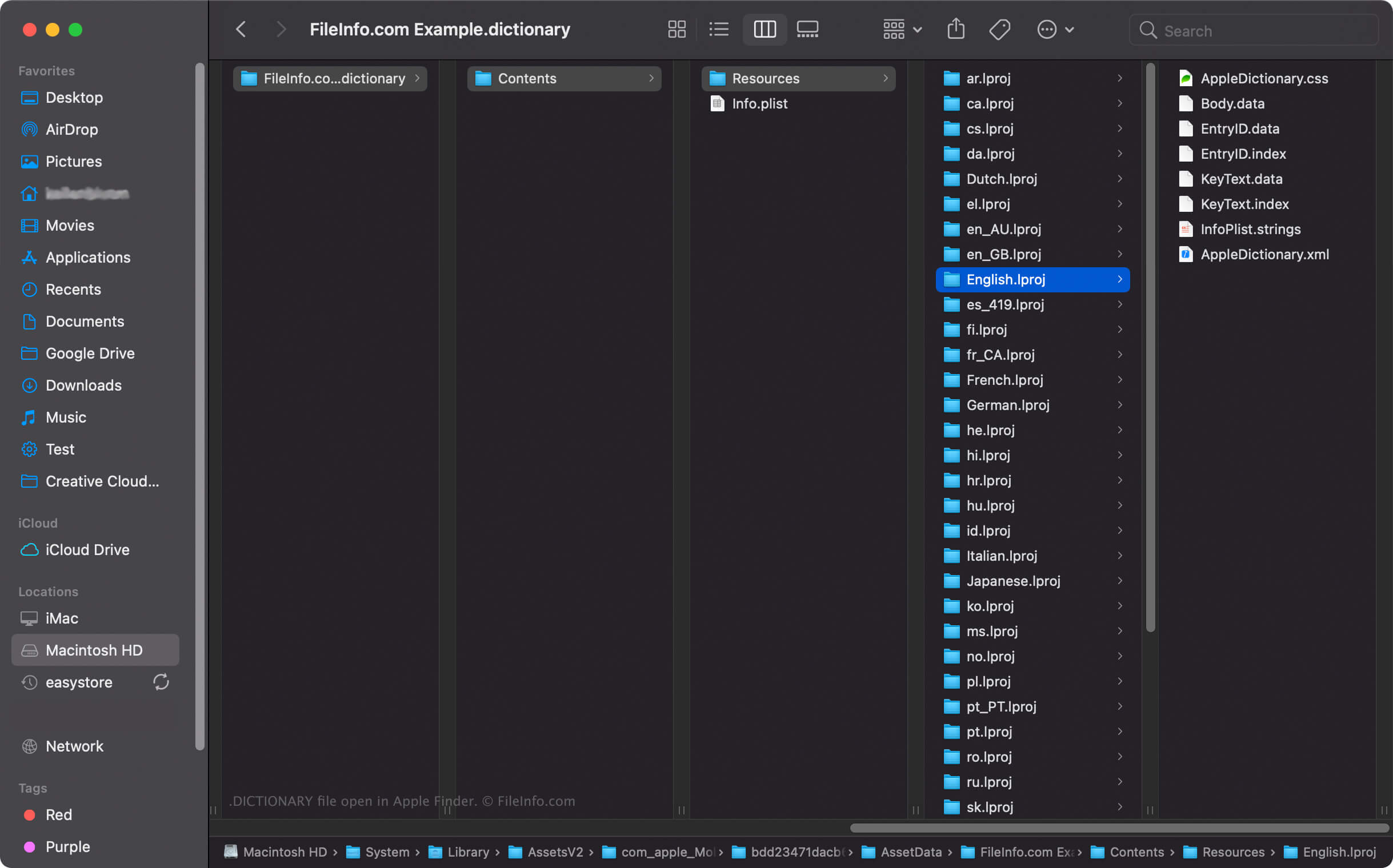
W systemie macOS można kliknąć plik DICTIONARY prawym przyciskiem myszy i wybrać opcję , aby wyświetlić katalogi i pliki pakietu w aplikacji Apple Finder. Na przykład każdy plik DICTIONARY zawiera binarny plik Body.data w katalogu Dictionary Contents/Resources/, w którym przechowywana jest lista słów w słowniku.
UWAGA: Modyfikowanie zawartości pliku DICTIONARY może spowodować uszkodzenie słownika.